

In short: To start your cloud server after stopping it: client area, then Services, then My Products & Services, then your server, then Server Quick Actions, then Power On, then Confirm. A message confirms that the server is running.
This guide shows how to start your cloud server again after you stopped it (see how to stop your cloud server).
Steps #
1. Log in to the client area. See how to log in to the client area.

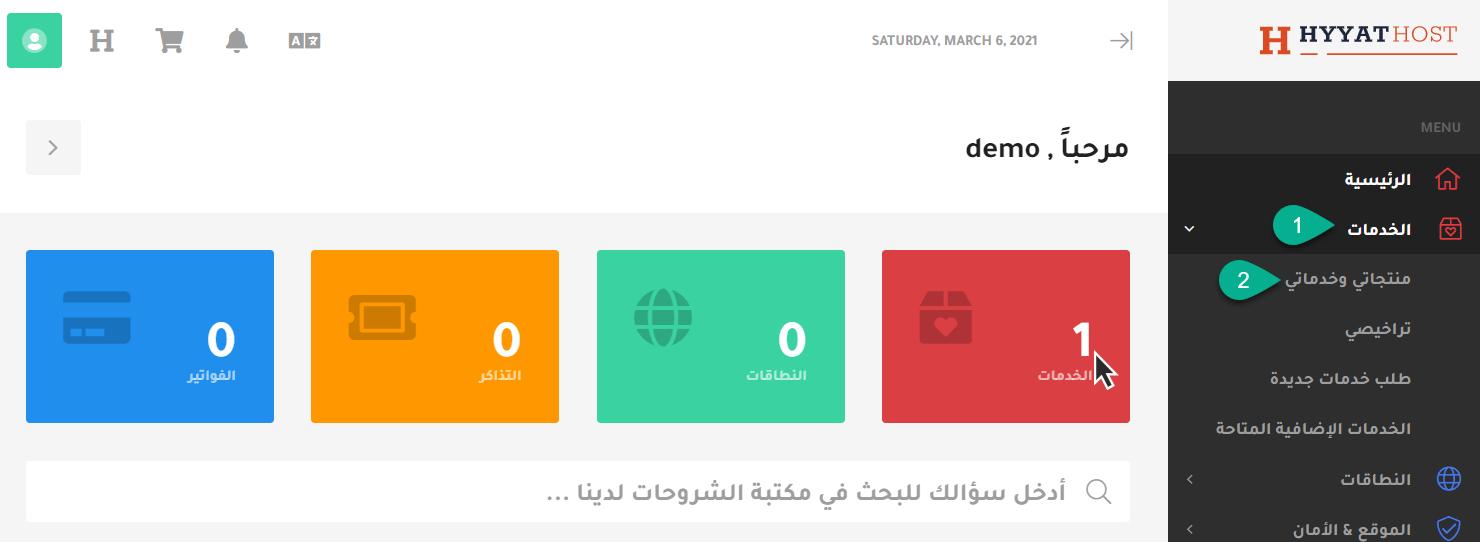
2. Click Services, then My Products & Services.
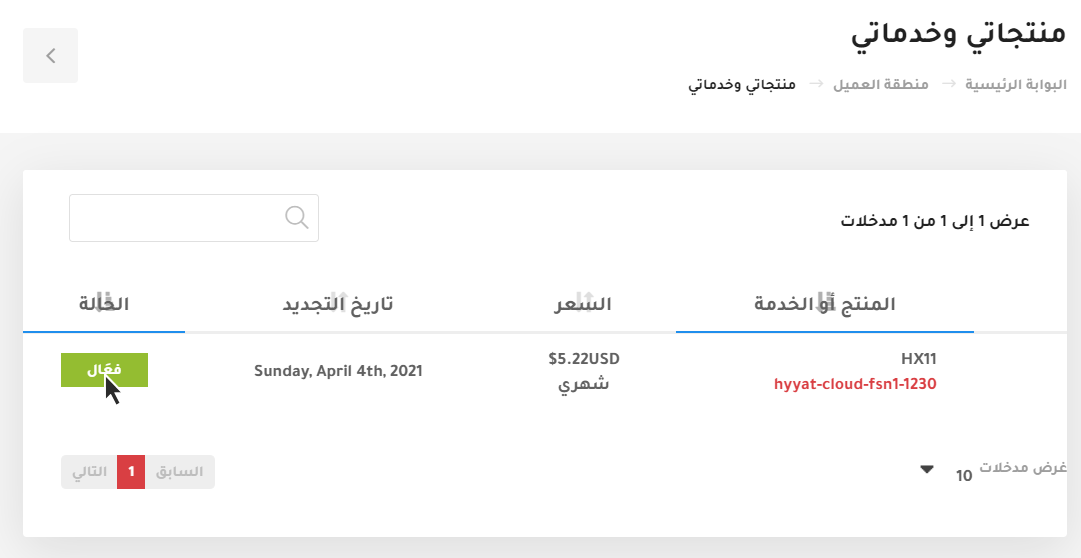
3. Your services appear. Choose the server you want to manage and click Active.
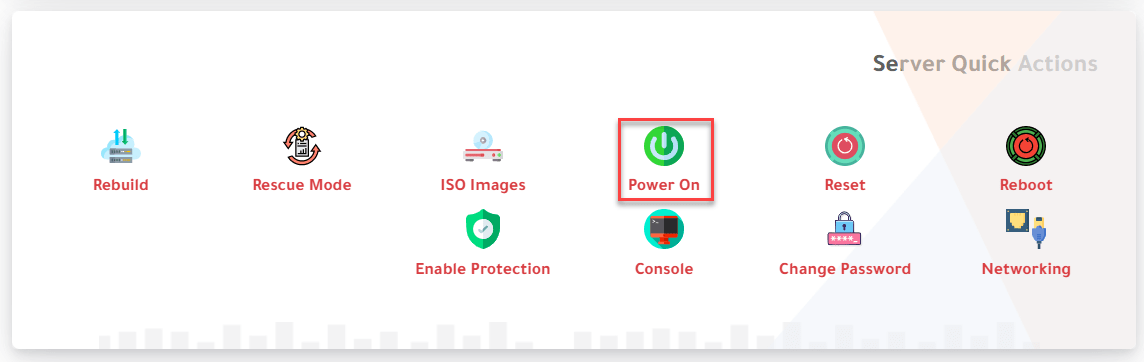
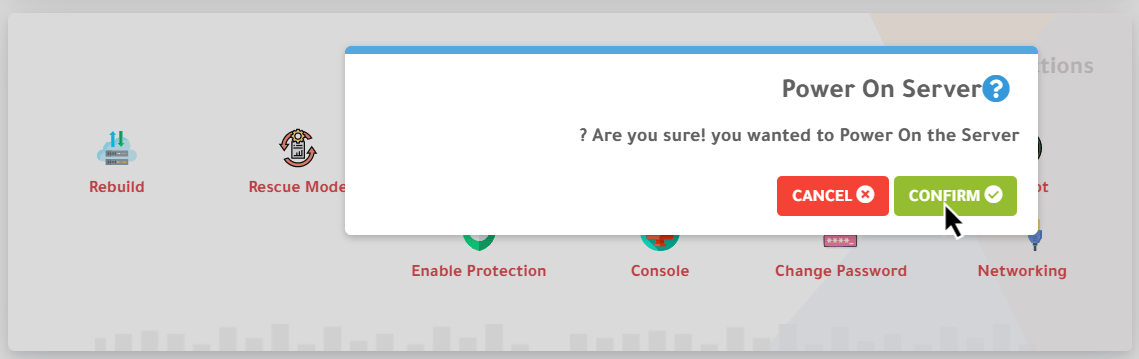
4. Scroll down to Server Quick Actions and choose Power On. A confirmation message appears; click Confirm.
The message reads: “Are you sure! you wanted to Power On the Server?”
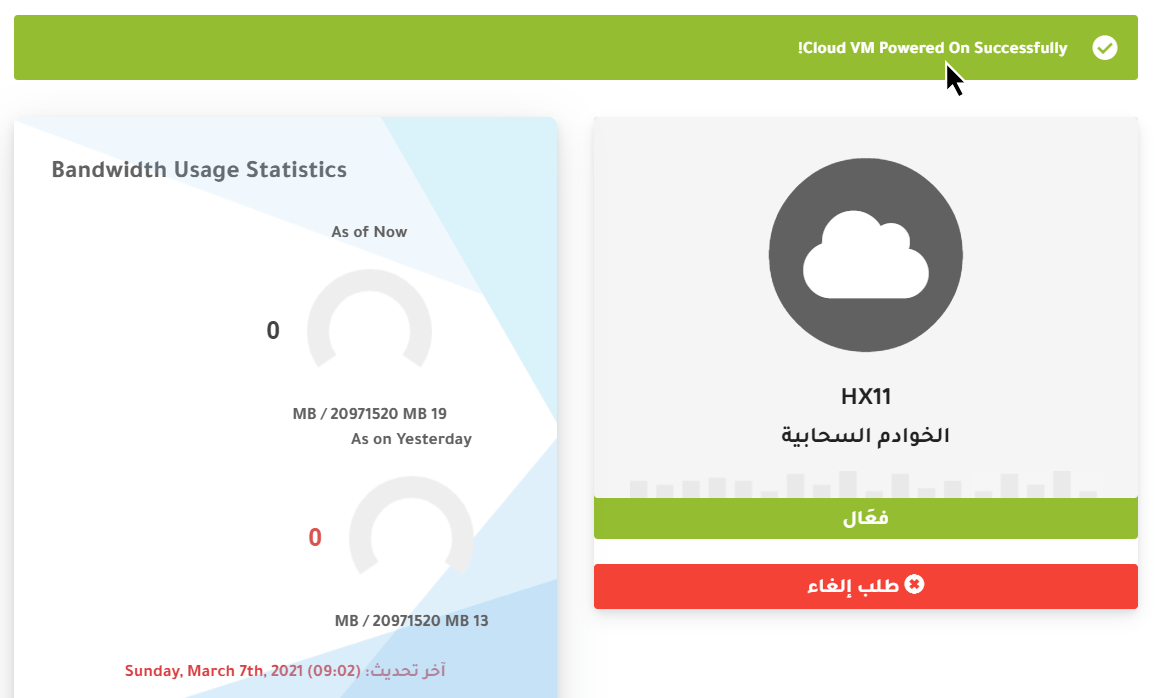
5. A message at the top confirms that your server has been powered on.
Related service: Hyyat Host cloud servers with full root access and 24/7 support.


