

In short: To create an FTP account in cPanel: open cPanel, go to Files, then FTP Accounts. Enter a username and password, choose the folder the account can access and its quota, and click Create FTP Account. Your accounts are listed at the bottom of the page, where you can change the password or quota, or delete them.
FTP accounts let you access your website files using the FTP protocol and an FTP program such as FileZilla. See how to upload files with FTP.
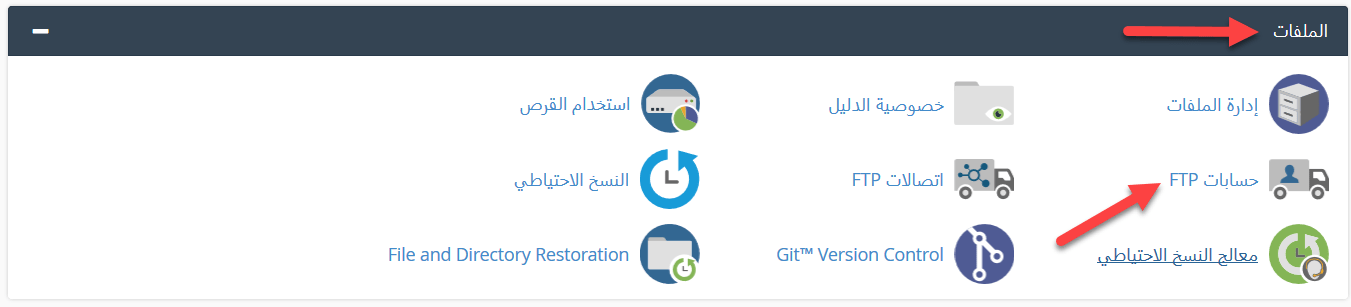
1. Log in to cPanel (see how to log in to cPanel).
2. In the Files section, click FTP Accounts.
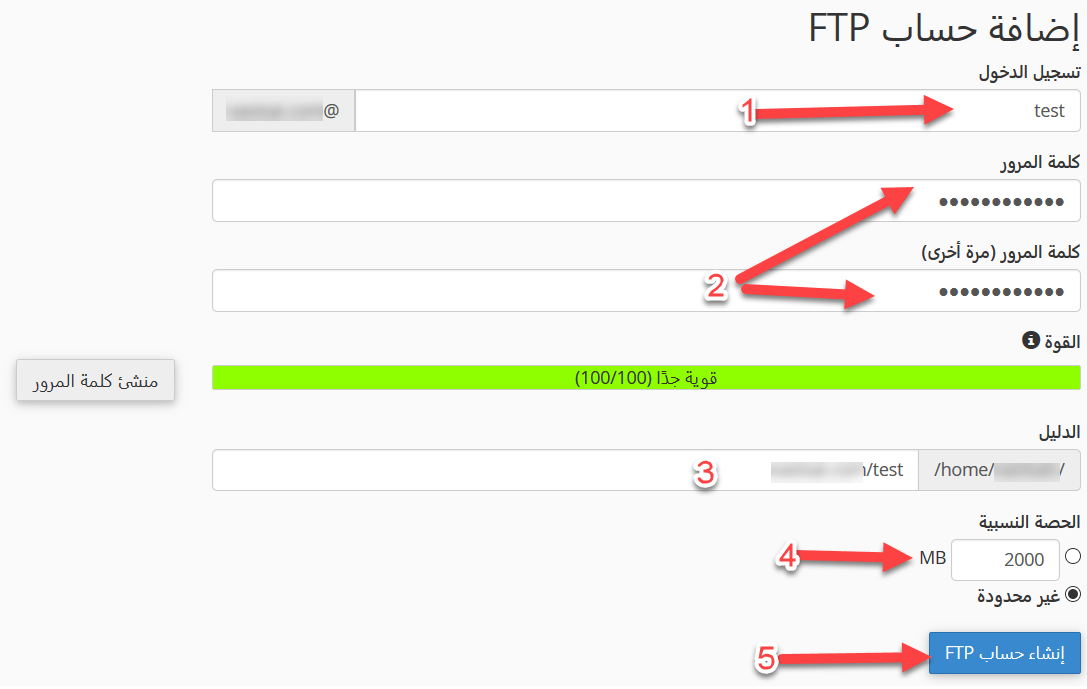
3. Fill in the form:
- Enter the username and password you want to use.
- Enter the folder this FTP account can access. Choosing public_html gives access to every folder inside your website’s main folder.
- Set the quota (disk space) for the account.
- Click Create FTP Account.
Note: your FTP accounts, including the main account, are listed at the bottom of the page. From there you can change the password or quota, or delete an account.

Related service: Hyyat Host shared hosting includes cPanel and 24/7 support.


