

In short: To see your cloud server password: client area, then Services, then My Products & Services, then your server. In the server details box, click the eye icon next to Server Password. To change it, use Change Password in Server Quick Actions.
This guide shows how to find your cloud server password in the Hyyat Host client area.
Steps #
1. Log in to the client area. See how to log in to the client area.
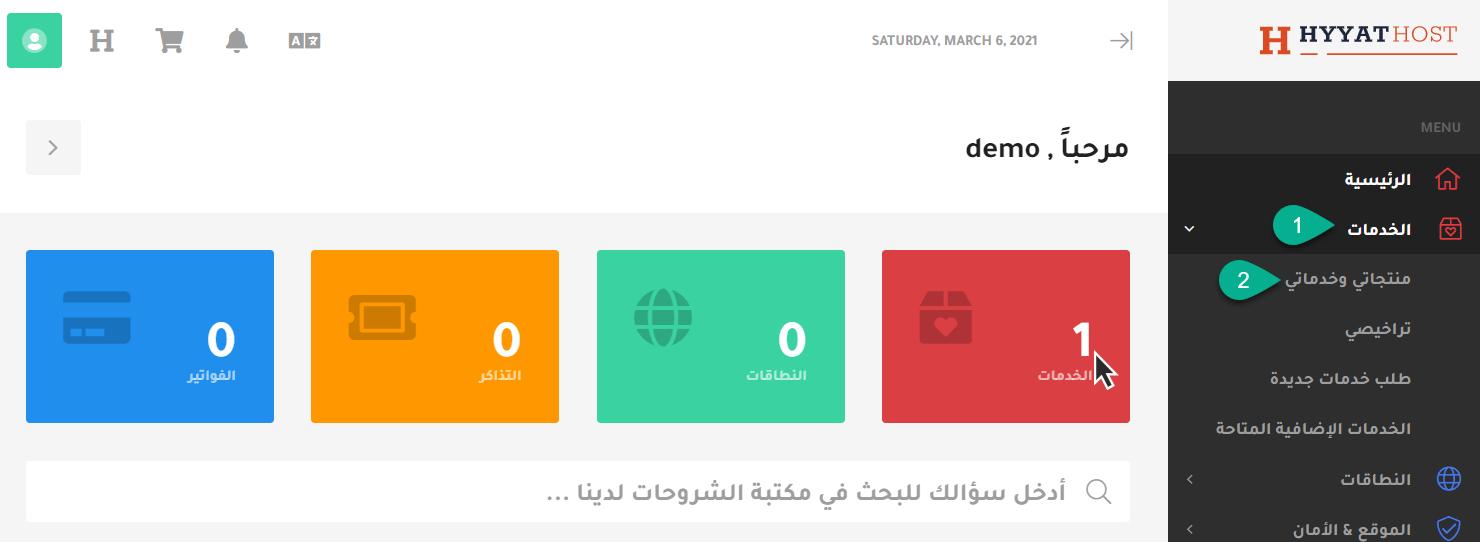
2. Click Services, then My Products & Services.
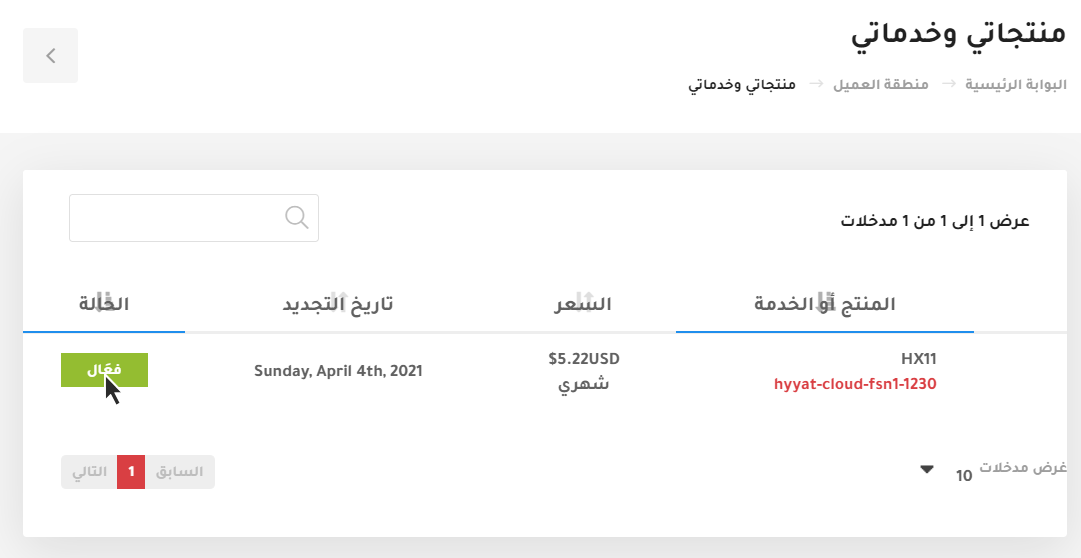
3. Choose the server you want to manage and click Active.
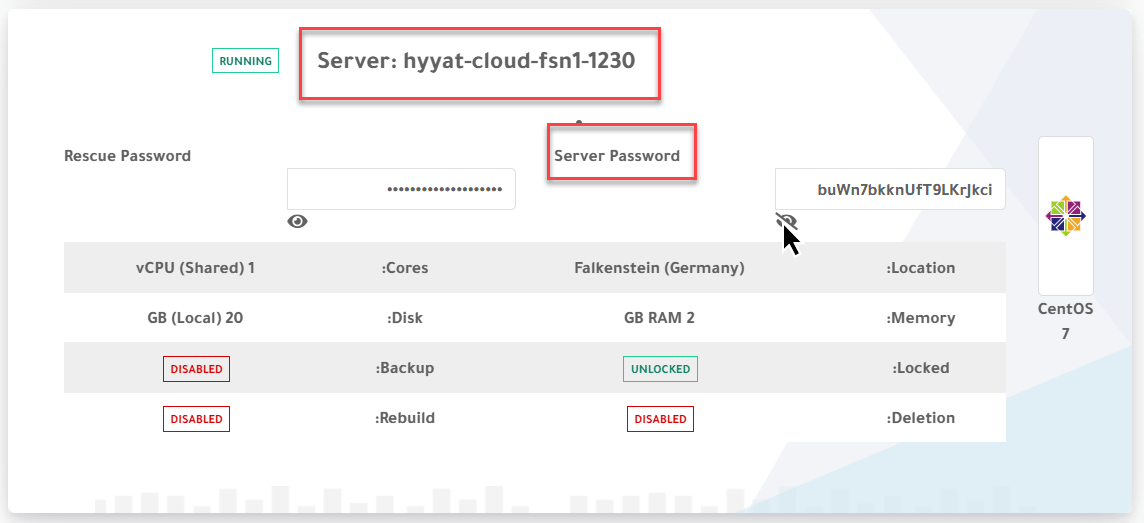
4. Scroll down to the server details box (named Server: your server name) and click the eye icon next to Server Password to show it.
To set a new password, see how to change your cloud server password.
Related service: Hyyat Host cloud servers with full root access and 24/7 support.


