

Every machine has a name that identifies it on the network, called the hostname. You may not notice it in daily work, but it matters when running a mail server or identifying your machine among several servers. The Hostname tab changes it instantly from the browser.
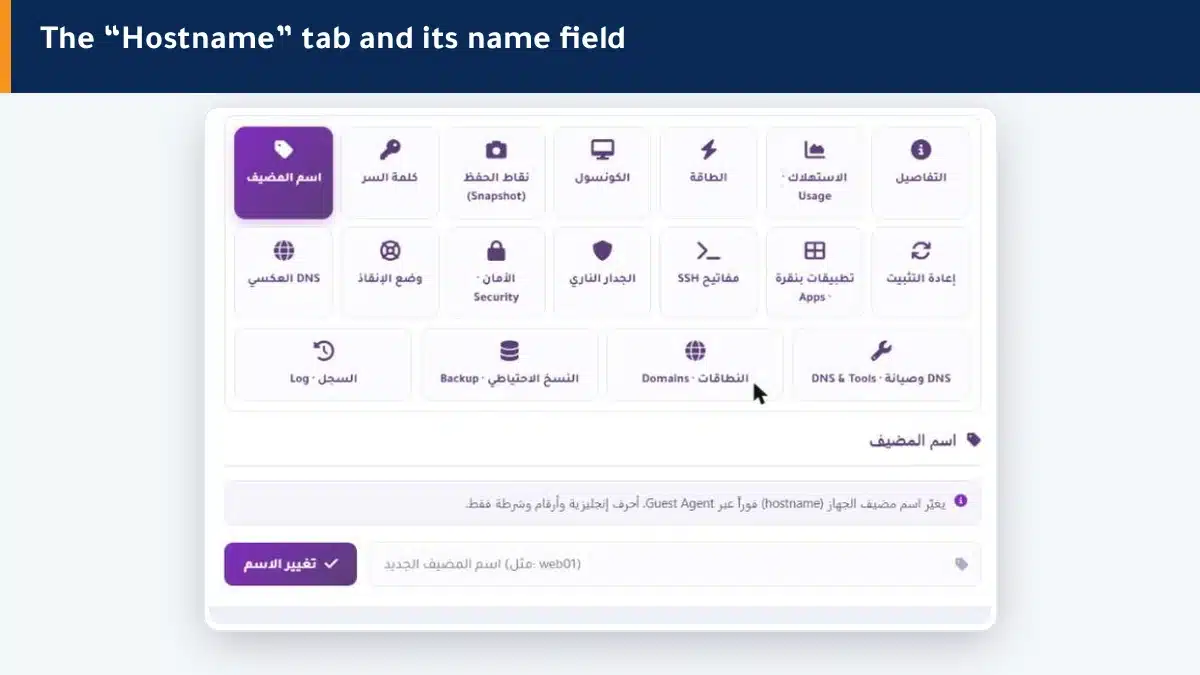
How do I change the hostname? #
- Open the Hostname tab in the control panel.
- Type the new name with English letters, numbers and hyphens only (such as web01).
- Click Change name — it applies instantly to the machine.
Hostname naming rules #
- Lowercase English letters, numbers and hyphens (-) only; no spaces or Arabic letters.
- It can be simple like web01, or a full domain like mail.example.com.
- Make it clear and descriptive of the machine role, especially if you have more than one server.
Why does the hostname matter for a mail server? #
Mail servers check the sender hostname. If your machine sends mail, a clear hostname that matches your reverse DNS reduces the chance of your messages being treated as spam or rejected. So it is best to set both together.
Summary #
- The hostname is your machine name on the network, changed instantly from the panel.
- Write it with English letters, numbers and hyphens only.
- For mail servers, match it with reverse DNS to reduce rejected mail.
If you send mail, also set your machine reverse DNS.
Frequently asked questions #
What is a hostname?
It is the name that identifies your machine on the network. It is used for server identification and mail-server checks, and can be simple like web01 or a full domain like mail.example.com.
Does changing the hostname affect my site?
Not directly; it is an identifying name for the machine. But it matters for mail servers and for organization if you have several servers.
Does the change apply instantly?
Yes, it applies to the machine right away. Some internal services may need a restart to pick up the new name.
Can I use Arabic letters in the hostname?
No. The hostname accepts lowercase English letters, numbers and hyphens only, with no spaces or Arabic letters.
What does the hostname have to do with mail?
Mail servers check the sender hostname and whether it matches the reverse DNS. A clear, matching name reduces the chance of your mail being rejected or marked as spam.


