

mysqldump db_name > file.sql. Import into an existing database: mysql db_name < file.sql. Compressed: zcat file.sql.gz | mysql db_name. This route is not bound by phpMyAdmin’s upload limits.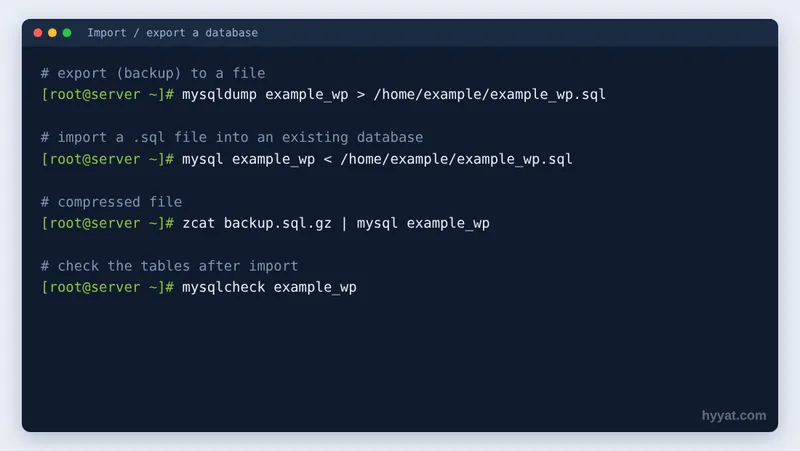
Exporting (a backup) #
mysqldump example_wp > /home/example/example_wp.sql
mysqldump example_wp | gzip > /home/example/example_wp.sql.gz   # compressed
mysqldump --single-transaction example_wp > db.sql            # without locking InnoDB tables
--single-transaction helps for a live site: it takes a consistent copy without stopping writes to InnoDB tables.
Importing #
- Create the database first on a cPanel server, create it in the account’s cPanel with its user so it shows in the interface.
- Upload the file to the account’s home over SFTP, not into public_html.
- Run the import
mysql example_wp < /home/example/example_wp.sql. - Check
mysqlcheck example_wp, then open the site. - Delete the file the SQL file holds the whole site’s data, so do not leave it on the server.
Import problems #
| Message | Fix |
|---|---|
MySQL server has gone away |
Raise max_allowed_packet in Edit Database Configuration in WHM |
Unknown collation: utf8mb4_0900_ai_ci |
The file came from MySQL 8 and the server runs MariaDB. Replace the collation with utf8mb4_unicode_ci in the file before importing |
| Arabic text shows as odd symbols | Set the encoding: mysql --default-character-set=utf8mb4 db < file.sql |
Table already exists |
The database is not empty. Import into a new one, or drop the tables first after a backup |
Access denied; you need SUPER privilege |
The file has a DEFINER for a missing user. Remove the DEFINER lines or export without them |
If the file is small and you prefer a screen, phpMyAdmin is covered in import and export with phpMyAdmin, and its upload limits in raising the import size.
Moving a database directly between servers #
If the two servers can reach each other over SSH, you can move the database with no intermediate file:
mysqldump example_wp | ssh [email protected] "mysql example_wp"
It exports on this server and imports on the other in one step. Create the empty database on the target first. On a slow link, add compression: mysqldump example_wp | gzip | ssh root@... "gunzip | mysql example_wp".
Import and export questions #
How long does a large import take?
It depends on size, indexes and disk speed. Run it inside screen so it survives a dropped connection.
Can I export every database at once?
Yes, mysqldump –all-databases, but one file per database is easier for restoring a single site.
Is a mysqldump enough as a site backup?
It covers the database only. Files need copying too, or use a full cPanel backup.
- Working with MySQL and MariaDB from the Command Line: Logging In, Querying, and Creating a Database and User
- Raising the phpMyAdmin Database Import Size on a cPanel Server: The Right Setting in WHM
- Export and Import a Database with phpMyAdmin in cPanel: Backups and Site Moves
- Automatic Backups in WHM (Backup Configuration): Daily, Weekly and an Off-Server Copy


