

After enabling the CSF firewall, some sites may stop sending email, especially those using an SMTP plugin to send through Gmail or another external service. The cause is usually SMTP_BLOCK, which stops anything other than the mail server from connecting to external SMTP ports. The option is useful because it stops hacked scripts from sending spam.
The better fix: keep the protection #
Make sites send through the mail server on the same machine: host localhost or mail.domain, port 587 or 465, with a real mailbox and password. SMTP_BLOCK stays on, and mail is DKIM-signed for your domain.
If you need to reach an external server #
- Log in to WHM in your browser at
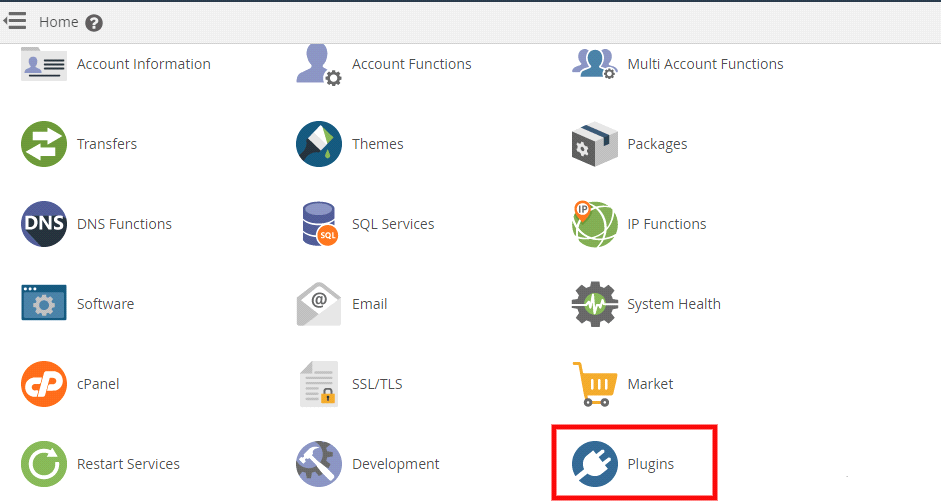
https://server-IP:2087orhttps://server-hostname:2087as root. - Open Plugins, then ConfigServer Security & Firewall.
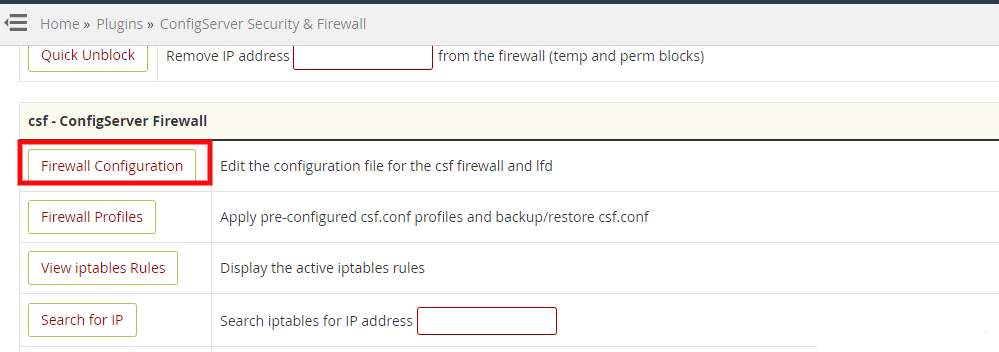
- Click Firewall Configuration to open the settings file.
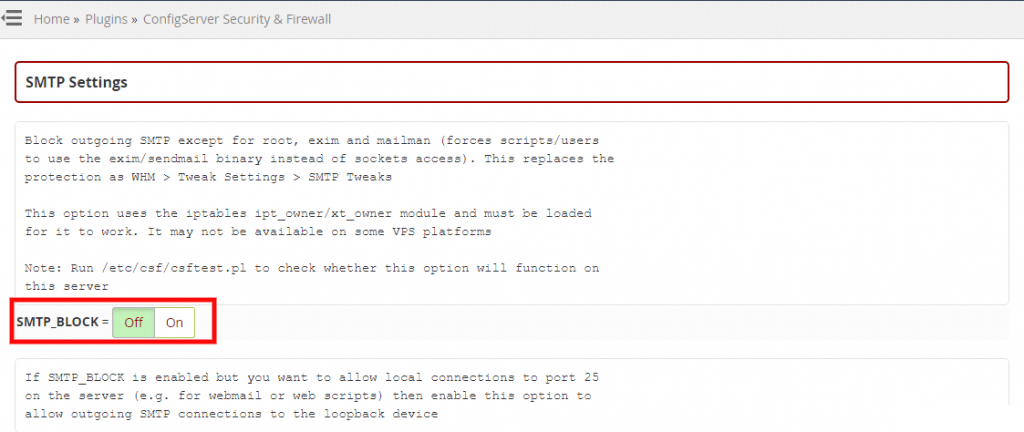
- Find SMTP_ALLOWUSER and add the cPanel username that needs external access. This is better than turning the protection off for everyone.
- Or set SMTP_BLOCK = 0 to turn the block off for all accounts, if you accept that.
- Save and restart CSF with Change, then Restart csf+lfd.

Summary #
- SMTP_BLOCK stops direct connections to external mail servers.
- Sending through the local mail server with authentication is better.
- For exceptions, use SMTP_ALLOWUSER instead of turning protection off.
Need a server with cPanel and WHM? See VPS servers and the cPanel and WHM on VPS guide.
Frequently asked questions #
Why does my site not send email after enabling CSF?
Usually SMTP_BLOCK is stopping an SMTP plugin from connecting to an external mail server.
Should I turn SMTP_BLOCK off?
Preferably not. Send through the local mail server, or exempt the specific user with SMTP_ALLOWUSER.


