

A sudden redirect is one of the best known signs of infection, so the question is the right one. Scanning with us works on two levels: the server scan we run, and a manual scanner that may appear in your panel.
Level one: the server scan #
Our servers scan website files with ImunifyAV. It needs nothing from you, and when it finds a malicious file our team handles it and lets you know.
Level two: ClamAV Scanner in cPanel #
On some servers ClamAV Scanner appears in the Security section. If you have it, use it as follows; if not, scanning happens on the server side as above.
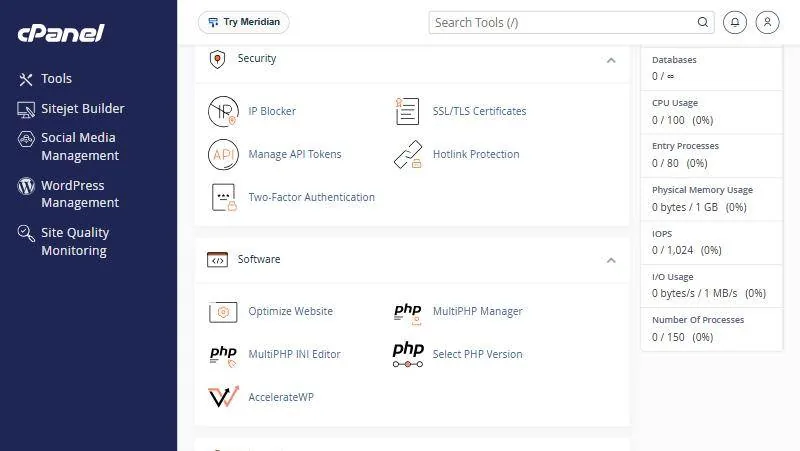
- Open ClamAV Scanner in the Security section.
- Choose what to scan email, the whole home directory, the public_html site folder or the FTP folder.
- Click Scan Now and wait; it can take a while depending on the number of files.
- Review the results infected files are listed with options for handling them.
index.php; deleting it takes the site down. Replacing it with a clean copy is usually the right fix.Signs your site is infected #
- Visitors redirected to other sites, especially on mobile or from Google results.
- Pop-up ads you did not add. Guide: removing the wp-vcd malware.
- Oddly named PHP files inside the images or
uploadsfolder. - A Google or browser warning that the site is dangerous.
- Email sent in your domain’s name that you did not send.
What to do if you suspect an infection #
- Do not delete files at random you may remove a clean file and keep the malicious one.
- Change passwords cPanel, WordPress, FTP and databases.
- Open a support ticket describing what you noticed, when it started and on which pages.
- Follow the clean-up steps in cleaning a hacked WordPress site.
Prevention is easier than cure #
- Keep WordPress, themes and plugins updated.
- Never install paid themes or plugins from unofficial free sources.
- Use two-factor authentication and different passwords.
- Keep a clean backup off the hosting.
From our support desk #
- A customer noticed redirects only on mobile and thought his site was clean because it opened normally on his computer. Modern infections target mobile and search traffic specifically.
- A customer deleted a file the scan flagged and the site went down, because it was a core file with code injected. Replacing it with a clean WordPress copy was the fix.
- A site was reinfected after cleaning because the infected plugin was still installed. Removing it and changing passwords ended it.
Frequently asked questions #
Is my site scanned automatically?
Yes, our servers scan website files with ImunifyAV.
Why is ClamAV not in my panel?
It is not enabled on your server; scanning happens on the server side.
Should I delete files the scan finds?
First make sure they are not core files; better to replace them with clean copies or ask for help.
Does scanning slow my site?
The server scan is designed to run without a noticeable effect on visitors.
Does an infection affect my Google ranking?
Yes, Google may show a warning or lower the site, so act fast and request a review in Search Console.
Can malware spread to other sites in my account?
It can spread within the same account, so check all of them after any infection.
- How to Clean a Hacked WordPress Site: Removing Malware Step by Step
- Pop-up Ads and Redirects on Your WordPress Site? How to Remove wp-vcd Malware
- ModSecurity in cPanel: Your Site Firewall, and When to Turn It Off for One Domain
- A Full Backup of Your Website from cPanel: Files, Databases and Email
- The Security Section in cPanel: IP Blocker, SSL Certificates, Two-Factor Authentication and Hotlink Protection


