

Thunderbird tries to detect settings on its own and sometimes picks an unencrypted port or a server name that does not match the certificate. Manual setup takes a minute and guarantees an encrypted connection from the start.
The values you need #
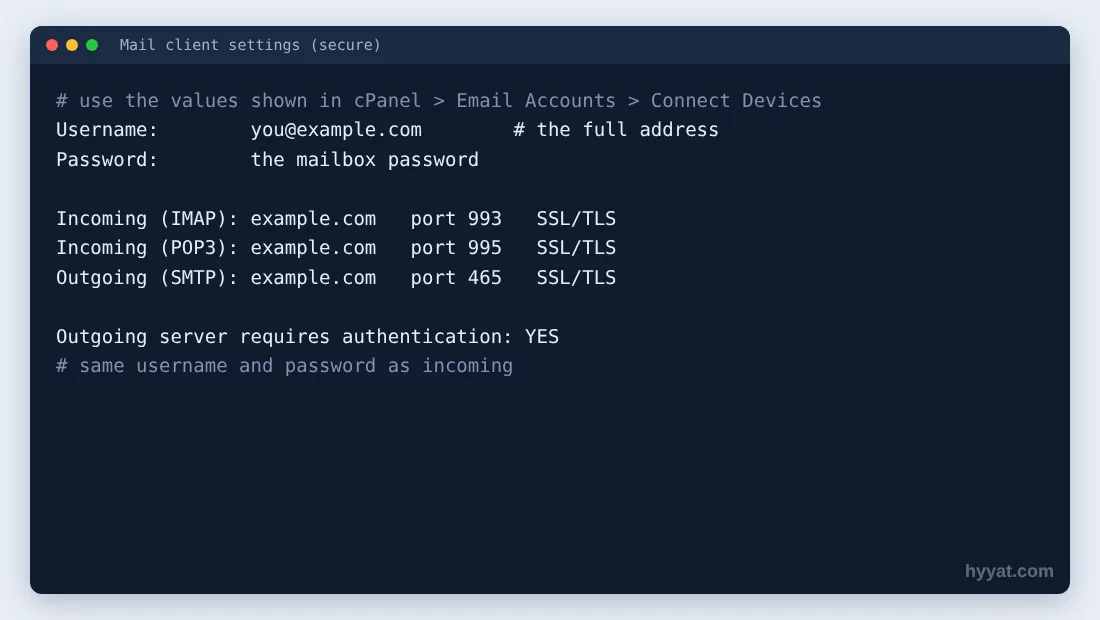
The correct server name for your account is in cPanel → Email Accounts → Connect Devices: the Connect Devices page.
A new account #
- Open Thunderbird then set up an existing email account (menu: New Account → Existing Email).
- Enter name, address and password with the full address.
- Choose Configure manually
- Incoming IMAP, server from Connect Devices, port 993, SSL/TLS, normal password.
- Outgoing SMTP, same server, port 465, SSL/TLS, normal password.
- Username the full address in both fields.
- Test and finish click Re-test, then Done.
| Incoming | Outgoing | |
|---|---|---|
| Protocol | IMAP | SMTP |
| Port | 993 | 465 |
| Connection security | SSL/TLS | SSL/TLS |
| Authentication | Normal password | Normal password |
| Username | The full address | The full address |
Switching an existing account to encryption #
- Incoming: Account Settings → Server Settings → Connection security SSL/TLS, port 993.
- Outgoing: Account Settings → Outgoing Server (SMTP) → select the server → Edit → SSL/TLS, port 465.
Certificate warnings #
If a security warning about the certificate appears, the cause is usually a server name that does not match the server’s certificate. Do not click “Confirm Security Exception” by reflex: change the server name to the one shown in Connect Devices.
After setup #
- Keep Sent and Drafts folders on the server: Account Settings → Copies & Folders.
- Turn on periodic message checks in Server Settings.
- If the account is old POP3, read switching to IMAP before changing it.
The summary for quick readers #
- Manual setup: IMAP 993 and SMTP 465 with SSL/TLS.
- Normal password, full address as username.
- Server name from Connect Devices, no guessing.
Frequently asked #
Should I use POP3 in Thunderbird?
IMAP suits most people better: POP3 vs IMAP.
Thunderbird keeps asking for the password. Why?
The password changed or authentication is wrong. Update it in the saved passwords in settings.
Does Thunderbird work on Mac and Linux?
Yes, with the same settings.
Only sending fails. What should I check?
The outgoing server: port 465, SSL/TLS and authentication.


