

In short: In cPanel go to Metrics → AWStats, choose the domain and click View. You get daily, monthly and yearly reports of visitors, pages viewed, visit duration, top IP addresses, countries and bandwidth.
AWStats is a free and widely used tool that turns your server logs into charts and tables, updated regularly, so you can see how many people visit your site and what they look at.
- Log in to cPanel (see how to log in to cPanel).
- In the Metrics section, click AWStats.
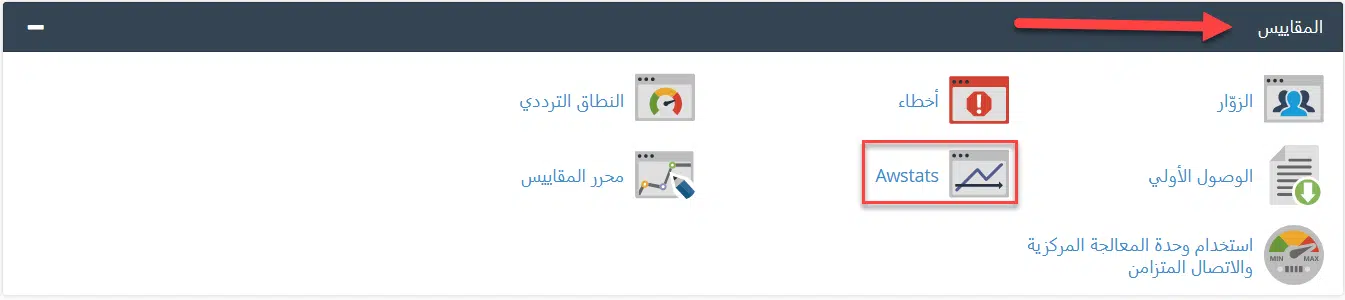
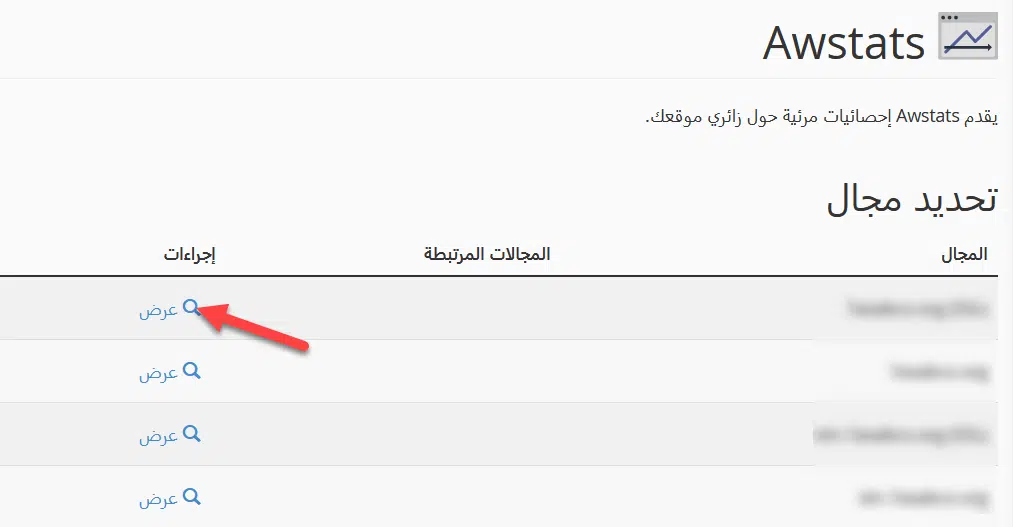
- If you have more than one domain, choose the domain and click View.

- The statistics appear like this:

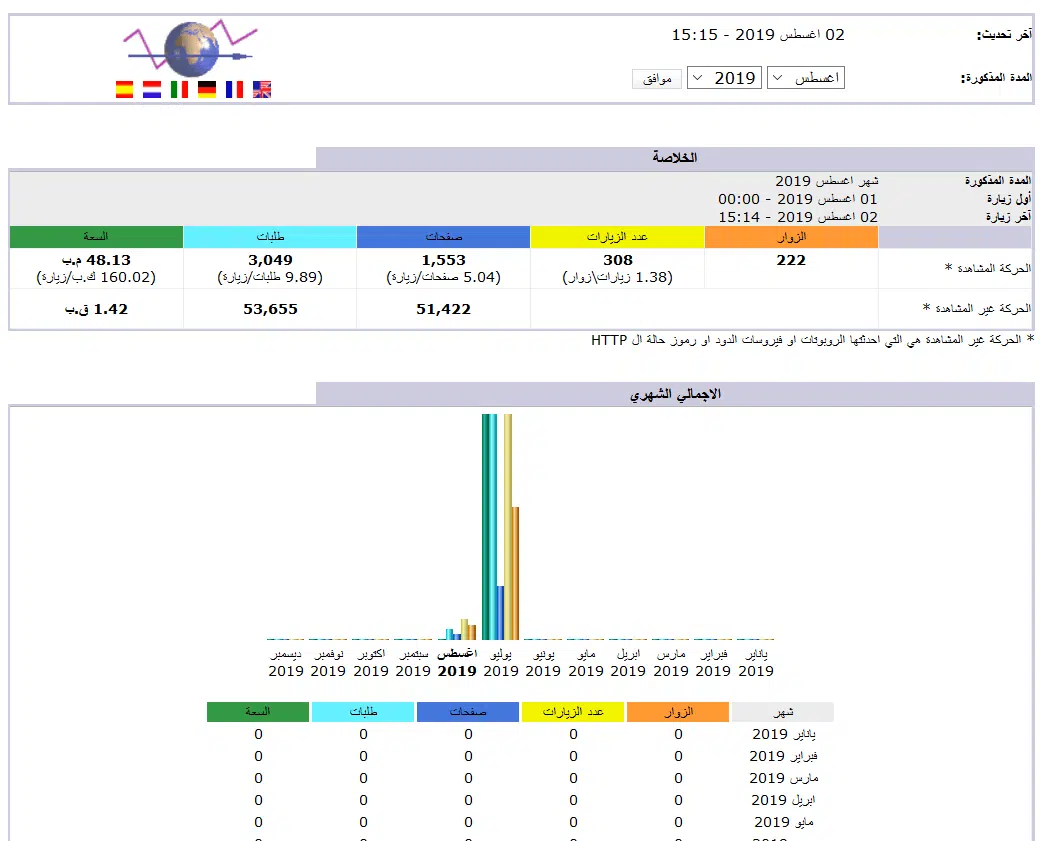
What AWStats shows #
- Unique visitors and number of visits
- Pages and files viewed
- Visit duration
- Most active IP addresses
- Visitors by country
- Bandwidth used
Tip: AWStats counts server requests, including bots, so its numbers are usually higher than Google Analytics. For real-time connections, use Metrics → Visitors.
Related service: fast, secure web hosting from Hyyat Host, with 24/7 support.


