

ClamAV is an open-source virus scanner that cPanel offers as an official plugin. Its clearest uses on a hosting server are scanning email attachments and giving site owners a tool to scan their own files from cPanel.
Installing #
WHM › cPanel › Manage Plugins
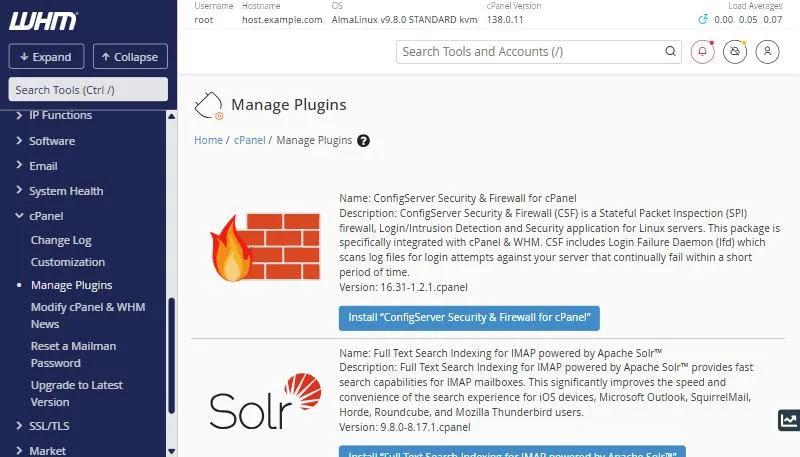
- Open Manage Plugins and scroll to the ClamAV for cPanel card (described as Virus Protection for Email and Filemanager Uploads).
- Click Install and wait; downloading the signature database can take a while.
- Enable it for customers in Feature Manager make sure Virus Scanner is on in the relevant feature lists.
- Turn on mail scanning if you want it in Exim Configuration Manager, look in the Security section for the options to scan messages for malware, which work once ClamAV is installed.
ClamAV or ImunifyAV? #
| ClamAV | ImunifyAV | |
|---|---|---|
| Maker | Open-source project, offered by cPanel as a plugin | CloudLinux |
| Focus | Known viruses in files and attachments | Website malware such as PHP backdoors |
| Scans mail | Yes, when enabled in Exim | Not its main purpose |
| Memory | Noticeable, because the signature database is loaded into memory | Lighter for routine scans |
On Hyyat Host servers, websites are scanned with ImunifyAV. On your own server you can use both: ClamAV for mail and ImunifyAV for site files.
Scanning from SSH #
freshclam                                   # update signatures
clamscan -r -i /home/user/public_html       # scan a folder, show infected only
clamscan -r -i --move=/root/quarantine /home/user   # move infected files to quarantine
--move is safer than deleting: review moved files before removing them, as some hits may be false positives.
What customers see #
Virus Scanner in cPanel, where they choose to scan mail, the whole home folder or public_html. The customer-facing guide is scanning your website and mail for viruses.
Three things to remember #
- ClamAV is an official plugin installed with one click from Manage Plugins.
- Best use: mail scanning and a scan tool for customers.
- Watch memory after installing on small servers.
Scheduling a regular scan #
Virus Scanner in cPanel scans on demand only. For a regular scan of chosen folders on your server, add a root cron job that runs clamscan overnight on the important folders and mails you the result:
0 3 * * 0 /usr/local/cpanel/3rdparty/bin/clamscan -r -i /home/*/public_html | mail -s "ClamAV weekly" [email protected]
The clamscan path can vary with the install, so find it first with which clamscan. Run it weekly at a quiet time, as it reads every file and works the disk hard.
ClamAV questions #
Is ClamAV free?
Yes. It is open source and the cPanel plugin is free.
How do I remove it?
From Manage Plugins, with Uninstall.
Does it delete infected files automatically?
No, unless you ask it to in the scan command. We recommend moving them to quarantine and reviewing.
Does ClamAV catch PHP backdoors?
It catches some known ones, but website-focused tools such as ImunifyAV are more accurate for that kind of threat.
- Scanning Your Website and Email for Viruses in cPanel: ClamAV and Server Scanning
- The CSF Firewall on a cPanel Server: What It Does, Installing It from Manage Plugins, and the First Settings
- Checking cPanel Server Health in WHM: Load, Memory, Processes and Services in Five Screens
- 5 Tips to Secure Your cPanel Server


