

Plugins add new features to WordPress, such as galleries, sliders, calendars and much more. There are thousands of free and paid plugins. Here are the three ways to install one.
1. Install from the WordPress plugin directory #
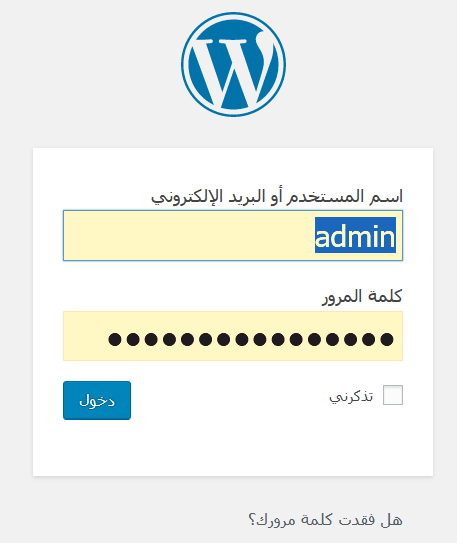
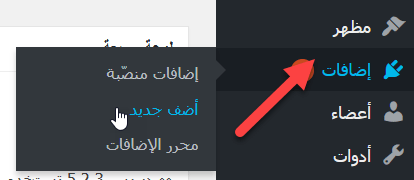
The easiest way, but only for free plugins listed in the WordPress directory. Log in to the dashboard, go to Plugins, then Add New.
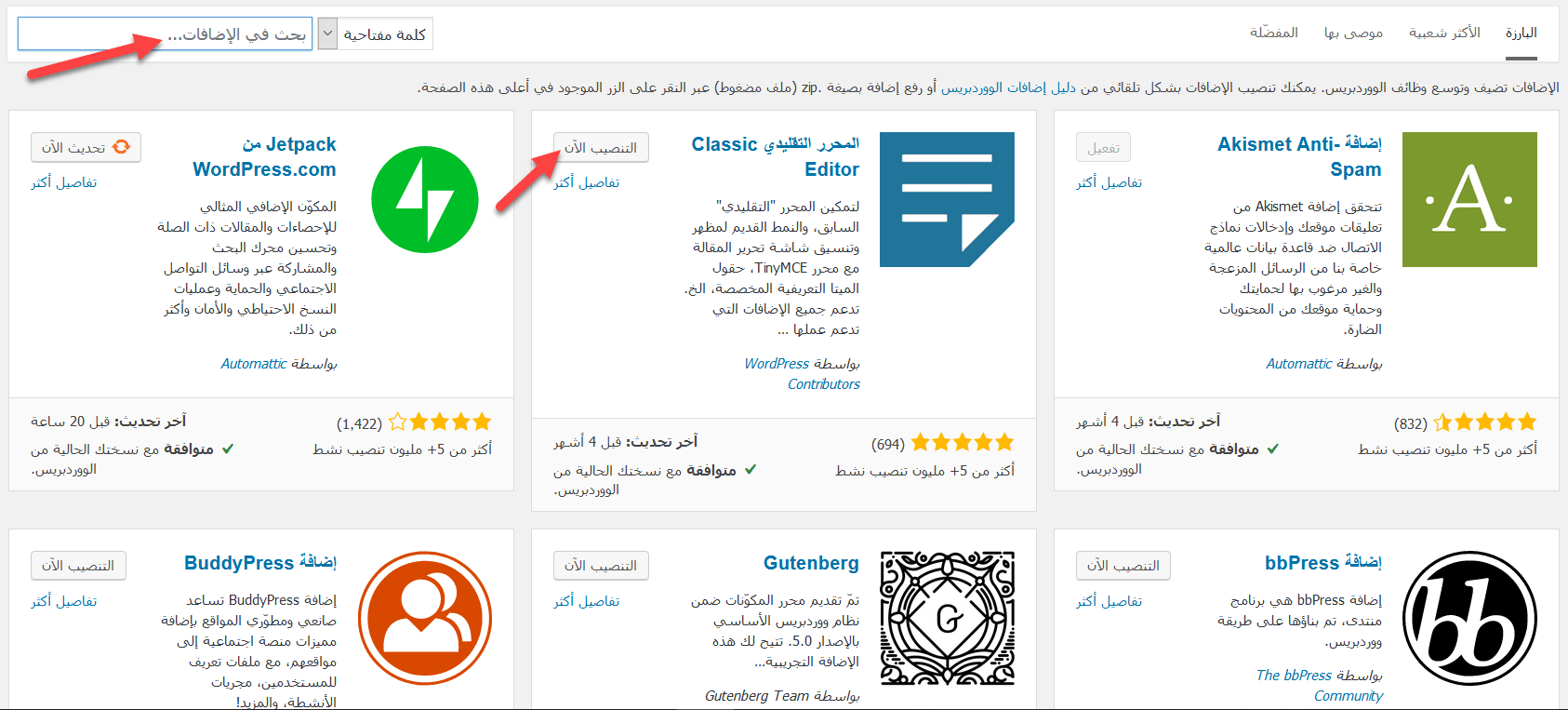
Type the plugin name or what it does in the search box. Click Install Now on the plugin you want, then Activate.
2. Upload a plugin .zip file #
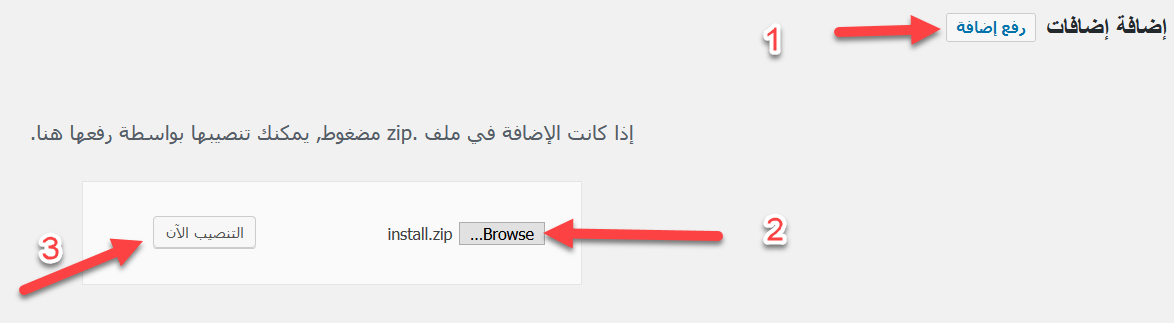
Many plugins, especially premium ones, are not in the directory. Download the plugin’s .zip file from the developer’s site, then go to Plugins, then Add New, and click Upload Plugin at the top. Choose the file, click Install Now, and when it finishes click Activate Plugin.
3. Install manually via FTP #
Use this if the upload fails, for example because the file is larger than the allowed upload size. You need an FTP program such as FileZilla and your FTP details. See how to upload files via FTP.
- Unzip the plugin file on your computer.
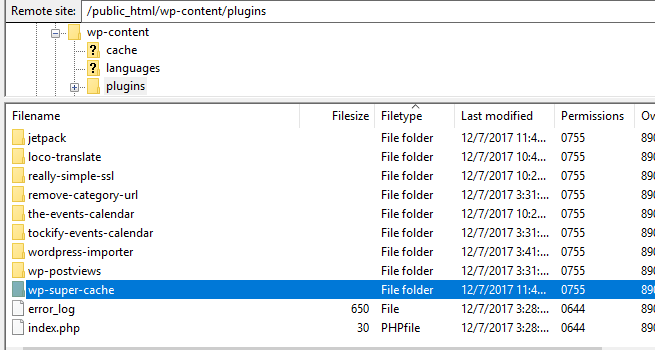
- Connect to your site via FTP and open wp-content/plugins. You will see a folder for each installed plugin.
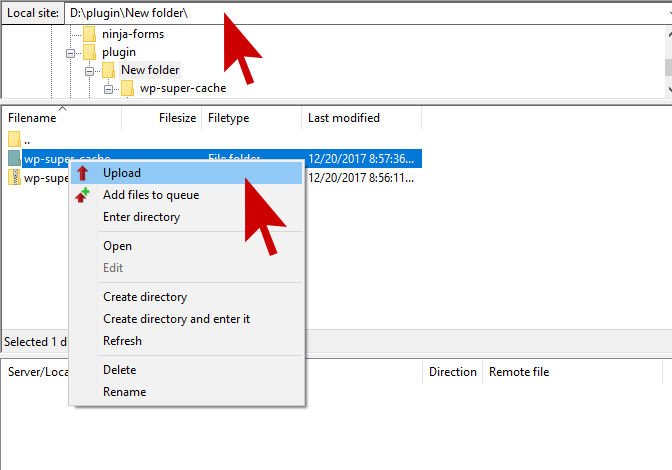
- Upload the unzipped plugin folder there (right-click the folder in the Local panel and choose Upload).
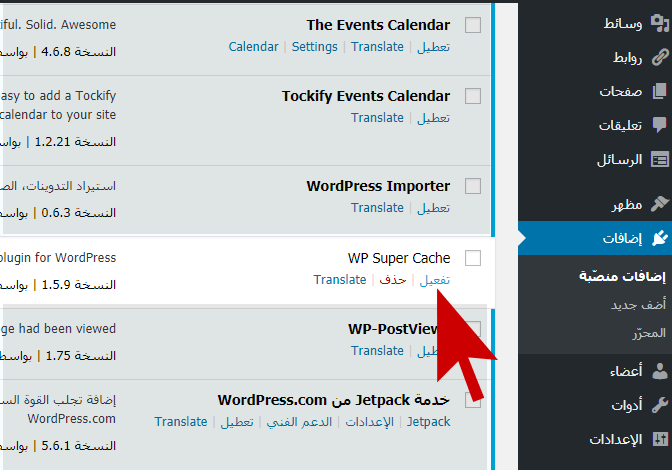
- In WordPress, go to Plugins, then Installed Plugins, and activate the new plugin.

You can also upload the .zip file to wp-content/plugins with cPanel File Manager and extract it there. If a new plugin breaks your site, see how to disable all WordPress plugins.
Related service: Hyyat Host WordPress hosting from $1.93/month with free SSL and free migration.


