

Transfer requirements #
- At least 60 days must remain before the domain expires.
- Your email must be the one registered in the domain’s current contact details, because you will receive a message there to approve the transfer.
- You need the auth code (EPP code) of the domain, which you get from the company where the domain is registered.
- The domain must be unlocked.
- Privacy protection must be turned off.
Transfer steps #
1. Log in to the client area (see how to log in to the client area).
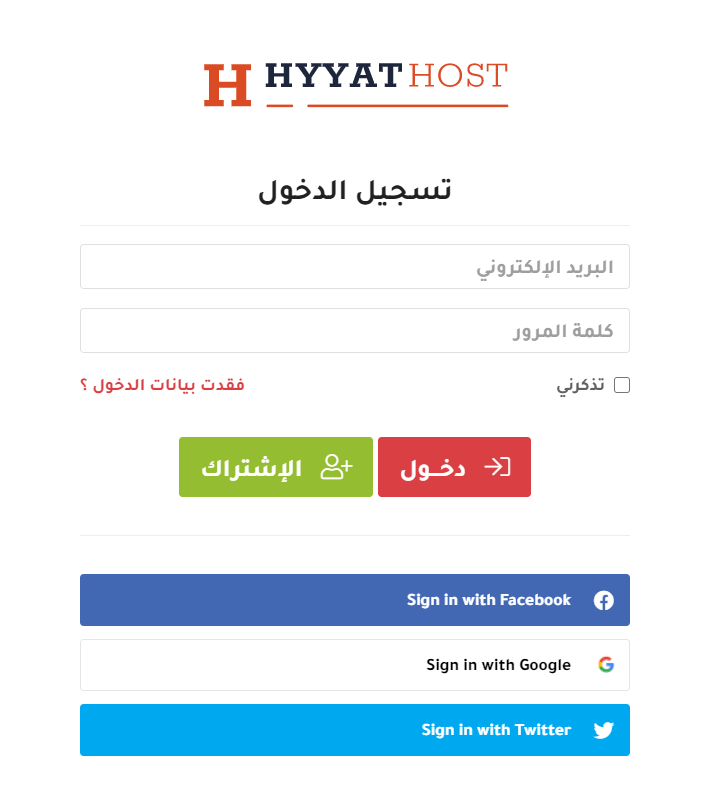
Or go directly to the domain transfer page, whether you are already a customer or not.
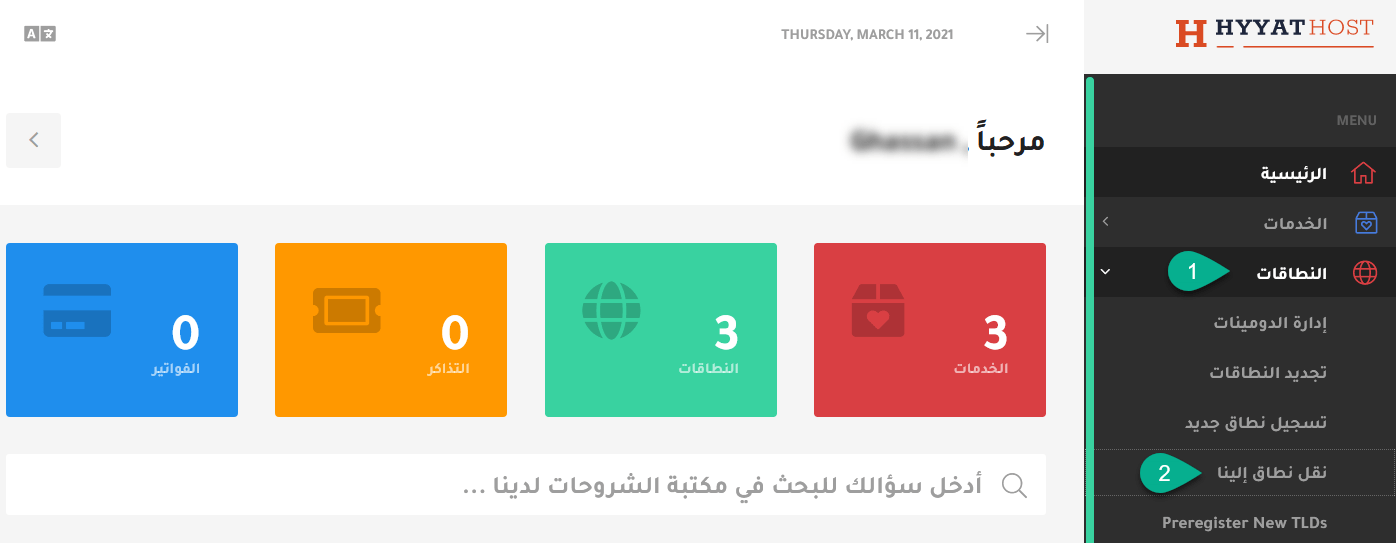
2. In the menu, click Domains, then Transfer Domains to Us.
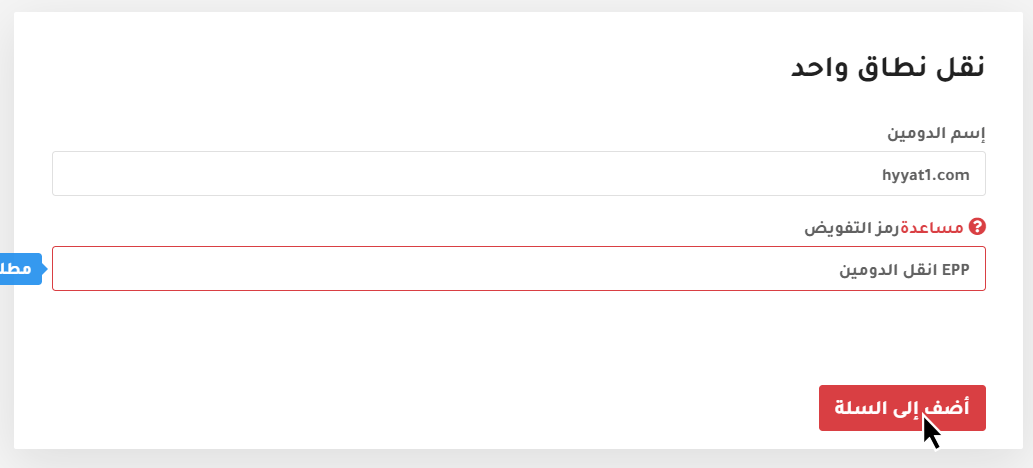
3. Enter your domain, choose its extension and click Add to Cart. You will need the authorization (EPP) code from your current registrar; it works like a unique password for the domain.
A message confirms the domain is registered and can be transferred. Click Continue.
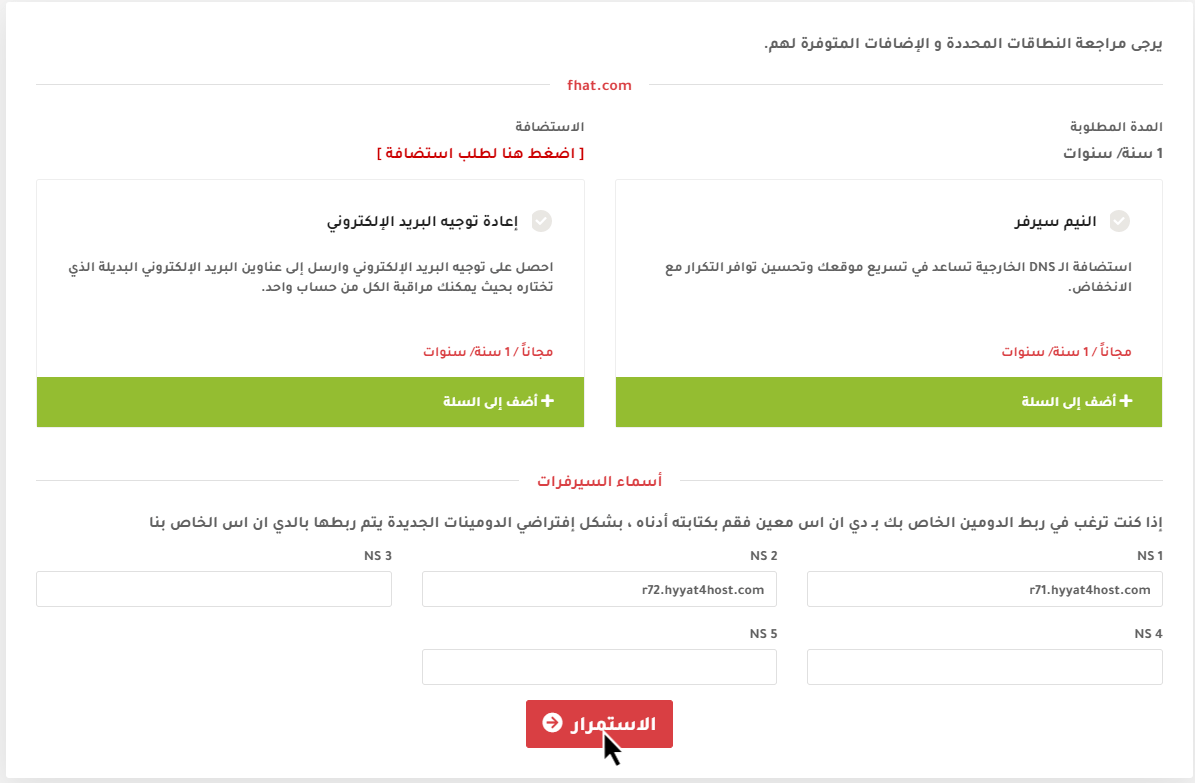
4. On the domain configuration page, if you want to use the domain with our hosting, keep the default nameservers. To use it with another host, enter that host’s nameservers. Then click Continue.
5. Review your order in the cart. New customers fill in their details; existing customers choose existing customer and log in with their email and password.
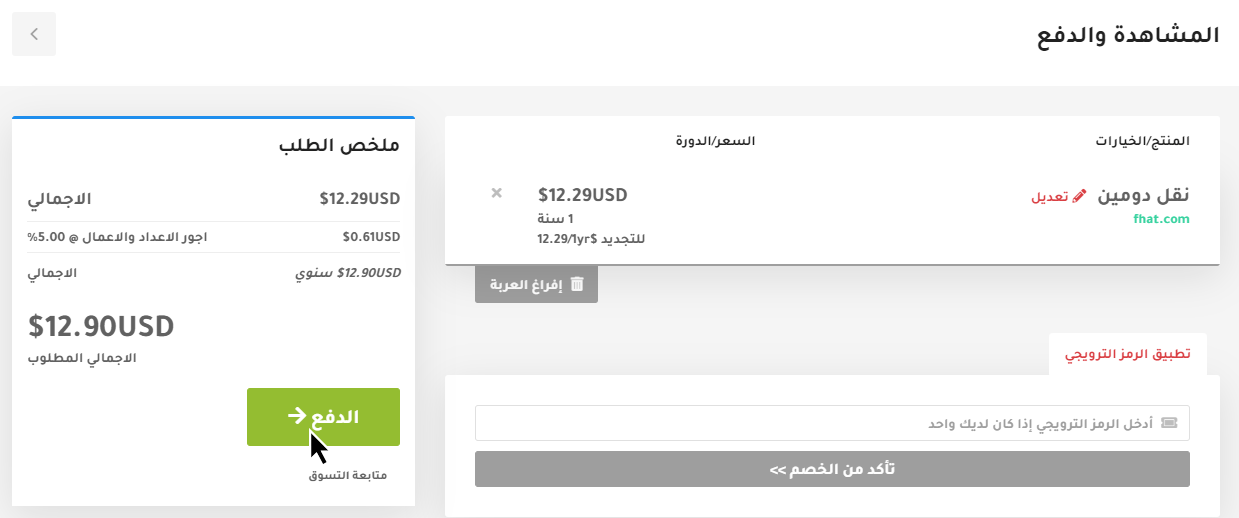
6. Choose your payment method and click Complete Order.
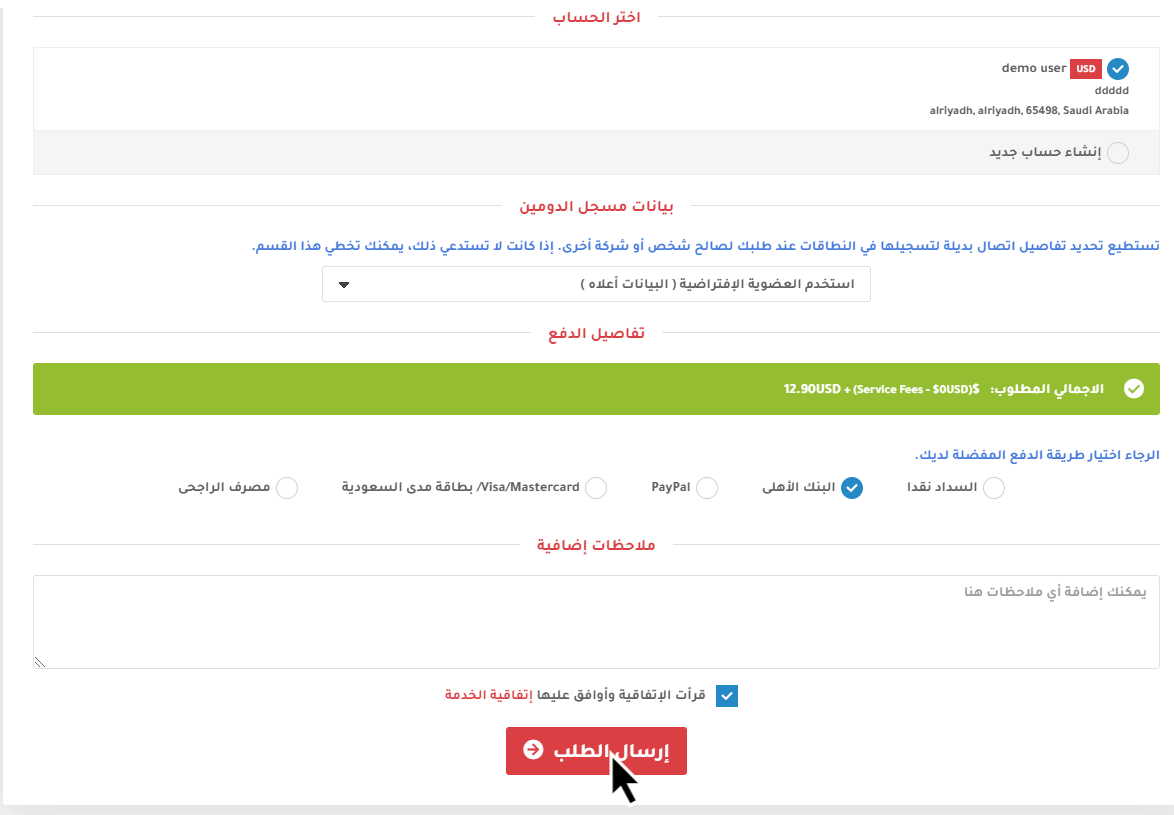
If you pay by bank transfer, open a support ticket with the payment details so we can process your order.
Notes #
- The transfer takes 5 to 8 days at most.
- If the registrant email was changed recently, a transfer cannot be requested until 60 days after the change.
- A locked domain cannot be transferred, so unlock it first.
- The transfer fails if the transfer code is wrong.
- You can track the transfer status in your client area under Domains.
Related service: Hyyat Host domain registration with Arabic support 24/7.


