

Seeing “Please unblock challenges.cloudflare.com to proceed”? That is a different problem and pausing Cloudflare is not the fix: see the solution here.
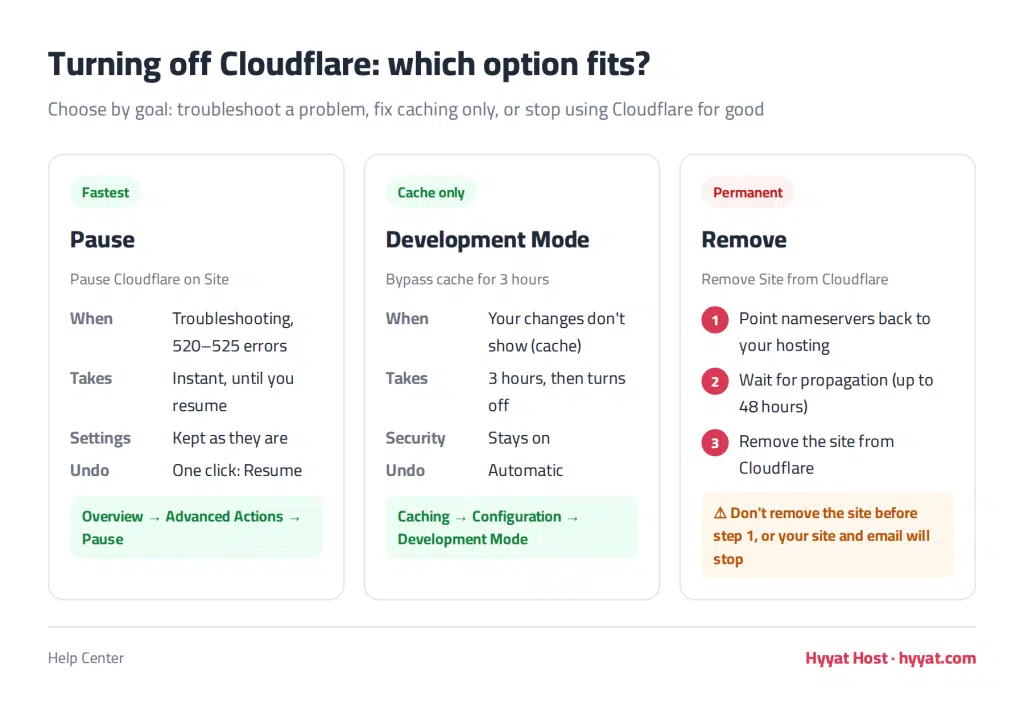
When do you need to pause Cloudflare? #
- To find out whether a problem on your site is caused by Cloudflare or by the site itself.
- When your changes do not show because of caching, or you see errors such as 520, 521, 522 or 525.
- When moving your site to new hosting or changing DNS settings.
- When you no longer want to use Cloudflare.
Method 1: Pause Cloudflare from the Cloudflare dashboard (fastest) #
- Log in to the Cloudflare dashboard and choose your site.
- On the Overview page, scroll to Advanced Actions in the sidebar.
- Click Pause Cloudflare on Site and confirm.
The domain stays on Cloudflare, but traffic goes straight to your server without Cloudflare protection or caching. To turn it back on, click Resume Cloudflare on Site in the same place.
Lighter alternative: if the problem is only caching, enable Development Mode under Caching. It bypasses the cache for 3 hours without turning off protection.
Method 2: Remove Cloudflare permanently #
- At your domain registrar (the client area if your domain is with Hyyat Host), change the nameservers back to your hosting nameservers instead of the Cloudflare ones. See how to change your domain nameservers.
- Wait for the change to propagate; it can take from a few hours up to 48 hours.
- Then in the Cloudflare dashboard choose your site and, under Overview → Advanced Actions, click Remove Site from Cloudflare.
Important: do not remove the site from Cloudflare before restoring your nameservers, or your website and email may stop working until the change completes.
Method 3: Disable Cloudflare from cPanel #
If you activated Cloudflare through the Cloudflare plugin in cPanel:
- Log in to cPanel.
- In the Software section, click Cloudflare.

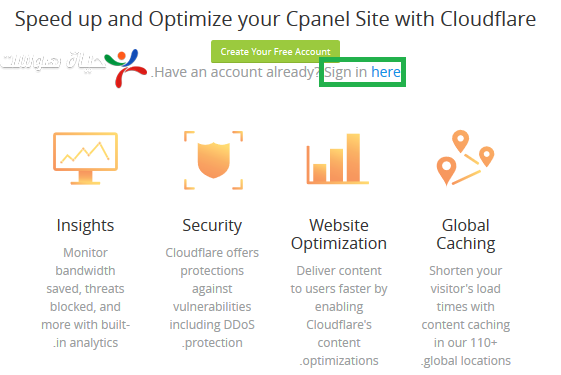
- Click Sign in here.
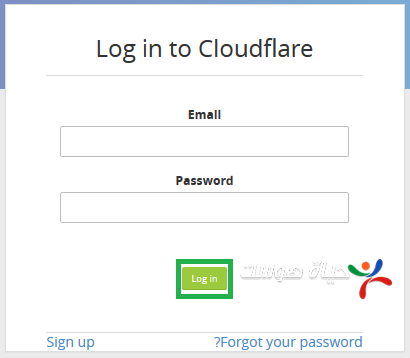
- Enter the email and password you registered with, then click Log in.
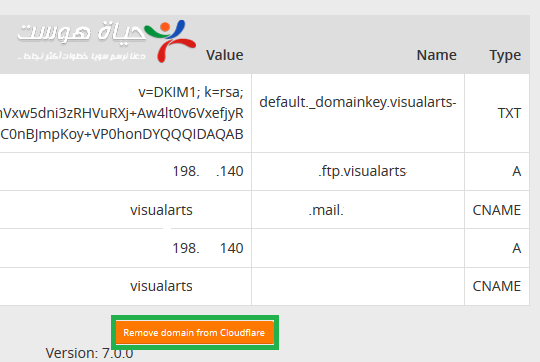
- Open the Domain tab at the top.
- Scroll down and click Remove domain from Cloudflare.


Related tutorials #
Related service: fast, secure web hosting from Hyyat Host, with 24/7 support.


