

Sometimes the storage space you set for an email account fills up and you need to increase it. Here is how.
1. Log in to cPanel. See how to log in to cPanel.
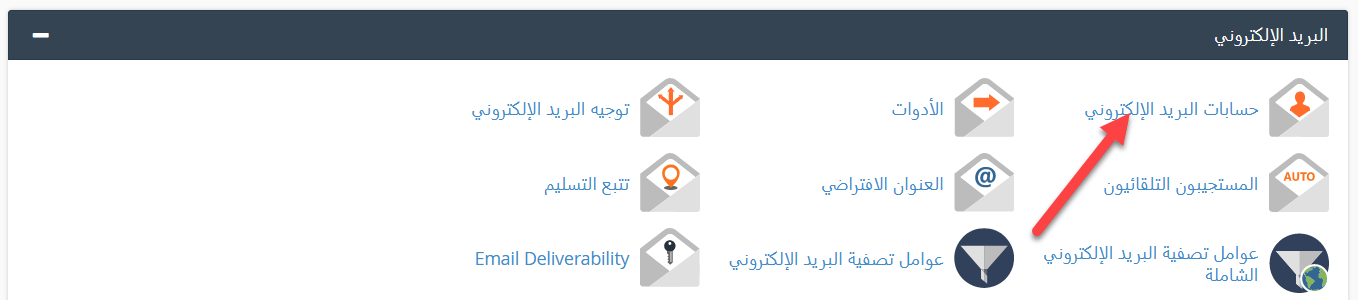
2. Click Email Accounts.
3. You will see all email accounts on your site. Next to each one you see its address, its storage used and quota, a link to open it in Webmail, Manage to change its settings, and Connect Devices for email client setup.
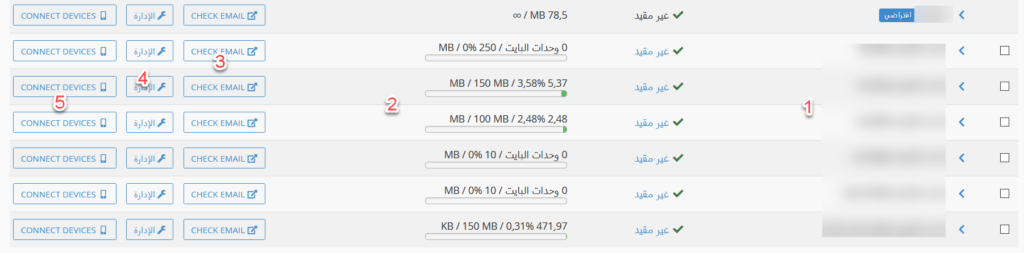
4. Click Manage next to the account you want to change.

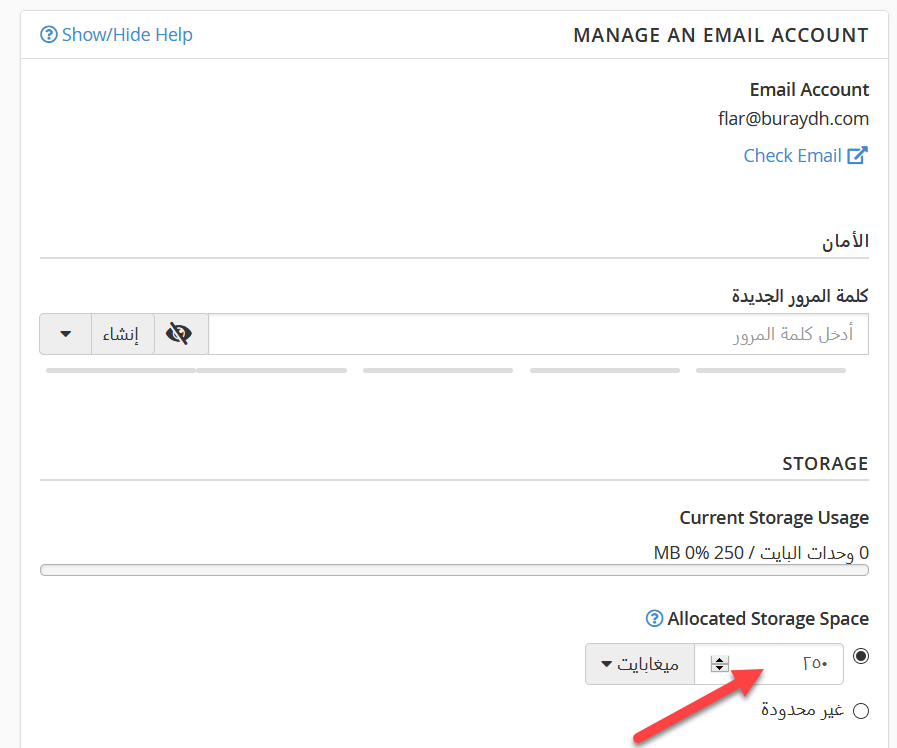
5. Under Allocated Storage Space, enter the new size, or choose Unlimited. Then click Update Email Settings.
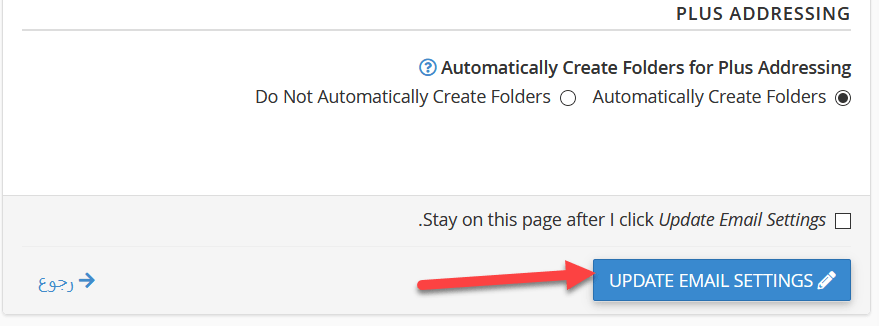
6. A success message confirms the change.

The total email storage still counts toward your hosting plan’s disk space.
Related service: Hyyat Host business hosting gives you unlimited email accounts on your domain with more storage, from $77/year.


