

/etc/webmin/uninstall.sh. If it was installed as a package, use dnf remove webmin on AlmaLinux and Rocky, or apt remove --purge webmin on Ubuntu and Debian. Then confirm port 10000 is no longer open.Webmin is a browser-based admin panel for Linux servers on port 10000. You may find it on a server you took over from someone else, or installed it to try and then moved to cPanel or another panel. Any root-level admin panel you do not use is an extra door that should be closed.
First, find out how it was installed #
ls /etc/webmin/uninstall.sh   # present? installed by script
rpm -q webmin                 # AlmaLinux / Rocky
dpkg -l webmin                # Ubuntu / Debian
Removing it #
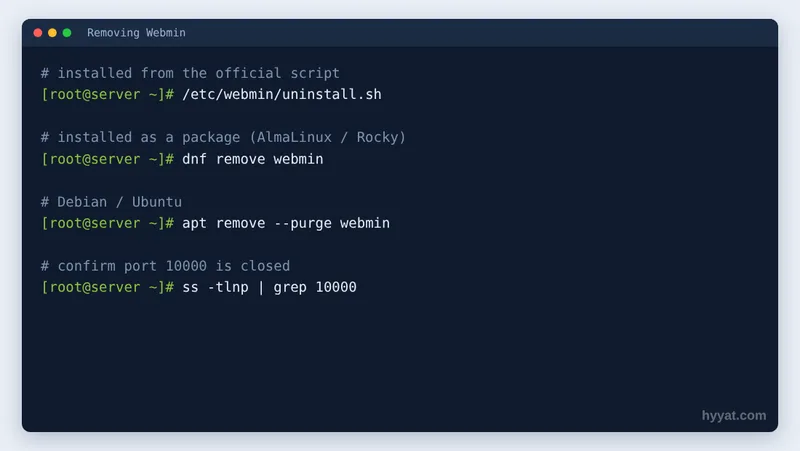
| Installed with | Remove with |
|---|---|
| The official Webmin script | /etc/webmin/uninstall.sh, then answer yes |
| An RPM package | dnf remove webmin |
| A DEB package | apt remove --purge webmin |
After removing it #
- Check the port
ss -tlnp | grep 10000should show nothing. - Close it in the firewall remove 10000 from TCP_IN in CSF or from the VPS panel firewall. See opening and closing ports.
- Remove the Webmin repository if its repo was added, delete its file from
/etc/yum.repos.d/or/etc/apt/sources.list.d/. - Leftover configuration
/etc/webminmay remain after a package removal. Move or delete it once you are sure.
An alternative to Webmin? #
For servers without a panel, SSH plus the VPS control panel is usually enough. If you want a hosting panel, see the best VPS control panels, including free ones such as HestiaCP and CloudPanel.
Why remove it if you do not use it? #
Webmin is useful for anyone who manages and updates it, but it runs as root and listens on a port open to the internet. It has had serious vulnerabilities in the past, and unpatched copies were targets for automated attacks. A forgotten admin panel is a door nobody watches. The simple rule: any program running as root that you do not use, remove it.
If you want to keep it, keep it updated, allow its port only from your own address in the firewall, and turn on its two-factor authentication.
Webmin questions #
Does removing Webmin delete my sites or databases?
No. It removes the panel only; services you managed through it stay as they are.
Virtualmin is there too. Do I remove it?
Virtualmin runs on top of Webmin. Remove it first in its own way, then Webmin, bearing in mind it affects site configuration more.
Port 10000 is still open
Make sure the webmin service has really stopped, and that no other program uses the port.
Do I need to reboot after removing it?
No.
- Opening a Port in the CSF Firewall: From WHM or csf.conf, Plus the Common cPanel Ports
- Connecting to Your Server Remotely with SSH: From Windows, macOS and Linux, and SSH Keys Instead of Passwords
- Securing a cPanel Server: A Practical 10-Step Checklist in Order, from Updates to Backups
- Best VPS Control Panels for 2026: A Complete Free vs Paid Comparison


