

uname -r, update it with dnf update kernel, then reboot so the new kernel runs. The system keeps the previous kernel, so if the server will not boot on the new one you can pick it from the boot menu.The commands #
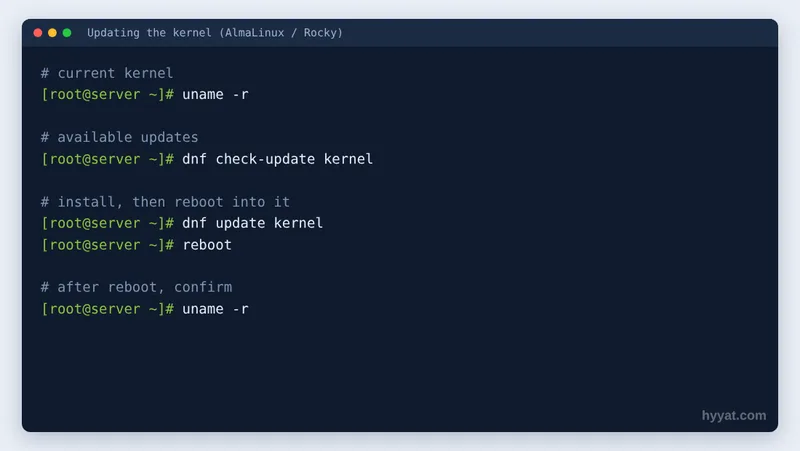
- Current kernel
uname -r; note the number to compare later. - Is there an update?
dnf check-update kernel. - Take a safety copy a server snapshot if available, as in VPS snapshots.
- Update
dnf update kernel, ordnf updatefor the whole system. - Reboot at a quiet time; on a cPanel server, from WHM.
- Check
uname -rshould show the new number.
If the server will not boot on the new kernel #
- Open the console from your provider’s server control panel to see the boot screen.
- Choose the previous kernel from the GRUB menu at boot.
- Make it the default for now
grubby --set-default /boot/vmlinuz-old-versionuntil you find the cause. - If the menu does not appear use rescue mode to reach the disks.
How many kernels are kept? #
dnf keeps a set number of installed kernels (installonly_limit in /etc/dnf/dnf.conf) and removes the oldest automatically. List them with rpm -q kernel.
Updating without a reboot? #
Services such as KernelCare (paid) and kpatch apply security patches to the running kernel without a reboot. Useful for servers that cannot stop, but no substitute for a full update and reboot from time to time.
On a cPanel server #
cPanel only updates the kernel if you enable it in Tweak Settings with the option to update the kernel during nightly maintenance. After a kernel update, WHM shows a message asking you to reboot.
Does your server need a reboot right now? #
After many updates you may not know whether the running kernel is the newest. needs-restarting from dnf-utils tells you:
dnf install -y dnf-utils
needs-restarting -r     # does the system need a reboot?
needs-restarting -s     # which services need a restart
The second is handy after updating libraries such as OpenSSL: sometimes restarting the listed services is enough instead of the whole server.
Kernel update questions #
Does a kernel update delete my files?
No. It adds a new kernel alongside the old one.
How often should I update the kernel?
At least whenever a security update is released, with a scheduled reboot.
Do I update the kernel on a VPS?
Yes on most modern VPS types, because each server has its own kernel. Check with uname -r before and after.
- Rebooting Your Server from WHM: Graceful or Forceful, and What to Do If It Does Not Come Back
- Rescue Mode: Fix an Unbootable VPS and Reach Your Files
- Connecting to Your Server Remotely with SSH: From Windows, macOS and Linux, and SSH Keys Instead of Passwords
- Securing a cPanel Server: A Practical 10-Step Checklist in Order, from Updates to Backups


