

That is exactly what Web Disk is for: the folder shows up on each person’s computer like any other drive, and they open and save files with no extra software. It uses WebDAV, which Windows, Mac and many phone apps support.
Is the tool in your panel? #
Look for Web Disk in the Files section or the search box. If it is missing, it is not enabled on your server; use an FTP account limited to one folder, which does much the same job.
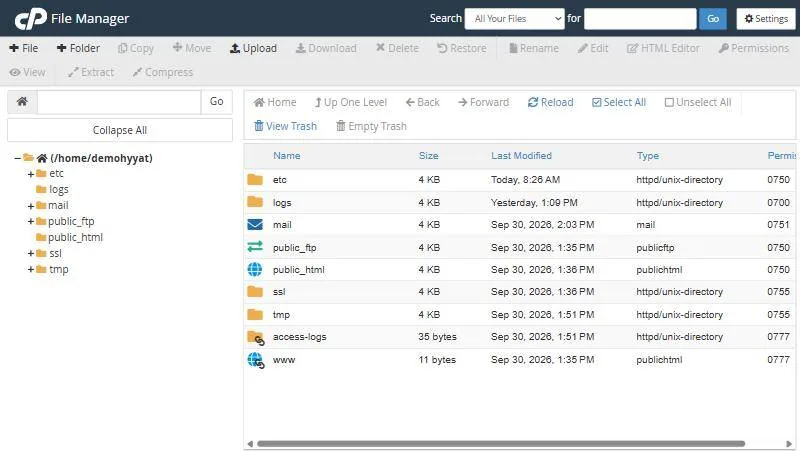
Creating a Web Disk account #
- Open Web Disk in the Files section.
- Enter a username such as team, which becomes [email protected].
- Set the directory the only folder the account reaches, such as
sharedoutsidepublic_htmlso files are not public. - Set a strong password and choose read-only or read-write.
- Click Create the account appears in the Web Disk accounts list.
Connecting your computer #
| System | How |
|---|---|
| Windows | Use Access Web Disk, pick your system and run the setup file, or add a network location from This PC |
| Mac | In Finder choose Go, then Connect to Server, and enter the address the tool shows |
| Phone | File apps that support WebDAV, with the same address and login |
Always use the secure (SSL) connection the tool suggests, so your password is not sent in the clear.
When Web Disk, when something else #
| Situation | Best choice |
|---|---|
| A team sharing documents in one folder | Web Disk |
| Uploading a whole site or thousands of files | FTP with FileZilla |
| Editing a file or two quickly | File Manager |
| Very large files or backups | Cloud storage or a separate storage box |
public_html unless you want its files reachable by anyone with the link.From our support desk #
- A design studio swapping large client files used Web Disk for one shared folder instead of email.
- A customer put the shared folder inside public_html, so internal files were open to anyone with the link. Moving it outside public_html closed the gap.
- A customer could not find the tool in her panel, so she created an FTP account limited to one folder and used a program that shows it as a drive.
Frequently asked questions #
Is Web Disk secure?
Yes, with the encrypted connection and a strong password per account.
Why is Web Disk not in my panel?
It is not enabled on your server. Use an FTP account instead.
Can I give someone read-only access?
Yes, you choose the permission when creating the Web Disk account.
Do the files count towards my space?
Yes, like any other file in your account.
Does Web Disk work on a company network?
Your network must allow the Web Disk port; some corporate networks block it.
Can I open files directly without downloading?
Yes, open them from the drive like any file; saving uploads them to the hosting.
- Create an FTP Account in cPanel for a Developer or Staff Member, Limited to One Folder
- Upload Files to Your Hosting over FTP with FileZilla: Details, Steps and Error Fixes
- cPanel File Manager: Open It, Show Hidden Files, Change Permissions and More
- A Full Backup of Your Website from cPanel: Files, Databases and Email
- The Files and Databases Sections in cPanel: File Manager, FTP and Creating a Database


