

Shared hosting suits most sites at the start: it costs less and you do not have to manage a server. As your site grows, it may reach its limits. A VPS gives you dedicated resources and full control, but it needs managing. These signs help you decide at the right time, not too early and not too late.
7 signs you need a VPS #
- Resource faults keep coming after optimising. You turned on caching and trimmed plugins, but Resource Usage still shows memory and process faults every day. Read the 508 error guide.
- You have many visitors at the same time. A store during a sale, or a learning platform at exam time, needs resources it does not share with anyone.
- You need custom software or settings, such as running Node.js or Python as a permanent service, Redis, Docker, or PHP and database settings that shared hosting does not allow.
- You need root access to install what you want and tune the server yourself, which shared hosting does not offer.
- You manage many client sites. If you are a designer or agency, a server with a control panel gives each client a separate account.
- You need full isolation. Some projects must not share a server with other sites, for security or regulatory reasons.
- Your application sends a lot of email. Shared hosting has an hourly sending limit to protect the server. On a VPS you control sending yourself, with reverse DNS and domain authentication.
Before a VPS: is a middle option enough? #
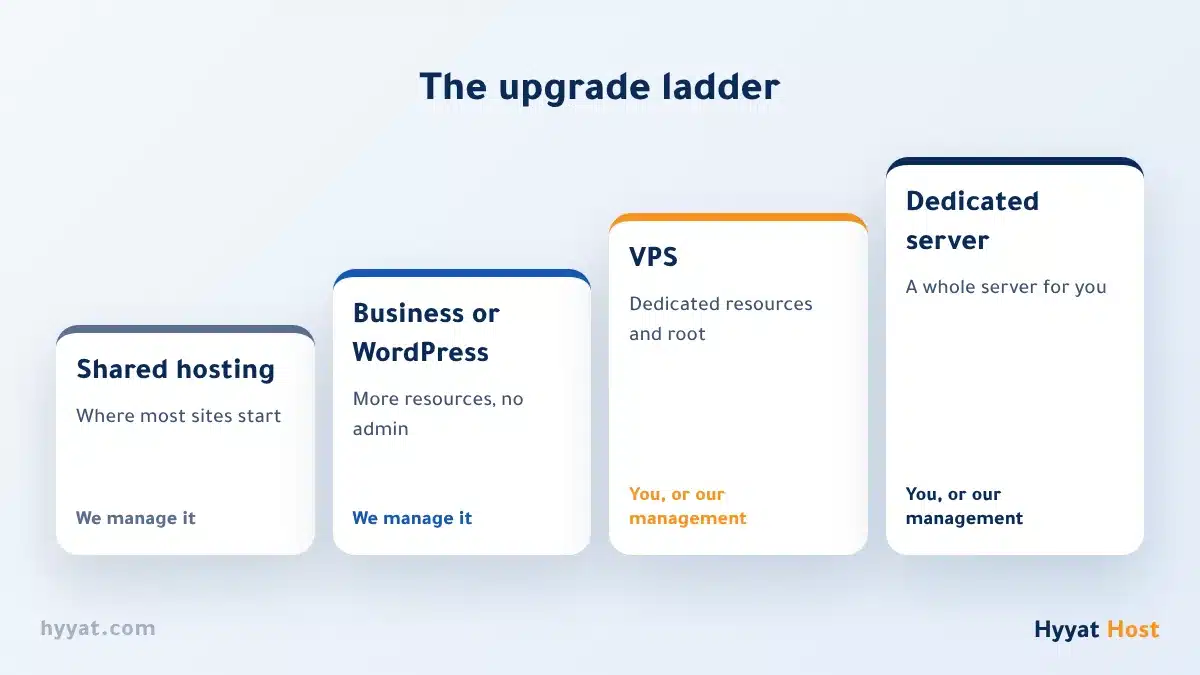
If your only problem is resources, and you do not need root or custom software, a bigger managed plan may be enough, and we keep managing the server:
| Option | Suits you if | Who manages the server? |
|---|---|---|
| Business Hosting | A company site and its email needing more resources | We do |
| A higher WordPress Hosting plan | One or more WordPress sites needing more resources | We do |
| VPS | You need dedicated resources, root and custom software | You, or us with the management service |
| Dedicated server | A large project that needs a whole server to itself | You, or us with the management service |
What changes for you after moving to a VPS? #
- Management is your job: updates, security, backups and resource monitoring. Start with securing your server after delivery.
- Control panel: install cPanel with a paid licence, or a free panel. Compare them in the best VPS control panels.
- Rather not manage it yourself? Our server management service handles setup, security and monitoring for you.
- Moving: your sites move the same way as between hosts. See moving your site without downtime, and ask us in a ticket for help.
Summary #
- Do not move to a VPS just because your site is slow: fix the causes first.
- Move when resource faults keep coming, or you need root, custom software or full isolation.
- A VPS needs managing; if you lack the experience, add the management service.
Ready? See Hyyat Host VPS servers.
Frequently asked questions #
What is the difference between shared hosting and a VPS, in short?
On shared hosting you share server resources with other sites and we manage the server. On a VPS you have dedicated resources and full root access, and you manage it yourself or add the management service.
Is a VPS always faster than shared hosting?
Not always. A small, untuned VPS can be slower than good shared hosting. Speed depends on resources, tuning and how well the site is built.
Do I need experience to manage a VPS?
Yes, you need to know Linux, security and updates. If you do not, choose the server management service, or stay on managed hosting with more resources.
Can I install cPanel on a VPS?
Yes, with a paid monthly licence, or you can choose a free panel. See the cPanel and WHM on VPS guide.
- What Is a VPS? VPS vs. Shared Hosting
- The Hyyat Host VPS Control Panel: Overview and Start Here
- VPS Server Security: The Essential Steps After You Get Your Server
- Best VPS Control Panels for 2026: A Complete Free vs Paid Comparison
- cPanel and WHM on a VPS — The Complete 2026 Guide: What They Are, Licensing, and When to Choose Them
- 508 Resource Limit Is Reached: What Hosting Resource Limits Mean and When to Upgrade


