

In shortIn WHM, Packages, Add a Package: name the package, set the resources (disk, bandwidth, number of domains, mailboxes and databases, hourly sending limit), then the settings (feature list, theme, locale), and click Add. You then choose it when creating any account.
This guide is for server owners if you have a VPS or dedicated server with WHM. If you would rather not manage the server yourself, our server management service can do it for you.
A package is a ready-made set of limits and settings that you choose when creating a cPanel account, so you do not type the limits for each account. Editing the package later applies to all its accounts.
Steps #
- Log in to WHM in your browser at
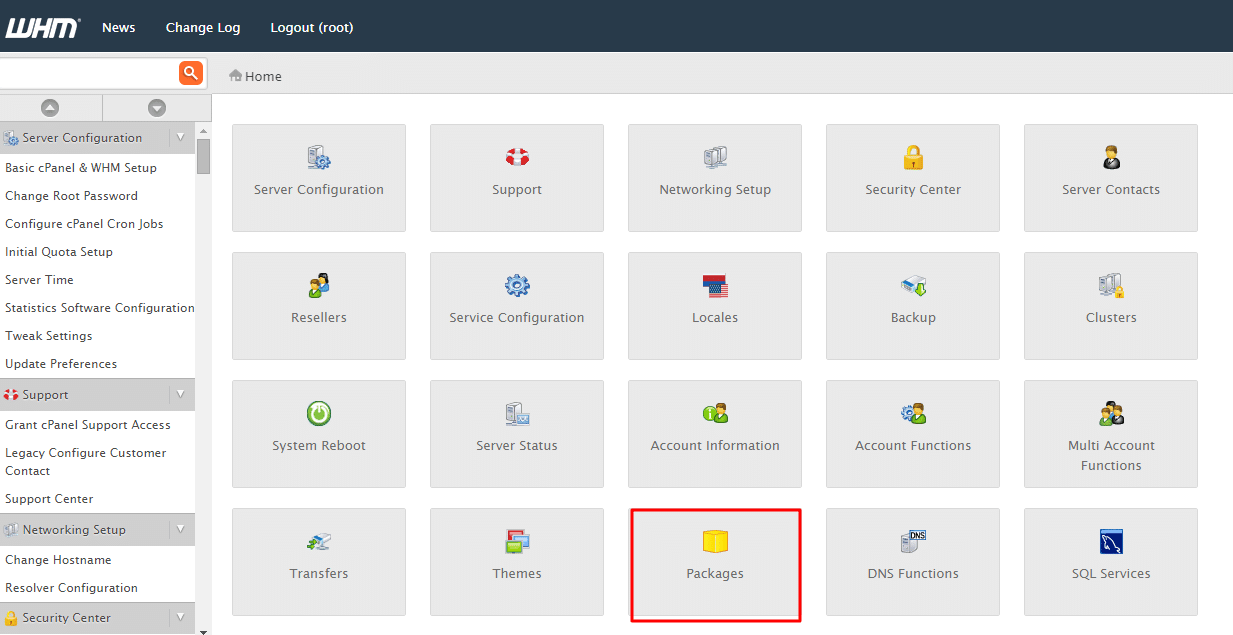
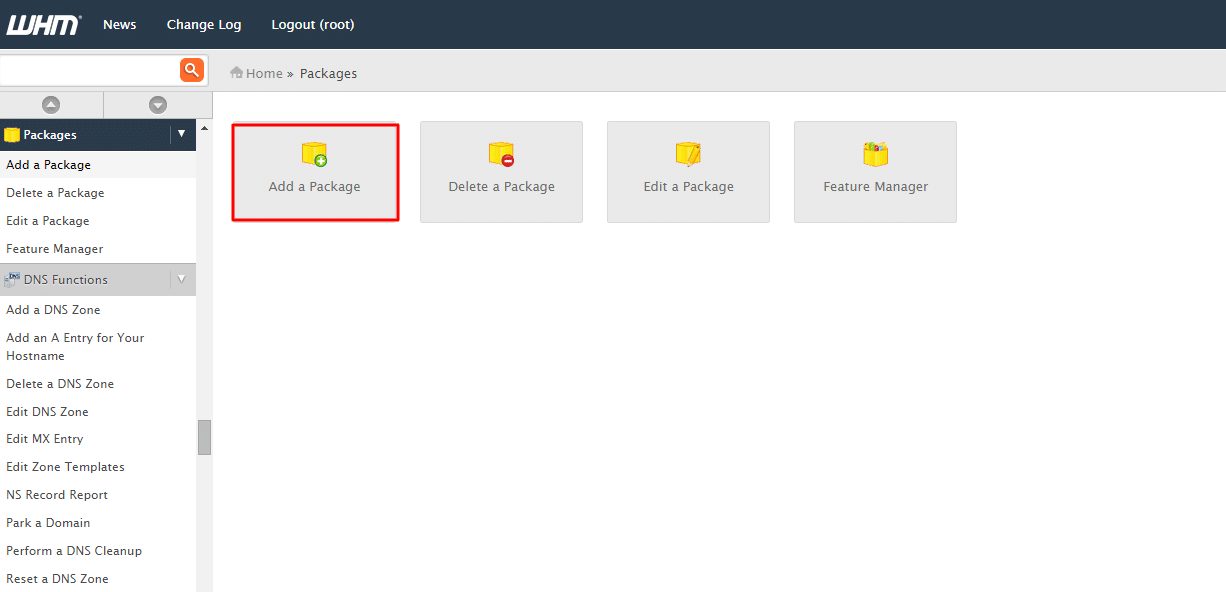
https://server-IP:2087orhttps://server-hostname:2087as root. - Open Packages, then Add a Package.
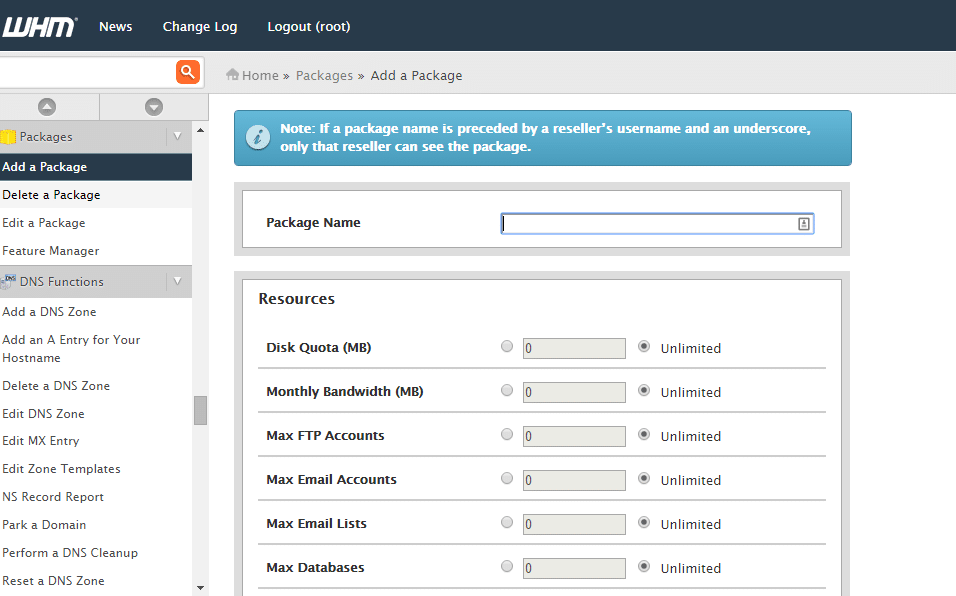
- Name the package clearly, such as business-10gb.
- Set the resources as in the table below.
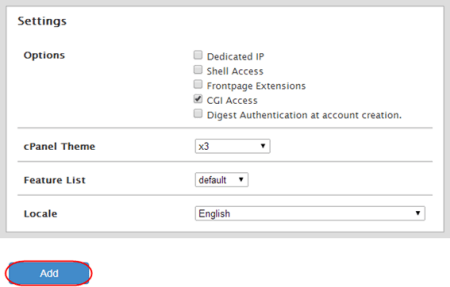
- Set the settings, then click Add.
| Setting | Meaning |
|---|---|
| Disk Quota | The account’s maximum disk space. |
| Monthly Bandwidth | Monthly traffic. |
| Max Addon Domains | Number of addon domains. |
| Max Email Accounts | Number of mailboxes. |
| Max SQL Databases | Number of databases. |
| Maximum Hourly Email by Domain Relayed | Hourly sending limit per domain. |
| Feature List | The cPanel tools available on this package. |
The hourly sending limit protects your server’s reputation from a hacked account sending spam. Pick a number that fits normal use; details in setting the hourly email limit in WHM.
Summary #
- A package is a ready-made set of limits for accounts.
- Set resources, the sending limit and the feature list.
- Change an account’s package later with Upgrade/Downgrade.
Need a server with cPanel and WHM? See VPS servers and the cPanel and WHM on VPS guide.
Frequently asked questions #
Does editing a package change existing accounts?
Yes, the changes apply to every account on the package.
How do I move an account to another package?
In Account Functions, Upgrade/Downgrade an Account.
Related guides
- Limiting the number of mails sent per hour in WHM?
- cPanel and WHM on a VPS — The Complete 2026 Guide: What They Are, Licensing, and When to Choose Them
- How to Install cPanel and WHM on Your Server
- How to Enable AutoSSL in WHM for Free Automatic SSL
- How to Increase the phpMyAdmin Upload Size on a cPanel Server


