

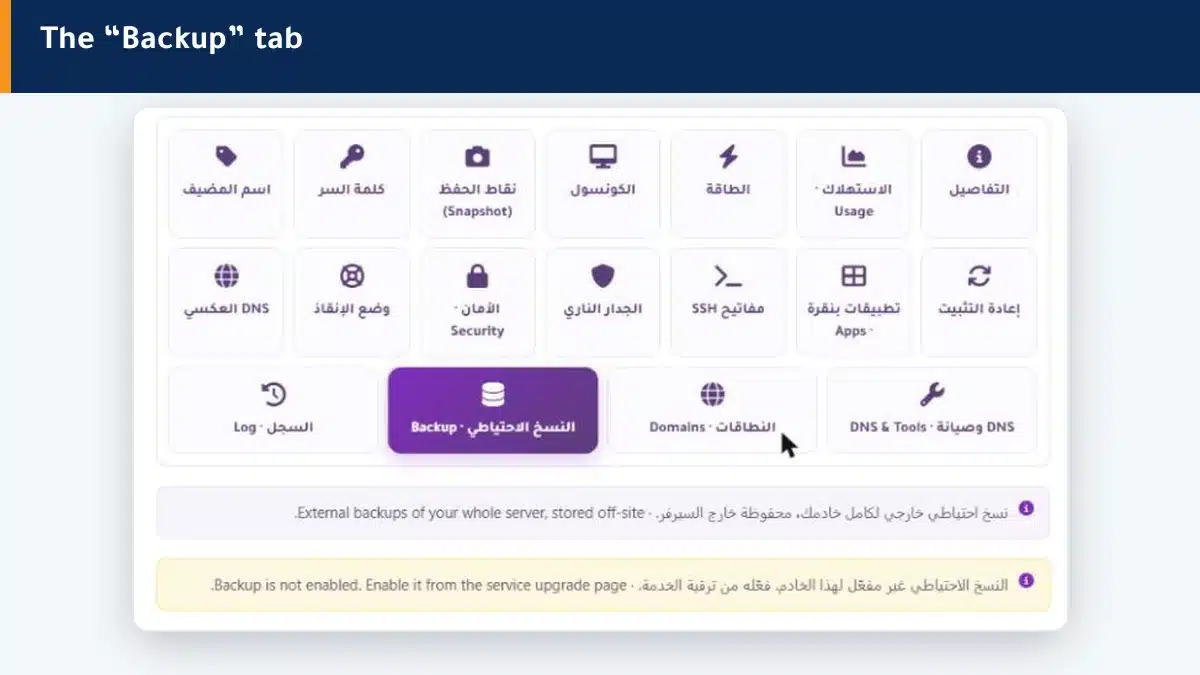
What is your server worth without its data? Backups protect your work: a full copy of your machine stored off the server, so if a failure or a big mistake happens, you restore everything.
Backup vs snapshot #
This is a fundamental difference: a snapshot is temporary and on the same server, suited to a quick rollback of a change. A backup is stored off the server, so it protects you even if the machine fails entirely. Use both for different purposes.
How do I enable backups? #
Off-site backup is a feature added to the service. Enable it from the service upgrade page, and then your backups appear in this tab, with restore and download available.
Summary #
- A backup is a full copy stored off the server.
- It protects you even if the machine fails, unlike a snapshot.
- It is enabled from the service upgrade page.
For a quick rollback of a simple change, snapshots are enough.
Frequently asked questions #
What is the difference between a backup and a snapshot?
A backup is stored off the server and protects you even if the machine fails. A snapshot is temporary and on the same server, for a quick rollback of a change. Use both for different purposes.
How do I enable backups?
It is a feature added to the service from the service upgrade page. Open a support ticket to enable or ask about it.
Can I restore a backup myself?
After enabling, your backups appear in the tab with restore and download available. And if you need help, our team is with you.
How often is a backup taken?
It depends on the service setup. Open a ticket to find the backup schedule that suits you.
Do backups slow my machine?
Backups run efficiently and do not noticeably affect your machine daily work.


