

In short: To turn auto-renewal on or off: client area, then Domains, then My Domains, then the wrench icon next to your domain, then Auto Renewal Status. With auto-renewal on, the domain renews from your account credit; with it off, you receive an invoice to renew. Turn it off for domains you do not want to renew.
This guide shows how to turn automatic renewal on or off for your domain from the client area.
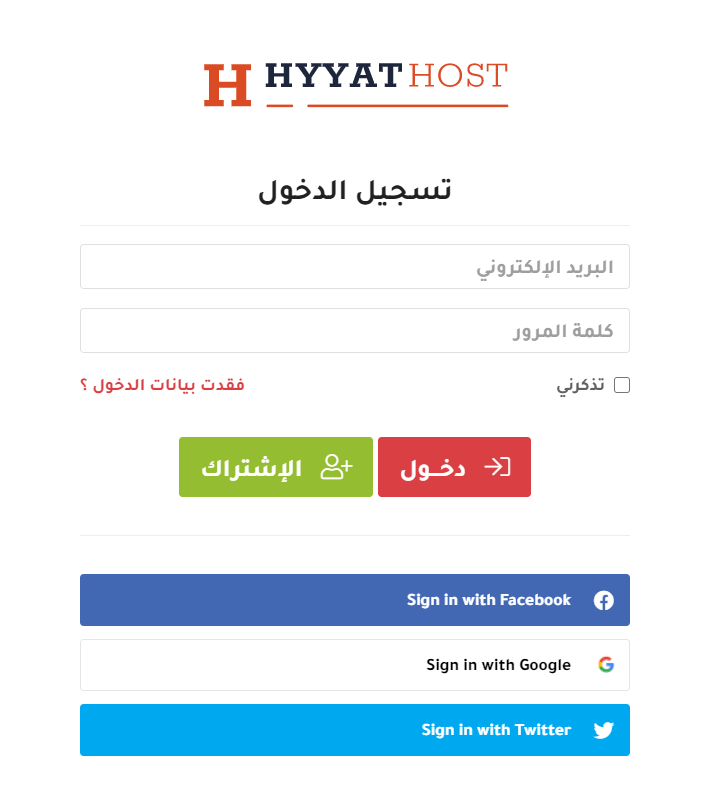
1. Log in to the client area with your email and password (or your linked Google or Facebook account). See how to log in to the client area.
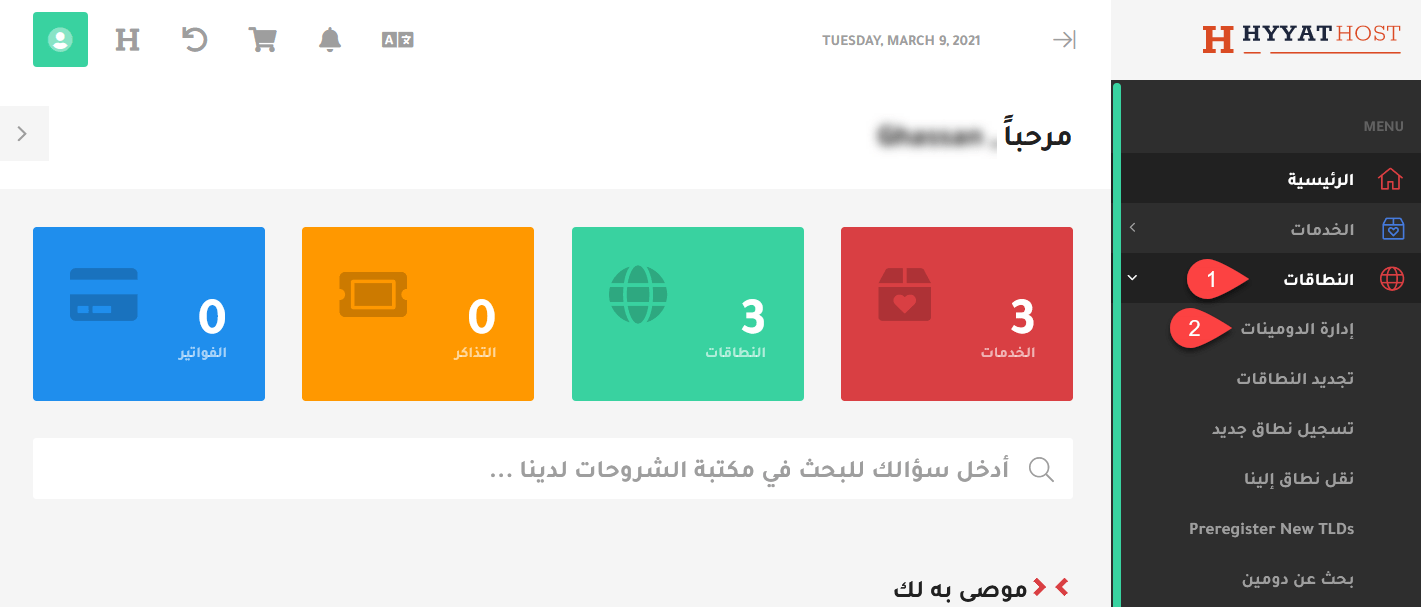
2. From the menu choose Domains, then My Domains, or open your domains list directly.
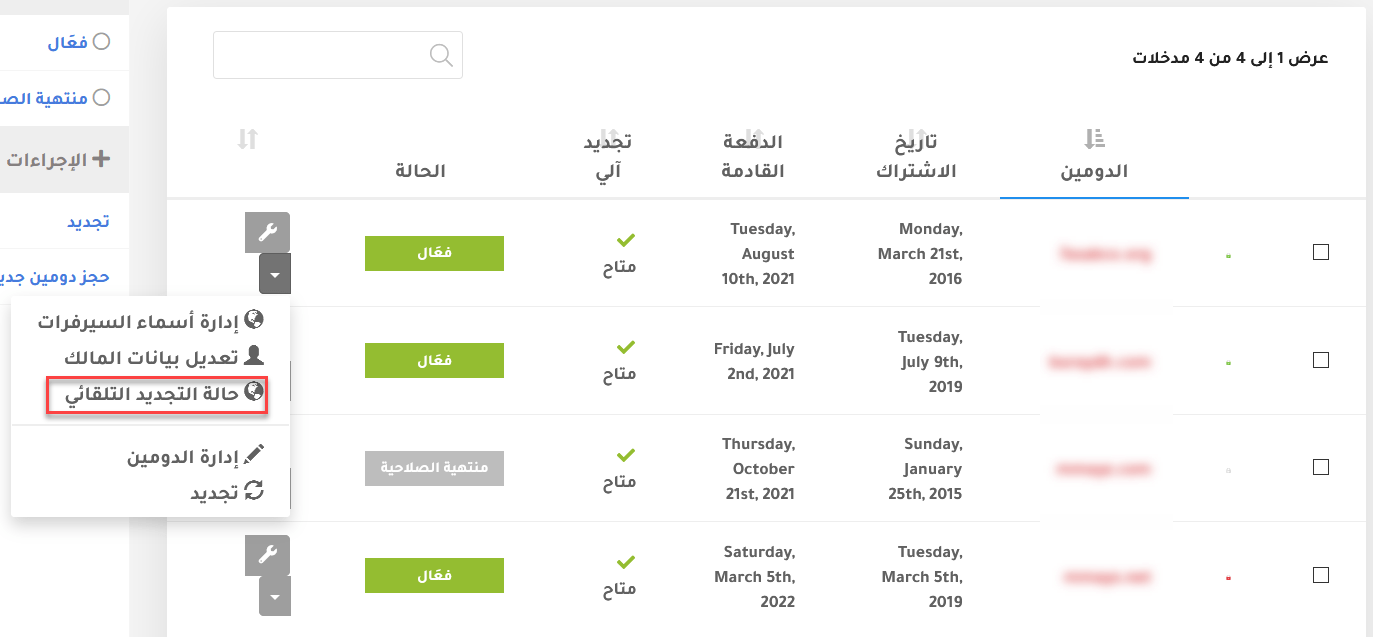
3. Your domains appear. Click the wrench icon next to “Active” for the domain and choose Auto Renewal Status.
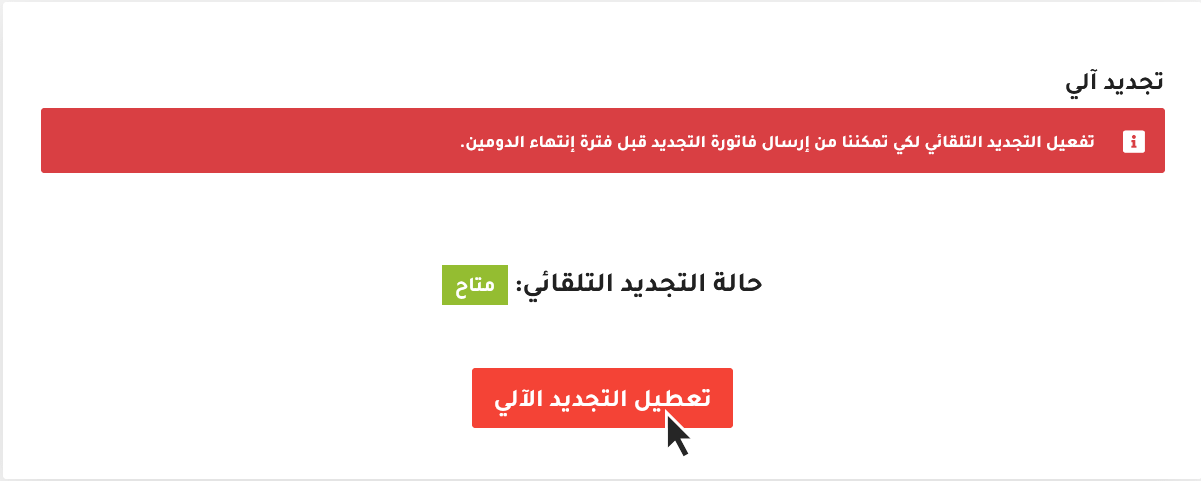
4. You will see the current status. If auto-renewal is off and you want to turn it on, click the enable button, or click disable to turn it off.
Important notes #
- If auto-renewal is on when your domain expires, it renews automatically when you have enough credit in your account.
- If auto-renewal is off, you receive an invoice. To renew, pay the invoice, and contact the domains department through a support ticket if needed.
- If you have domains you do not want to renew, turn off auto-renewal now so they are not renewed from your credit.
Related service: Register and manage your domains with Hyyat Host with Arabic and English support 24/7.


