

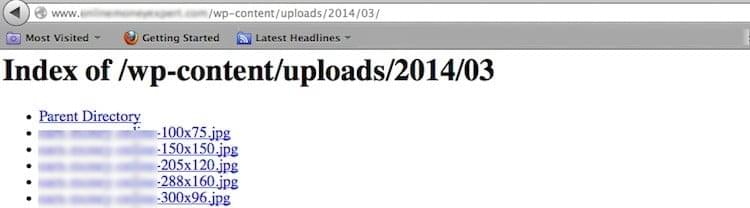
In short: If a folder on your site has no index file, the browser may show a list of all its files to any visitor, which is a security risk. To stop this: go to cPanel, then Advanced, then Indexes, choose the folder (such as public_html), select No Indexing and click Save.
When a folder has no index.html or index.php, the web server may display a list of its files. Anyone can then browse and download them.
1. Log in to cPanel (see how to log in to cPanel).
2. In the Advanced section, click Indexes.

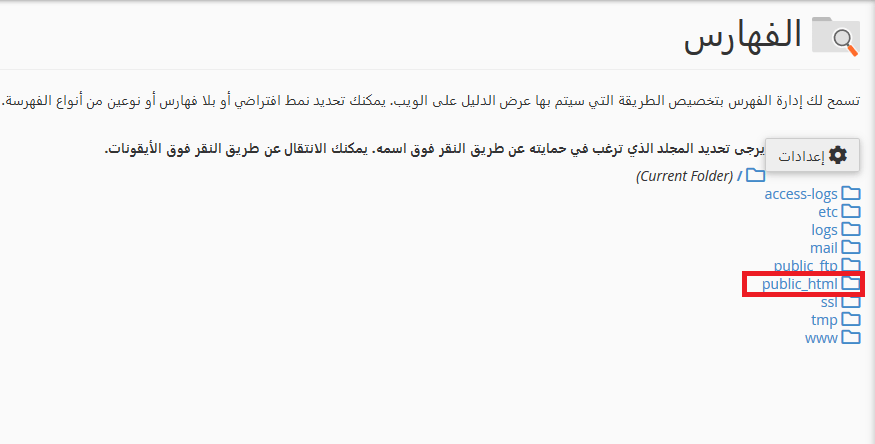
3. Choose the folder you want to change, for example public_html, your website’s main folder.
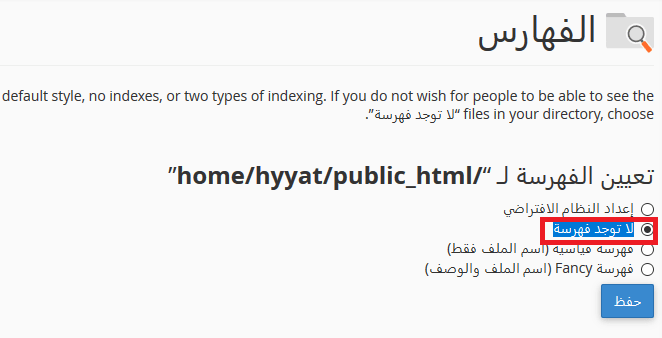
4. Select No Indexing to turn off the file list.
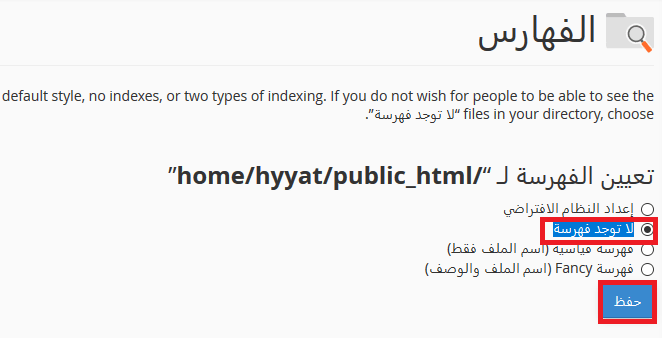
5. Click Save.
Related service: Hyyat Host shared hosting includes cPanel and 24/7 support.


