

Hyyat Host offers several operating systems you can install on your cloud server. Here is how to reinstall it from the client area.
Steps #
1. Log in to the client area. See how to log in to the client area.

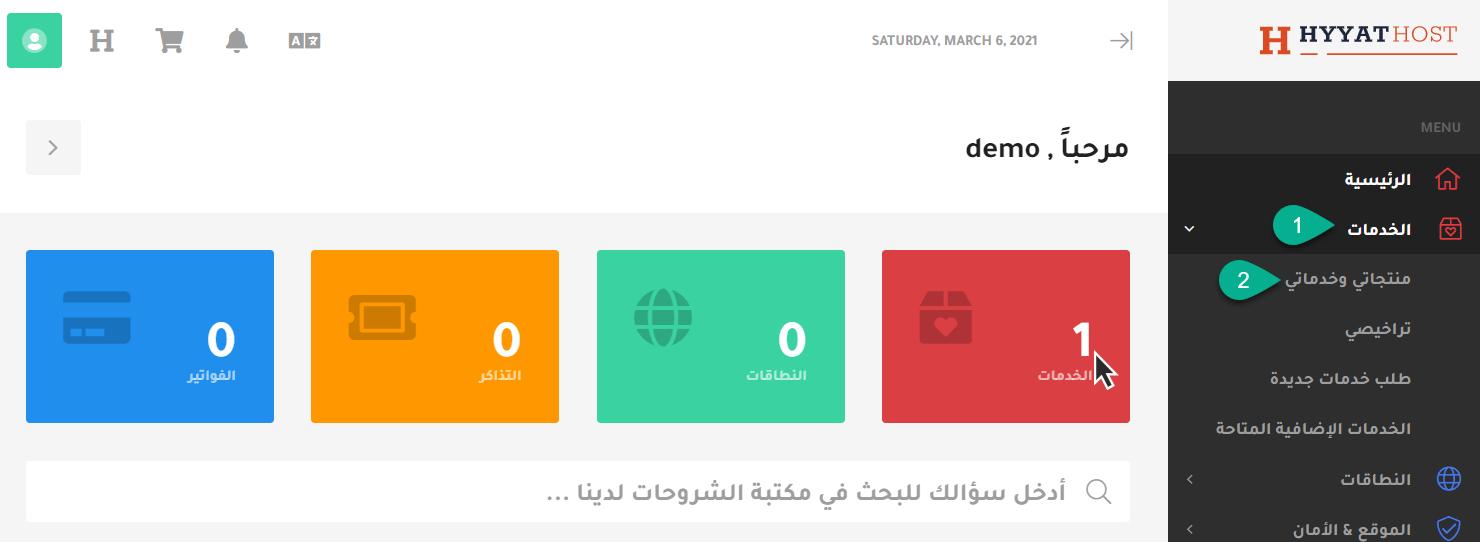
2. Click Services, then My Products & Services.
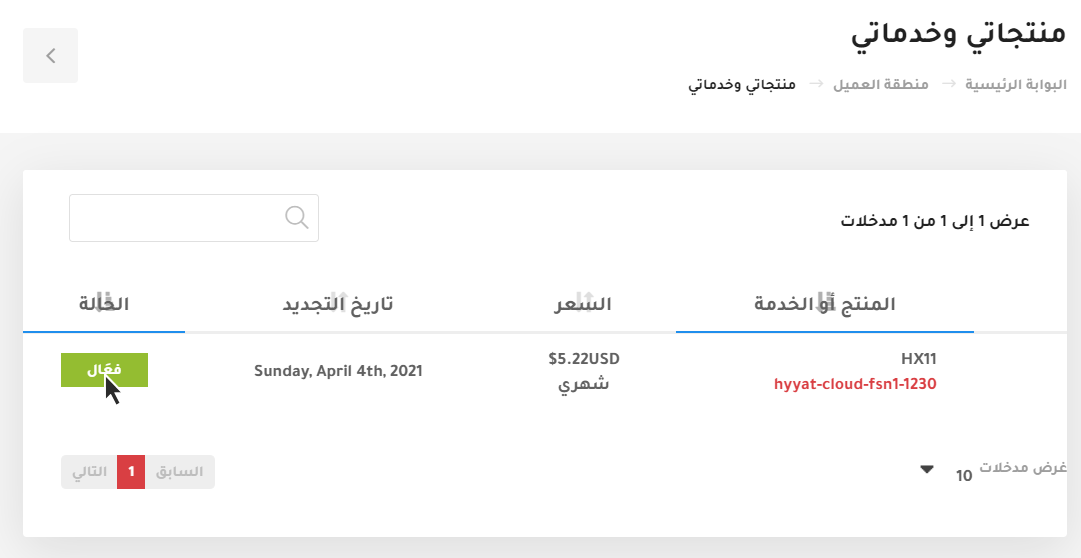
3. Choose the server you want to manage and click Active.
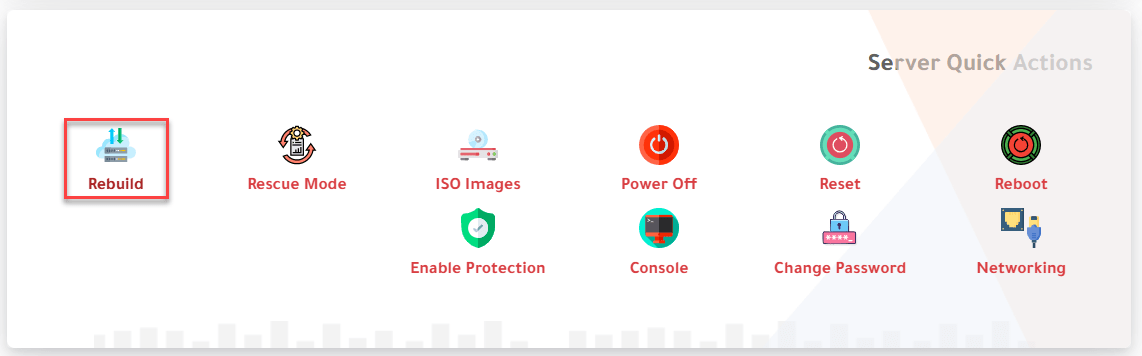
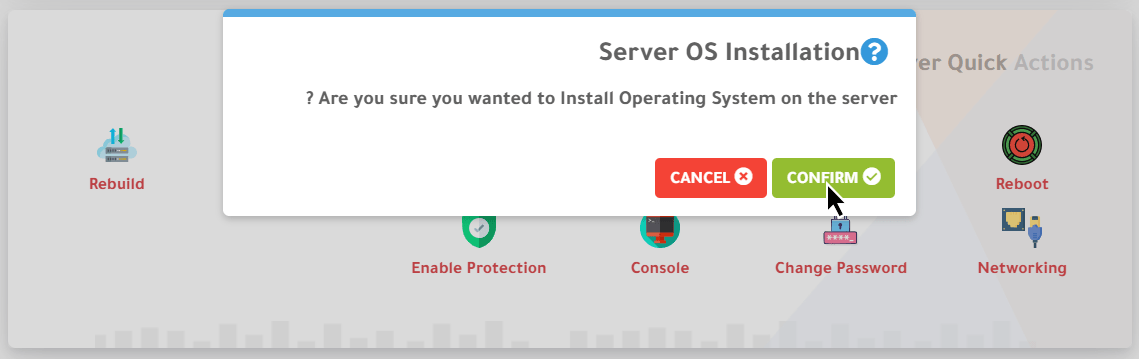
4. Scroll down to Server Quick Actions and choose Rebuild. A confirmation message appears; click Confirm.
The message reads: “Are you sure you wanted to Install Operating System on the server?”
Warning: a rebuild deletes all data on the server permanently, and it cannot be recovered. Back up anything you need first.
5. A list of available operating systems appears. Click Rebuild next to the one you want and click Confirm.
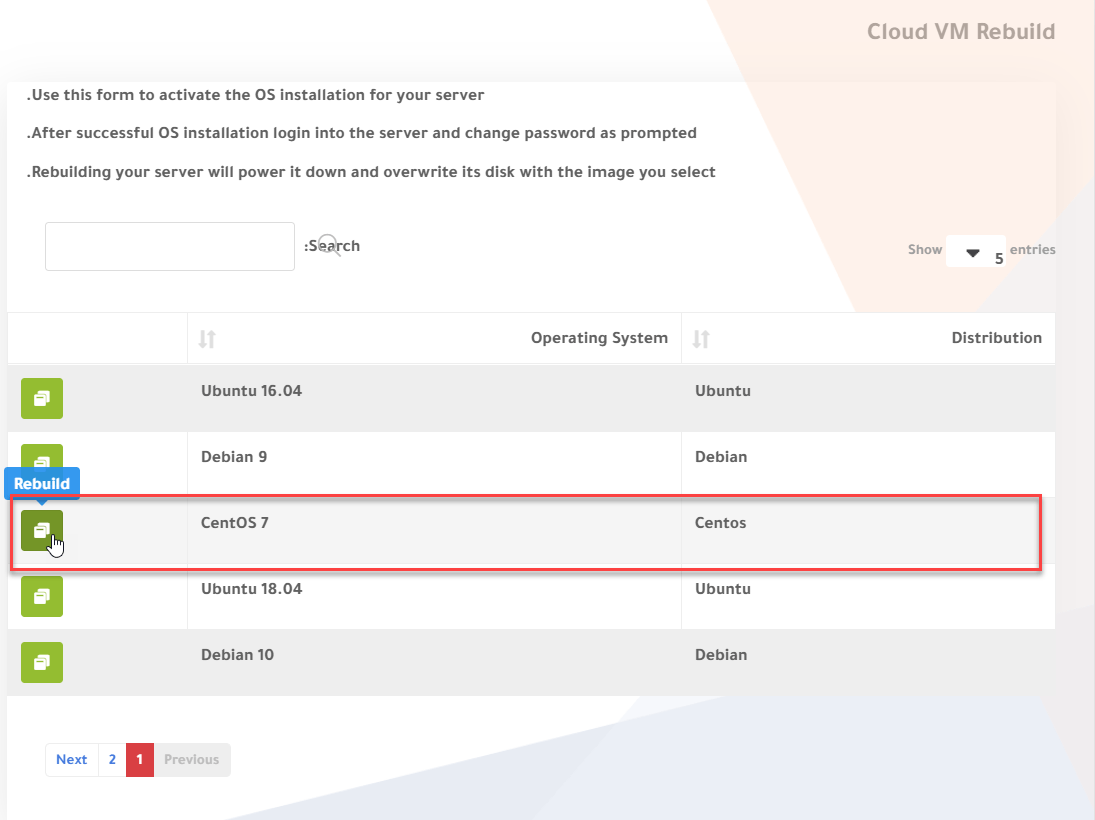
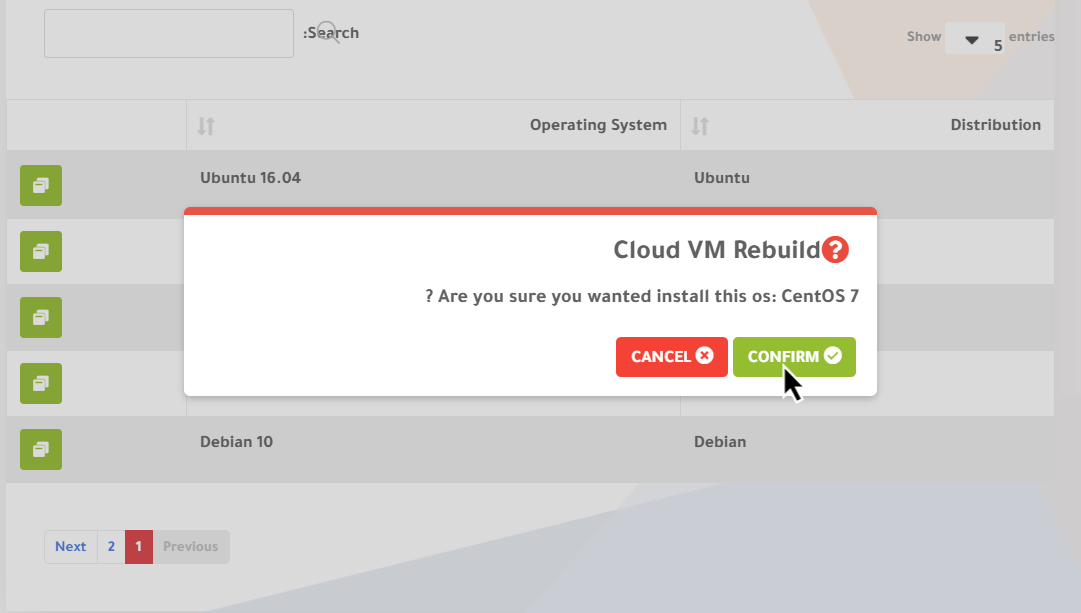
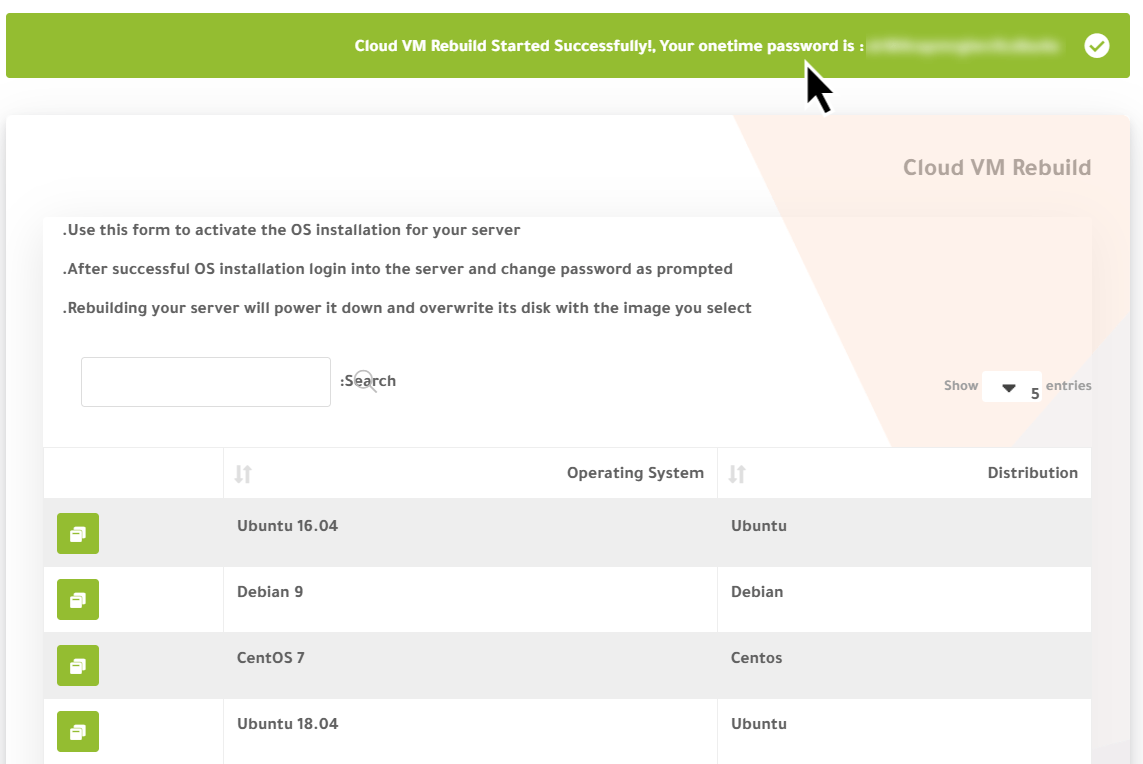
6. A message appears: “Cloud VM Rebuild Started Successfully! Your onetime password is: …”. Keep this password in a safe place.
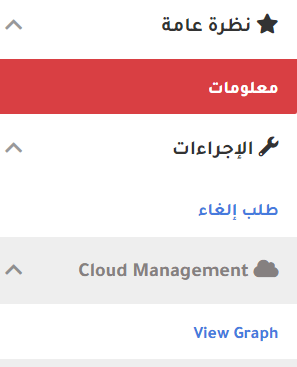
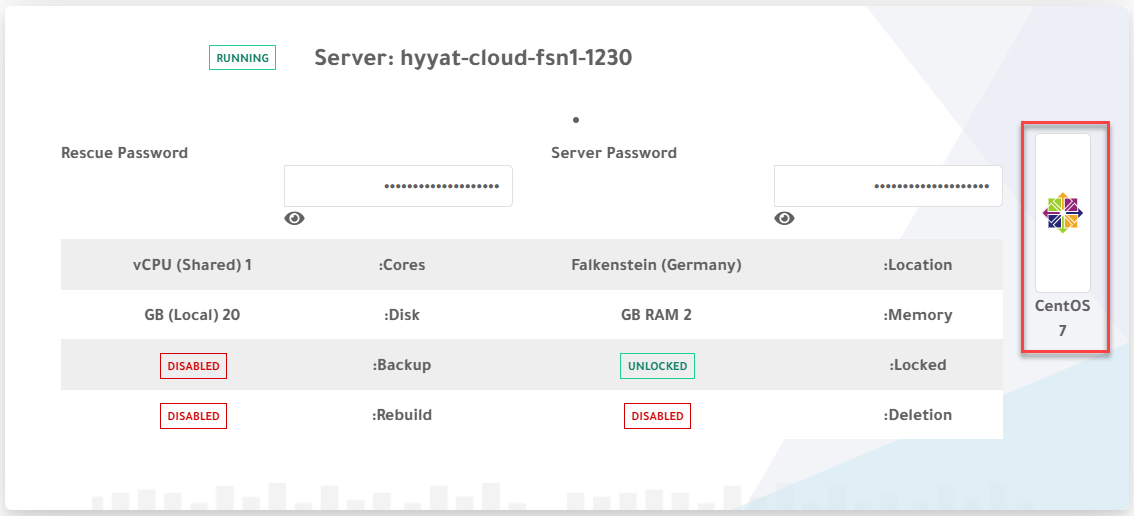
7. Go back to the product by clicking Information on the left; you will see the new operating system installed.
Related service: Hyyat Host cloud servers with full root access and 24/7 support.


