

In short: To protect a folder on your site with a password: go to cPanel, then Files, then Directory Privacy. Choose the folder, tick Password protect this directory, enter a name for the protected area and click Save, then create a username and password. The browser will then ask for these details before anyone can open the folder.
Directory Privacy adds a login prompt to any folder on your website, for example an admin area, a staging copy or private files.
1. Log in to cPanel (see how to log in to cPanel).
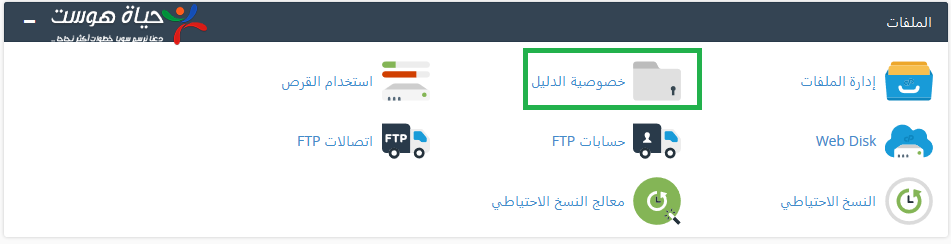
2. In the Files section, click Directory Privacy.
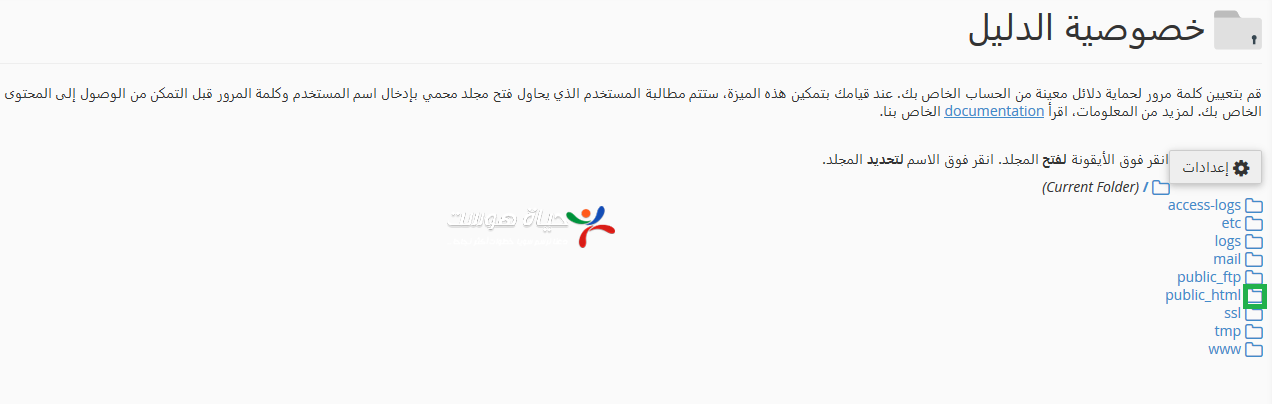
3. Click the folder icon next to public_html (or www) to browse your folders.
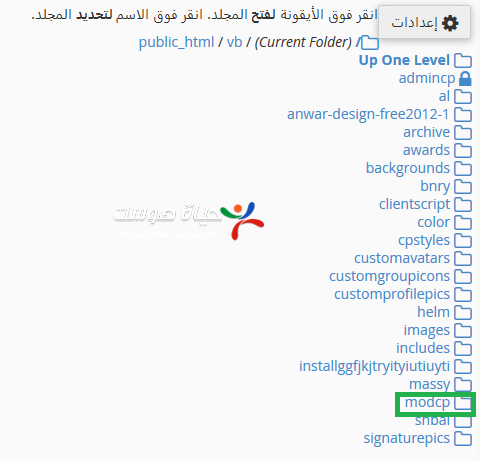
4. Click Edit next to the folder you want to protect.
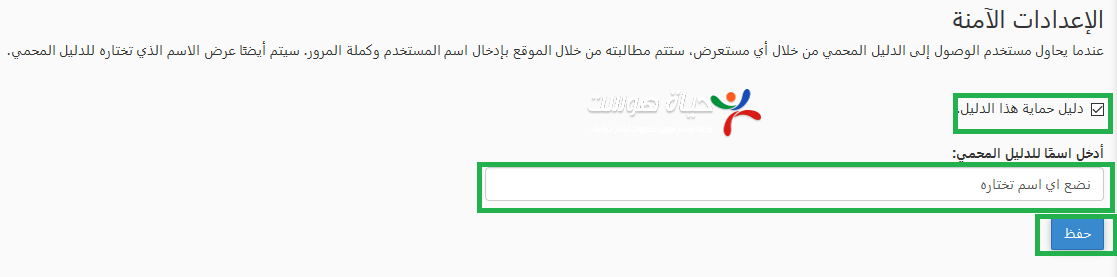
5. Tick Password protect this directory, enter a name for the protected directory and click Save.
6. Create a user: enter a username and password and click Save.
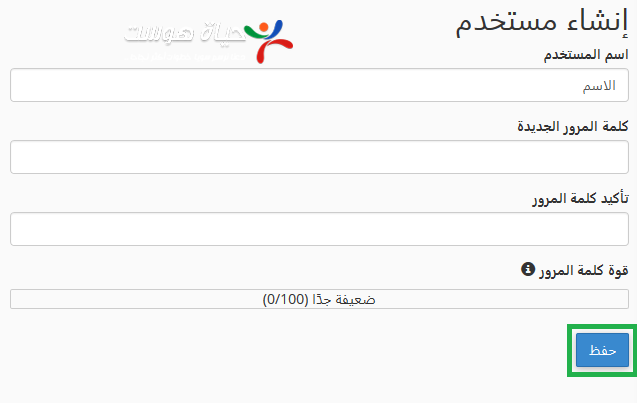
Now, anyone who opens that folder in a browser must enter this username and password.
Related service: Hyyat Host shared hosting includes cPanel and 24/7 support.


