

What if your server does not boot after a wrong change? No need to panic. Rescue mode boots your machine from a separate rescue system, so you reach your disk, fix the problem, and return to normal boot.
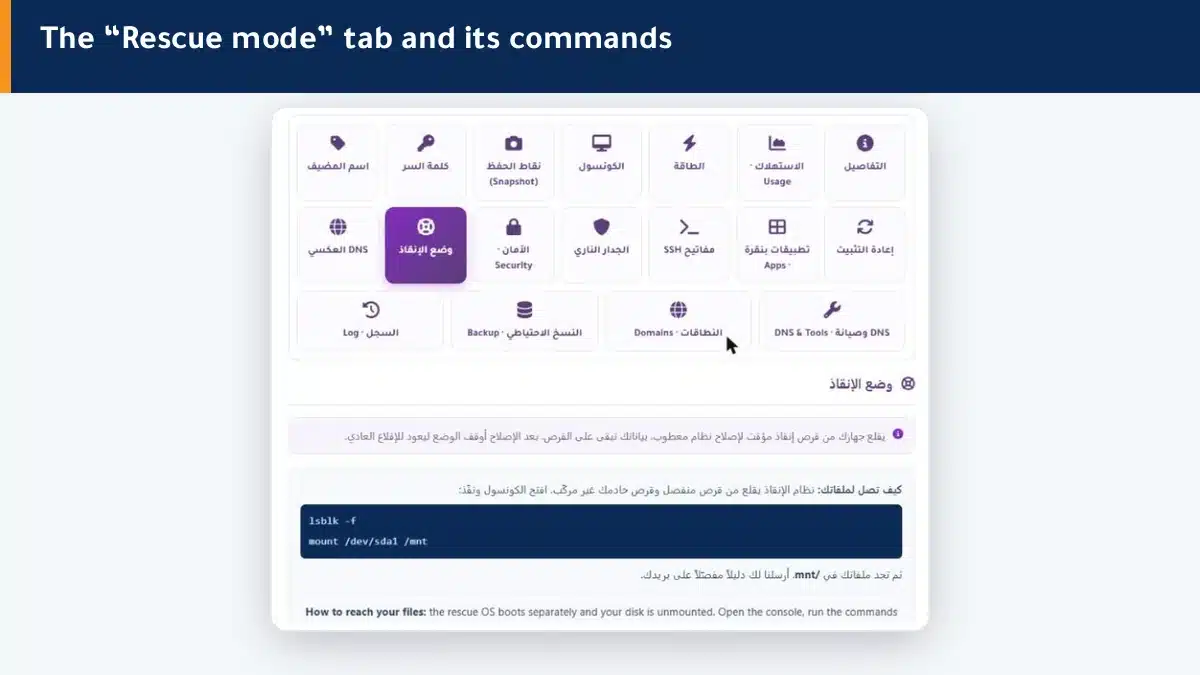
How does rescue mode work? #
- Enable Rescue mode from the tab, and the machine boots from a temporary rescue disk.
- Open the Console to reach the command line.
- Your disk is unmounted — mount it to reach your files.
- After the fix, turn rescue mode off so the machine returns to normal boot.
The rescue system is separate from your disk, so it works even when your main system refuses to boot.
Reaching your files #
After booting into rescue mode, open the console, list the disks, then mount the system partition:
lsblk -f
mount /dev/sda1 /mnt
Then you find your files inside /mnt. We email you a detailed guide when you enable rescue mode.
Summary #
- Rescue mode boots from a separate disk to reach an unbootable machine.
- Mount your disk manually to reach your files.
- Turn rescue mode off after the fix to restore normal boot.
If the fix is not possible, backups or a reinstall is your last option.
Frequently asked questions #
When do I use rescue mode?
When your machine does not boot after a wrong change, to fix a broken OS, or to extract files from a disk of a machine that will not run.
Does rescue mode delete my data?
No. It boots from a separate rescue disk and your disk stays as it is; you only reach it to repair or copy from it.
Why do I not see my files directly in rescue mode?
Because your disk is unmounted. Run mount /dev/sda1 /mnt and then you find your files inside /mnt.
How do I exit rescue mode?
Turn rescue mode off from the tab, and the machine returns to booting from its normal disk.
My machine does not boot even in rescue mode, what do I do?
Open a support ticket and we will follow up. And if you have a backup or snapshot, that is your way to restore.


