

In shortIf databases show 0 MB in cPanel, the server is not counting them in disk usage. Turn it on in WHM, Server Configuration, Tweak Settings, the SQL tab, Include databases in disk usage calculations: On, then save. Or over SSH, set
disk_usage_include_sqldbs=1 and update the cache.
This guide is for server owners if you have a VPS or dedicated server with WHM. If you would rather not manage the server yourself, our server management service can do it for you.

Sometimes databases show 0 MB in cPanel even though they hold data. The server is simply not counting databases in account disk usage. That makes usage figures inaccurate; turning the option on gives you and your customers real numbers.
The fix in WHM #
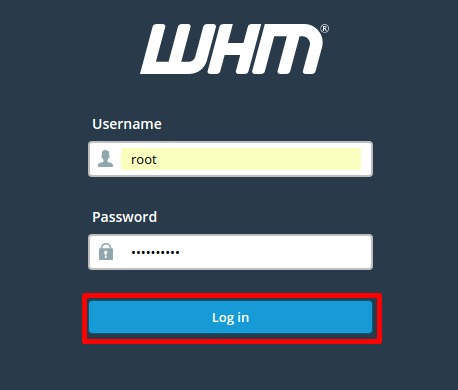
- Log in to WHM in your browser at
https://server-IP:2087orhttps://server-hostname:2087as root. - Open Server Configuration, then Tweak Settings.
- Choose the SQL tab and find Include databases in disk usage calculations.
- Set it to On and click Save.


The fix from the command line #
Log in over SSH as root, then run:
sed -i 's/^disk_usage_include_sqldbs=.*/disk_usage_include_sqldbs=1/' /var/cpanel/cpanel.config
/usr/local/cpanel/scripts/update_db_cache
Careful: after enabling it, displayed usage may rise for some accounts, and some may hit their plan limit. Review large accounts first.
Summary #
- The cause is an option turned off in Tweak Settings.
- Turn on Include databases in disk usage calculations.
- Update the cache if you change it over SSH.
Need a server with cPanel and WHM? See VPS servers and the cPanel and WHM on VPS guide.
Frequently asked questions #
Why does my database size show zero in cPanel?
Because the server does not count databases in account disk usage. Turn the option on in Tweak Settings.
Does enabling it affect websites?
It changes nothing on the sites, but displayed usage may rise and some accounts may reach their limit.


