

Picture a doorman telling every new visitor: come back in five minutes. Real visitors return; the salesman knocking on a hundred doors an hour does not. That is the idea of Greylisting for email.
How it works #
- A message arrives from a new sender one that has not mailed you from that server before.
- Your server answers with a temporary rejection meaning “try again later”.
- A proper server retries minutes later; the message is accepted and the sender remembered as trusted.
- Its later messages arrive at once with no delay.
Pros and cons #
| Pros | Cons |
|---|---|
| Cuts automated spam before it reaches your inbox | The first message from a new sender waits a few minutes |
| Does not inspect message content | Short-lived verification codes may arrive late |
| Works alongside Spam Filters | Some badly configured servers never retry |
Is the tool in your panel? #
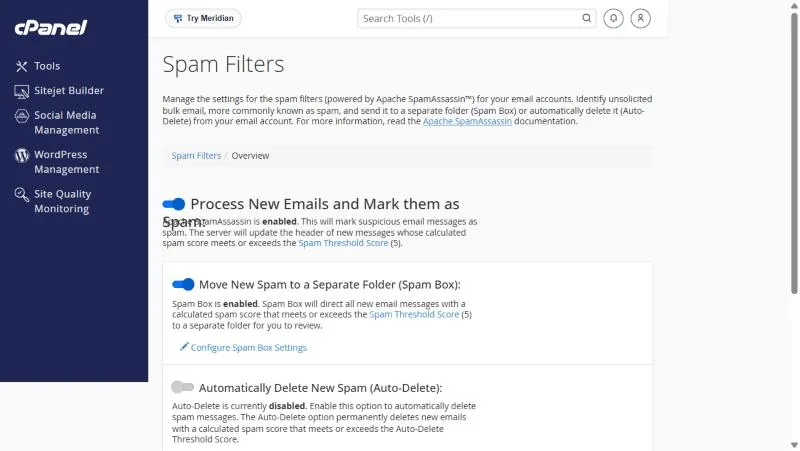
Look for Greylisting in the Email section. If it is missing, it is not enabled on your server, and spam protection with us relies on Spam Filters, built on SpamAssassin. Turn them on and set the score as in Spam Filters.
If you have it: turning it off for a domain #
The Greylisting page lists your domains, each with an on and off switch. Turn it off for a domain whose work depends on instant verification codes from many new senders, such as a store receiving mail from several payment gateways.
A message did not arrive? Check before blaming Greylisting #
| Situation | Most likely |
|---|---|
| The first message from a new sender was minutes late, then arrived | Greylisting working as designed |
| It never arrived | Check the Spam folder, and Track Delivery for the rejection reason |
| Every message is late | Not Greylisting; open a support ticket with the details |
From our support desk #
- A store complained of late verification codes from a new service. Turning Greylisting off for the store domain alone fixed it while keeping it on others.
- A customer thought a message was lost; it arrived seven minutes later. That is expected for the first message from a new sender.
- A company got lots of spam without Greylisting. Tuning the Spam Filters score and moving spam to a separate folder cut the problem a lot.
Frequently asked questions #
Why was a message from a new customer late?
With Greylisting on, the first message from a new sender waits a few minutes; later ones arrive at once.
Does Greylisting delete mail?
No, it only asks for a retry, which proper servers make.
Why can I not find Greylisting in my panel?
It is not enabled on your server; use Spam Filters.
Should I use it with Spam Filters?
Yes, they work together: one stops automated spam, the other checks content.
Does Greylisting delay every message?
No, only the first from each new sender; after that they arrive at once.
Can I trust a sender in advance?
Some setups allow it; if your panel does not, ask support.
- Spam Filters in cPanel: SpamAssassin and the Spam Box Folder
- Email Filters in cPanel: Filters for One Mailbox or the Whole Account
- Track Email Delivery in cPanel: Did Your Message Arrive, and Why Was It Rejected?
- Your Emails Reach Gmail but Go to Junk in Outlook and Hotmail: Causes and Fixes
- The Email Section in cPanel: A Guide to Every Tool and When to Use It


