

Filters organise your mail automatically: discard spam from a certain sender, move invoices to their own folder, or redirect messages containing a keyword to a colleague. They run on the server, so they apply before the message reaches your phone.
Two filtering tools #
| Tool | Applies to | When to use it |
|---|---|---|
| Email Filters | One mailbox you choose | Rules for one person or address |
| Global Email Filters | All incoming mail on your account | Blocking a spammer for every address |
A filter for one mailbox #
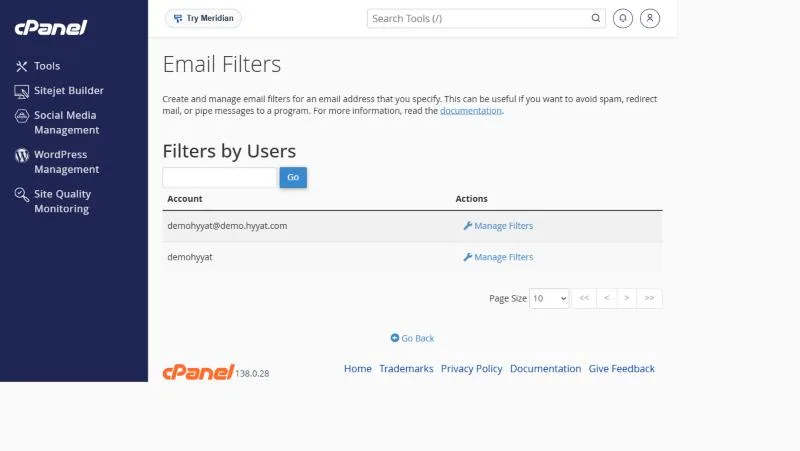
- Open Email Filters in the Email section of cPanel.
- Click Manage Filters next to the mailbox.
- Click Create a New Filter and give it a name.
A global filter for the whole account #
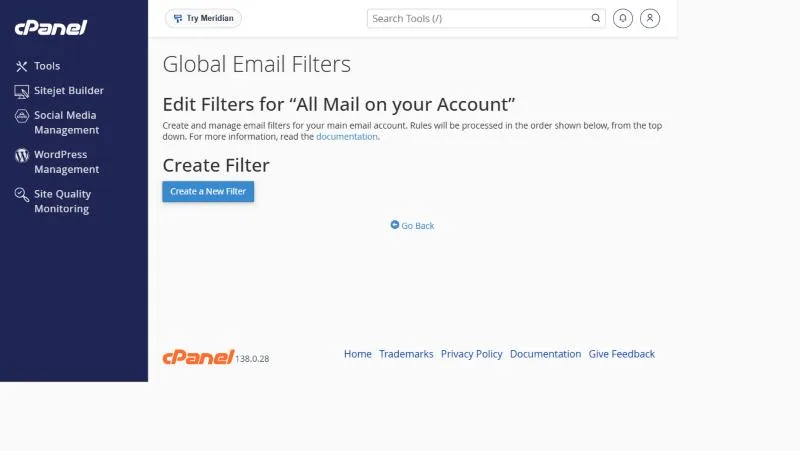
Open Global Email Filters and click Create a New Filter. Rules here run in order from top to bottom on all mail.
Parts of a filter #
| Part | Examples |
|---|---|
| Field | From, Subject, To, Body |
| Condition | contains, equals, begins with, does not contain |
| Action | Discard Message, Deliver to Folder, Redirect to Email, Fail with Message |
Useful examples #
- Block a spammer: From contains [email protected] → Discard.
- Sort invoices: Subject contains “invoice” → Deliver to Folder: INBOX.Invoices.
- Route customer requests: Subject contains “order” → Redirect to [email protected].
For spam in general, use Spam Filters rather than many manual filters.
Email Filters or Spam Filters? #
- Spam Filters detects spam automatically without you writing rules.
- Manual filters are for specific cases you know: a certain sender or subject.
- Start with Spam Filters and add manual filters for what remains.
- Order global filters carefully, because they run from top to bottom.
Examples from customer tickets #
- A front desk created a filter moving payment gateway mail to a Payments folder, leaving the inbox for customers only.
- A customer filtered on “contains” a short word and caught many unrelated messages. A tighter rule is “equals” or the full sender address.
- A company needed one rule for all staff and used the account-level filter instead of repeating it in every mailbox.
For spam in general, do not pile up filters; turn on Spam Filters, which draw on thousands of ready rules.
Frequently asked questions #
What is the difference between Email Filters and Global Email Filters?
Email Filters apply to one mailbox; Global Email Filters apply to all incoming mail on your account.
How do I block a sender?
Create a filter: From contains their address, action Discard.
Can I recover a message a filter discarded?
No. That is why you should test by moving to a folder first.
Do filters work in my phone app?
Yes, because they run on the server before mail reaches any app.
Can I test a filter before using it?
Yes, the filters page lets you test against a sample message.


