

ConfigServer Explorer was a popular WHM plugin that showed the whole server as a file tree: copy, delete, change permissions and ownership, and edit files in the browser. Since ConfigServer closed, it is no longer developed or downloadable. A tool with that much power (root over every file) should not be left running without security updates, so we recommend removing it if installed and using the alternatives below.
Alternatives by what you need #
| What you want | The right tool | Why |
|---|---|---|
| Edit one site’s files | File Manager in the account’s cPanel | Runs as the account owner only, so file ownership stays correct |
| Run commands and browse any folder | Terminal in WHM | A root shell in the browser with no extra software |
| Move many or large files | An SFTP client such as FileZilla or WinSCP | Faster, clearer and resumable |
| Find huge files | du and find | The quickest way on a server with thousands of files |
Terminal in WHM #
WHM › Server Configuration › Terminal
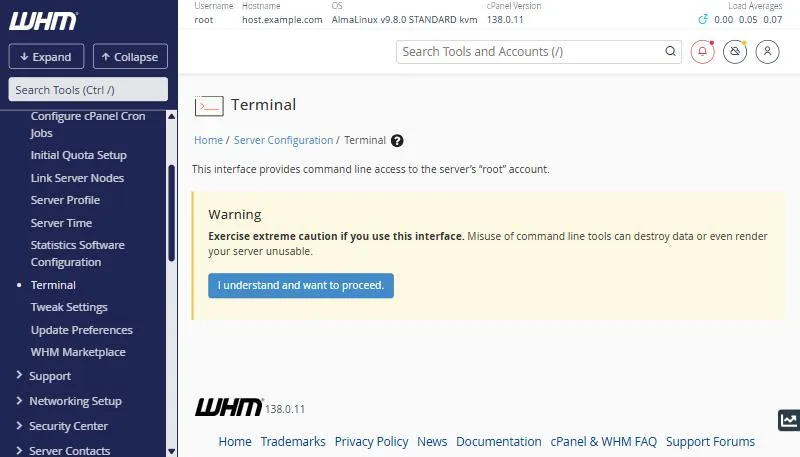
The page opens with a clear warning: this gives a root shell, and one mistake can destroy data. After I understand and want to proceed you get a full terminal. If you have never used a command line, start with the SSH guide.
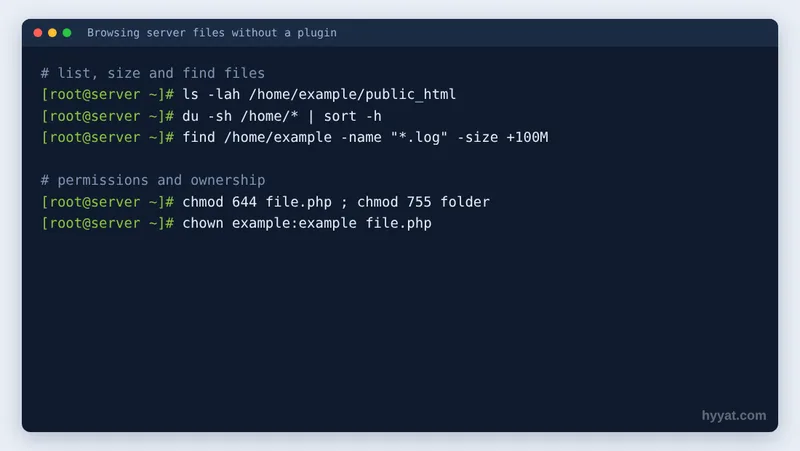
cPanel File Manager per account #
From the cPanel icon in List Accounts, enter the customer’s account and open File Manager. Anything you create there is owned by the account user, which avoids a common Explorer problem: files created as root that the site can no longer write to. The tool is covered in using File Manager in cPanel.
Removing Explorer if it is installed #
If Explorer appears under Plugins in WHM, its folder is usually /etc/cse along with its WHM registration. Back the folder up, then use its own removal script if present, or ask our support team for help if your server is under our server management service.
chown -R user:user /home/user/public_html, or you may see 500 errors or write failures.Three things to remember #
- Explorer is discontinued; do not install old copies.
- For one site: cPanel File Manager. For the whole server: Terminal or SFTP.
- Watch file ownership after working as root.
Common questions #
Is there an official cPanel replacement for Explorer?
There is no exact equivalent. WHM Terminal and cPanel File Manager cover most needs.
Is SFTP safe with the root account?
Use an SSH key, and disable password logins for root where you can.
Does WHM Terminal work if SSH is closed in the firewall?
Yes. It runs over WHM’s own connection on port 2087.


