

Is your machine okay? The Security tab answers on two levels: a quick check that glimpses the machine state in seconds, and a deep scan that looks for viruses in the files. Both are one click, with no commands.
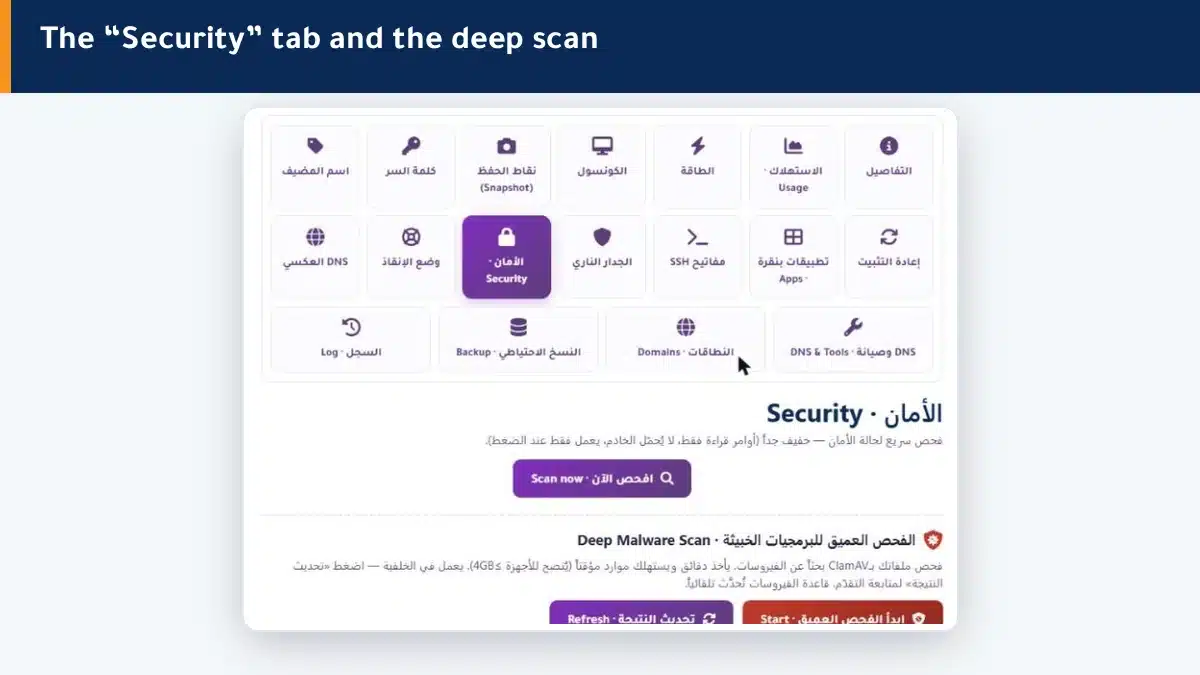
The quick check #
A very light check (read only, no load on the machine) that shows a glimpse of:
- The ports currently open on the machine.
- Failed login attempts (a sign of intrusion attempts).
- Available system updates.
- The most recent successful logins.
Click Scan now, and the results appear instantly. Run it regularly for peace of mind.
The deep virus scan (ClamAV) #
A full scan of your files for viruses and malware. It takes minutes and uses resources temporarily, so it runs in the background with a live progress bar, and the virus database is updated automatically before each scan.
- Click Start deep scan, and it runs in the background.
- Follow the progress (percentage, file count and time) with the Refresh result button.
- When done, it shows the number of files scanned and infected, if any.
Summary #
- The quick check gives an instant security glimpse with no load.
- The deep ClamAV scan looks for viruses in the background and updates itself.
- Scan regularly, and act at once on any infected file.
Strengthen your security further with the firewall and SSH keys.
Frequently asked questions #
Does the quick check slow my machine?
No. The quick check is read only and very light, puts no load on the machine, and gives results in seconds. Run it regularly without worry.
How long does the deep scan take?
It depends on the size of your files, usually minutes. It runs in the background with a progress bar, so you follow it without a frozen wait.
Do I update the virus database manually?
No need. The ClamAV database is updated automatically before each deep scan, so the results stay current.
What do I do if an infected file is found?
Do not ignore it. Open a support ticket right away and we will help you isolate and handle the file safely.
When should I run the deep scan?
When you suspect something (unexplained slowness, strange behavior, a possible breach), and periodically as a precaution. The quick check is enough for daily monitoring.


