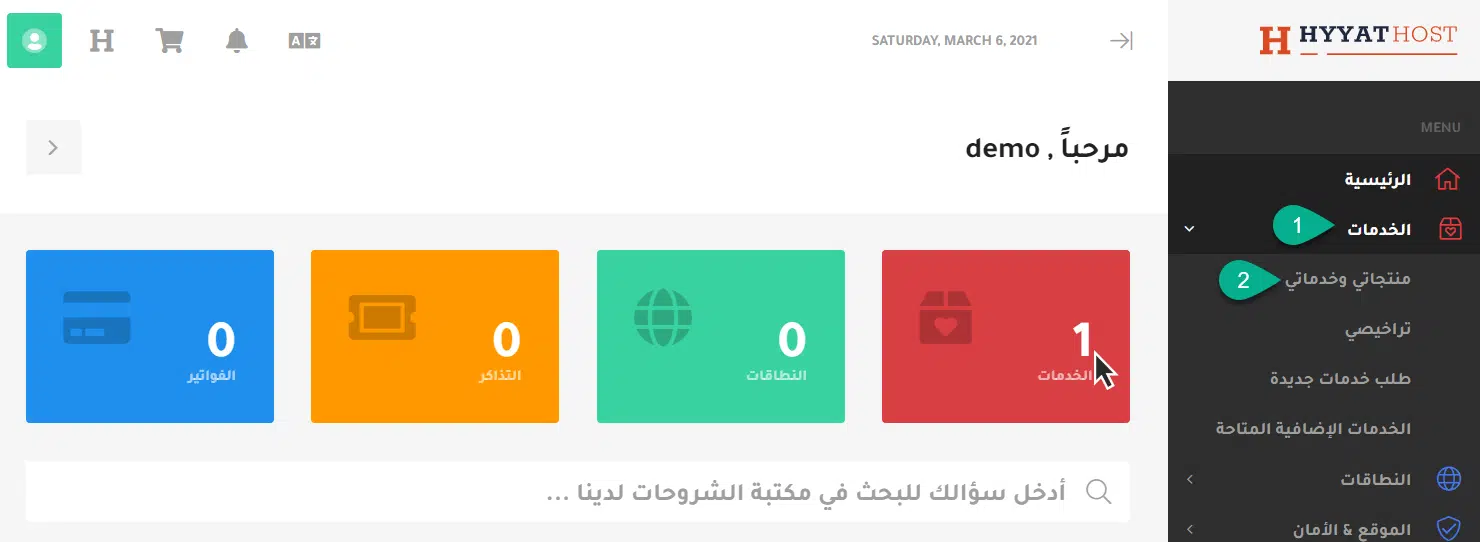
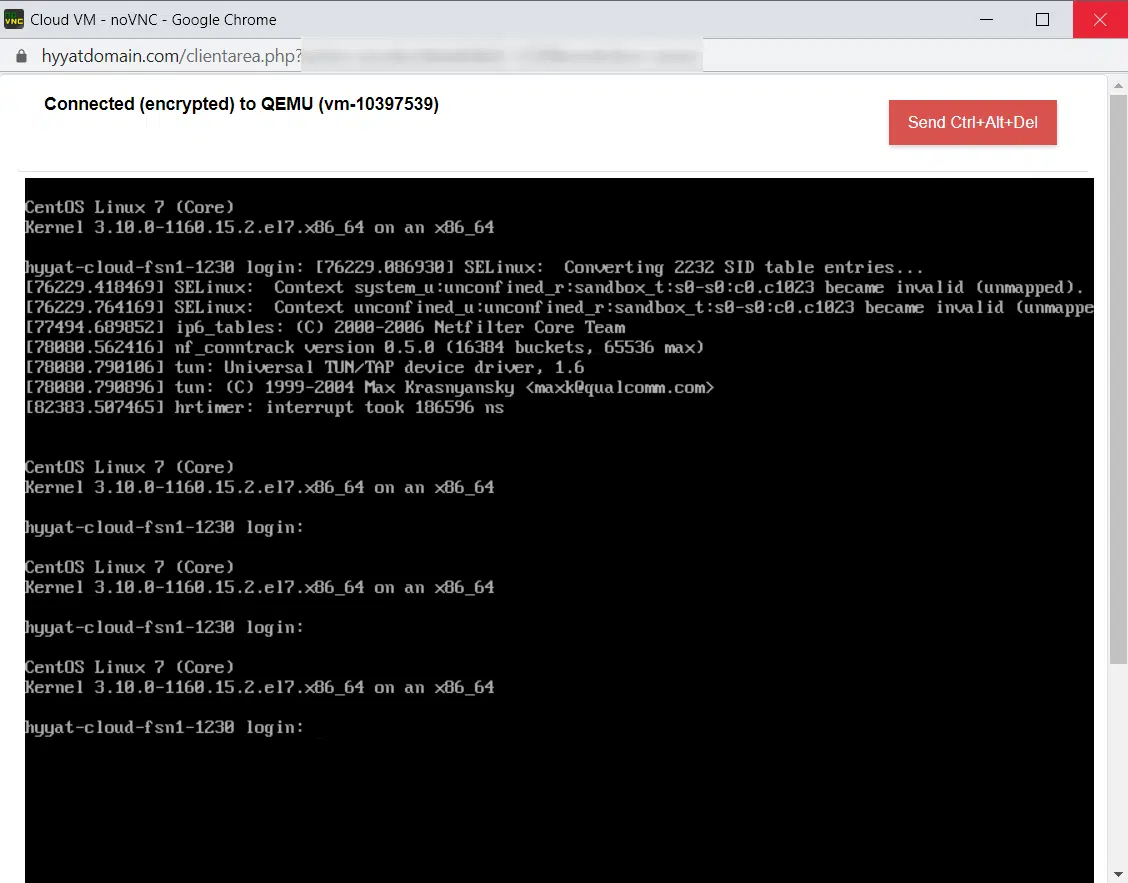
In short: The console is a direct control window to your server, like sitting in front of its screen. It works even when the network or SSH is down, so you use it to fix a server that stops responding. Open it from the client area: Services → My Services, choose the server, then Server Quick Actions → Console.
What is the console? #
The Linux console is the system console of the Linux kernel: it receives all system messages and warnings and allows logins in single-user mode.
When should I use the console? #
When you cannot reach the server over SSH, or you have a problem you cannot fix through SSH, such as a firewall rule or network setting that locked you out.
How to open the console #
- Log in to the client area (see how to log in to the client area).
- Click Services, then My Products & Services.

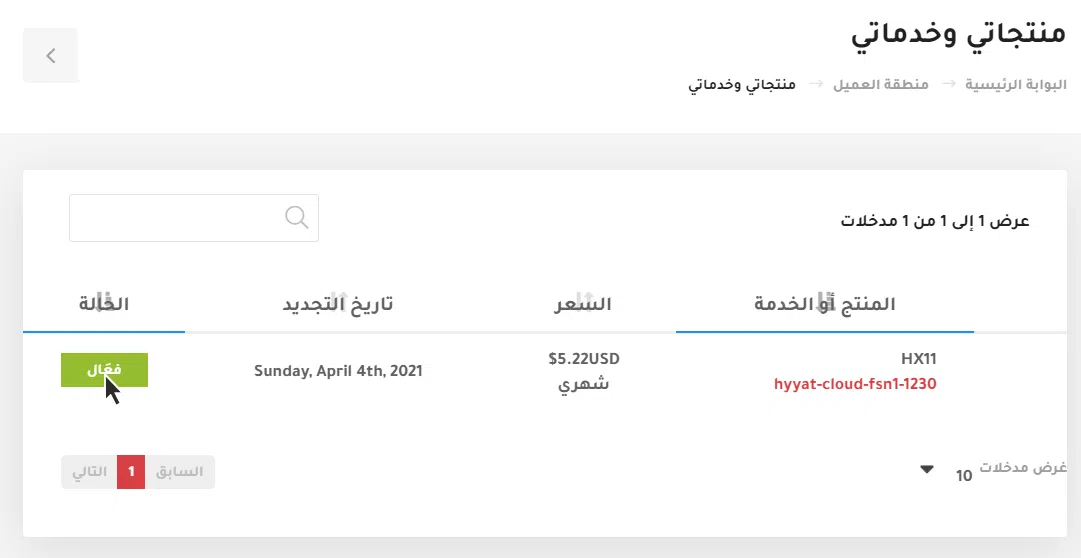
- Your services are listed. Choose the server you want to manage and click Active.

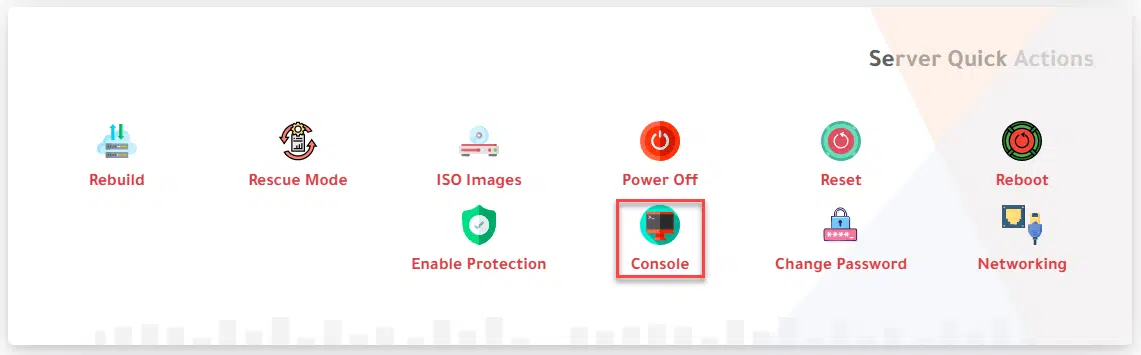
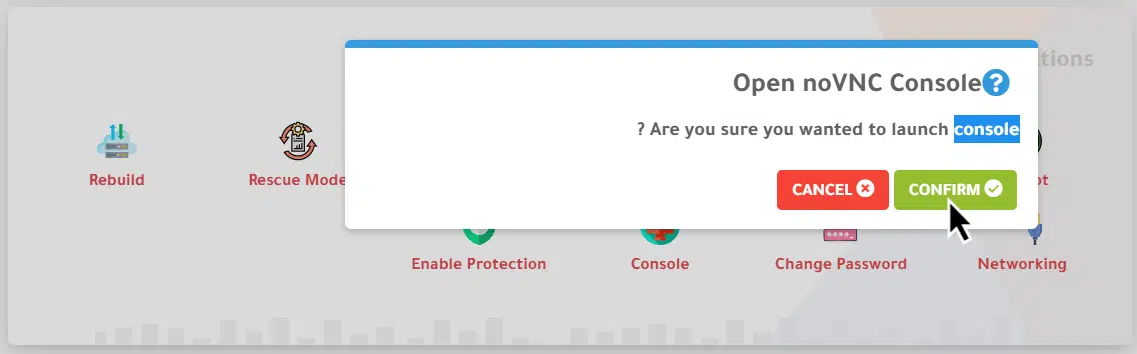
- Scroll down to Server Quick Actions and choose Console. A warning appears: “Are you sure you wanted to launch console?” Click Confirm.

- The console opens in a new tab. Log in with your server credentials and fix the problem.