

In short: To update your contact email in cPanel so you receive notifications (such as disk space or quota warnings): go to cPanel, then Preferences, then Contact Information. Enter your email, choose the notifications you want, then click Save.
cPanel sends important notifications, such as when your disk space is almost full or an email account reaches its quota. Make sure they reach an email address you check.
1. Log in to cPanel (see how to log in to cPanel).
2. In the Preferences section, click Contact Information.

3. Enter your contact email (and an optional second one), tick the notifications you want to receive, and click Save.
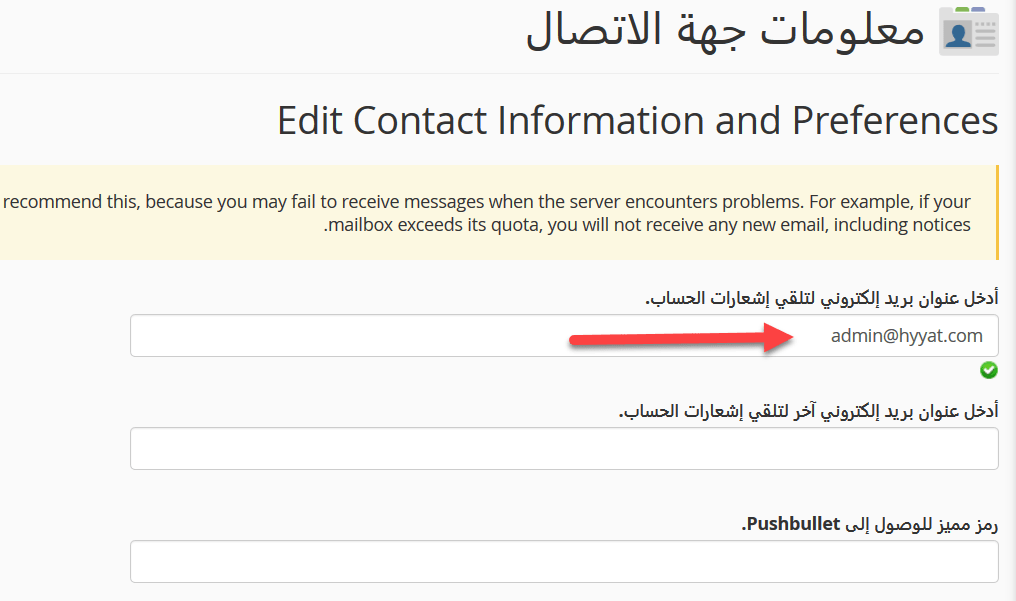
Tip: use an email address outside your own domain, so you still receive warnings if your domain’s email stops working.
Related service: Hyyat Host shared hosting includes cPanel and 24/7 support.


