

In short: Log in to the client area, go to Services → My Products & Services and open your hosting plan. In the Actions box on the left you can click Log in to cPanel, Log in to Webmail, or Change Password for cPanel.
Open your hosting service #
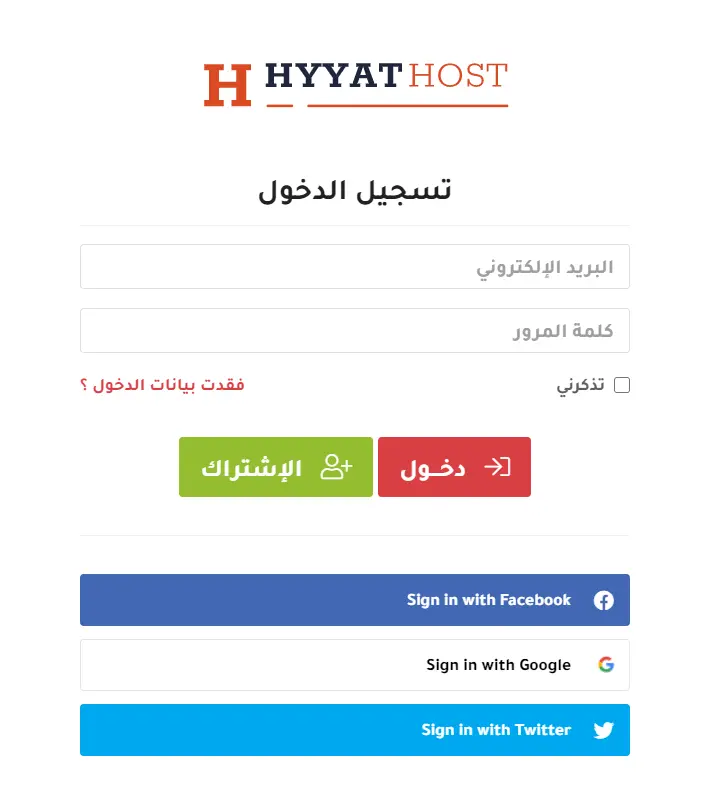
- Go to the client area and log in with your email and password.
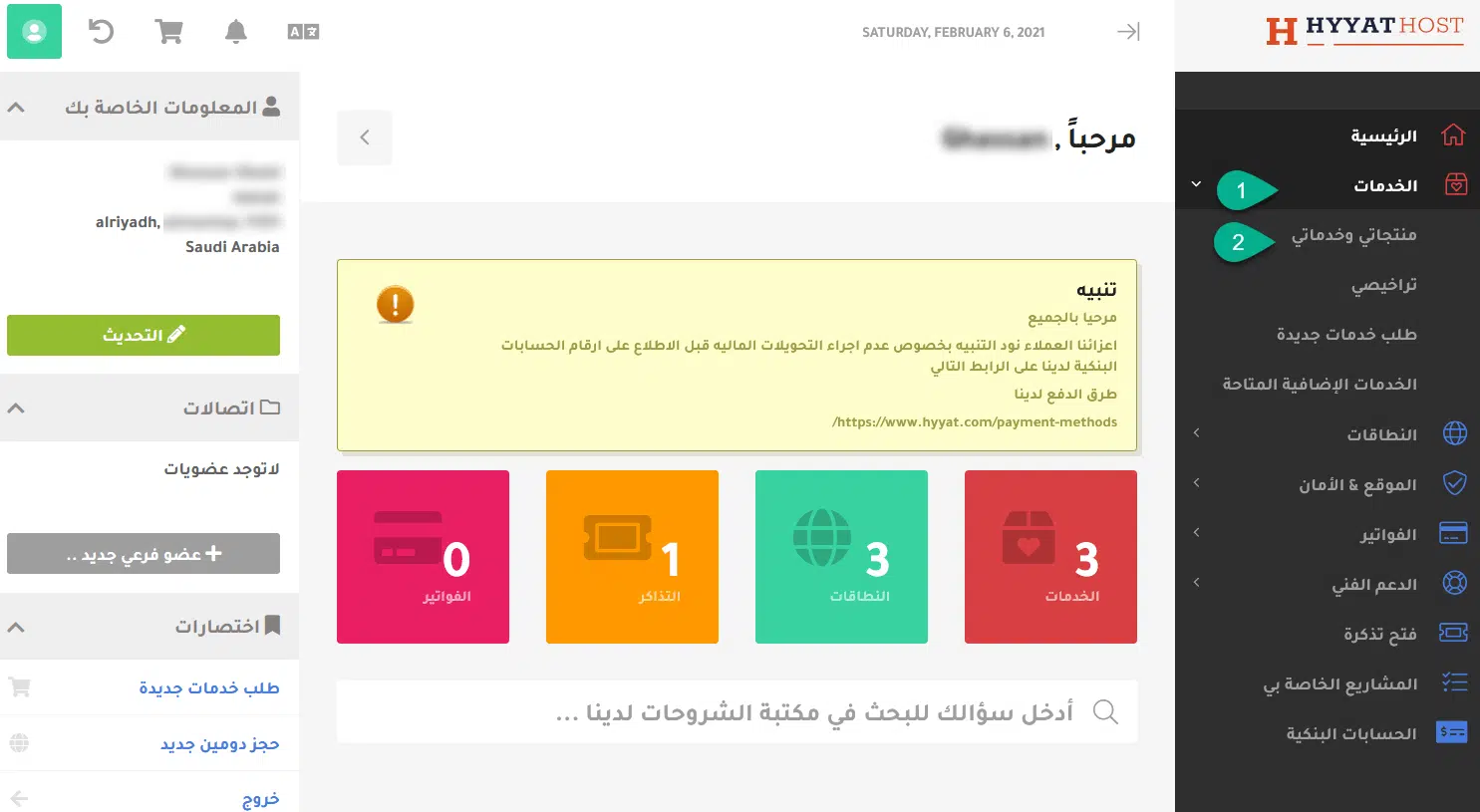
- Click Services, then My Products & Services, or go straight to your services.
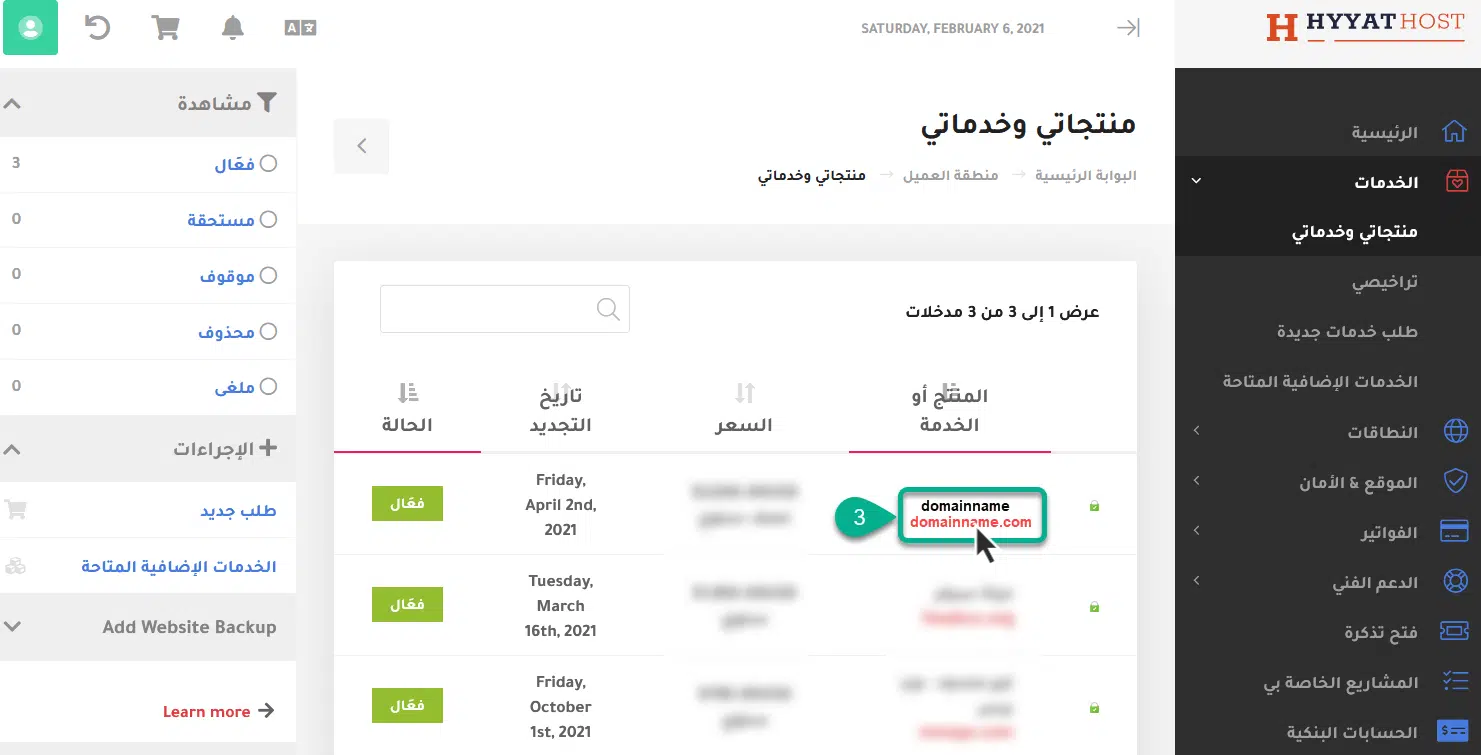
- Click your hosting plan.

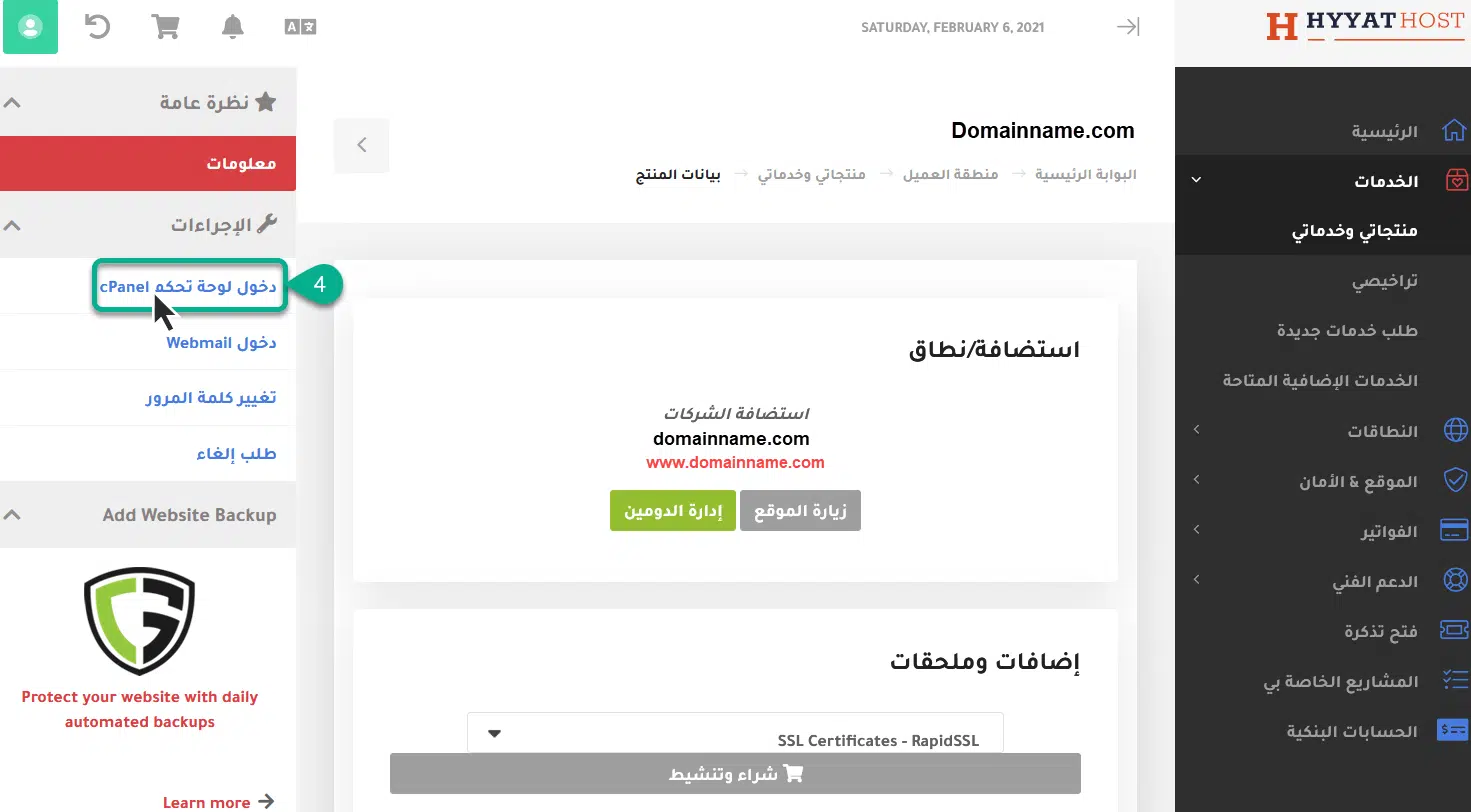
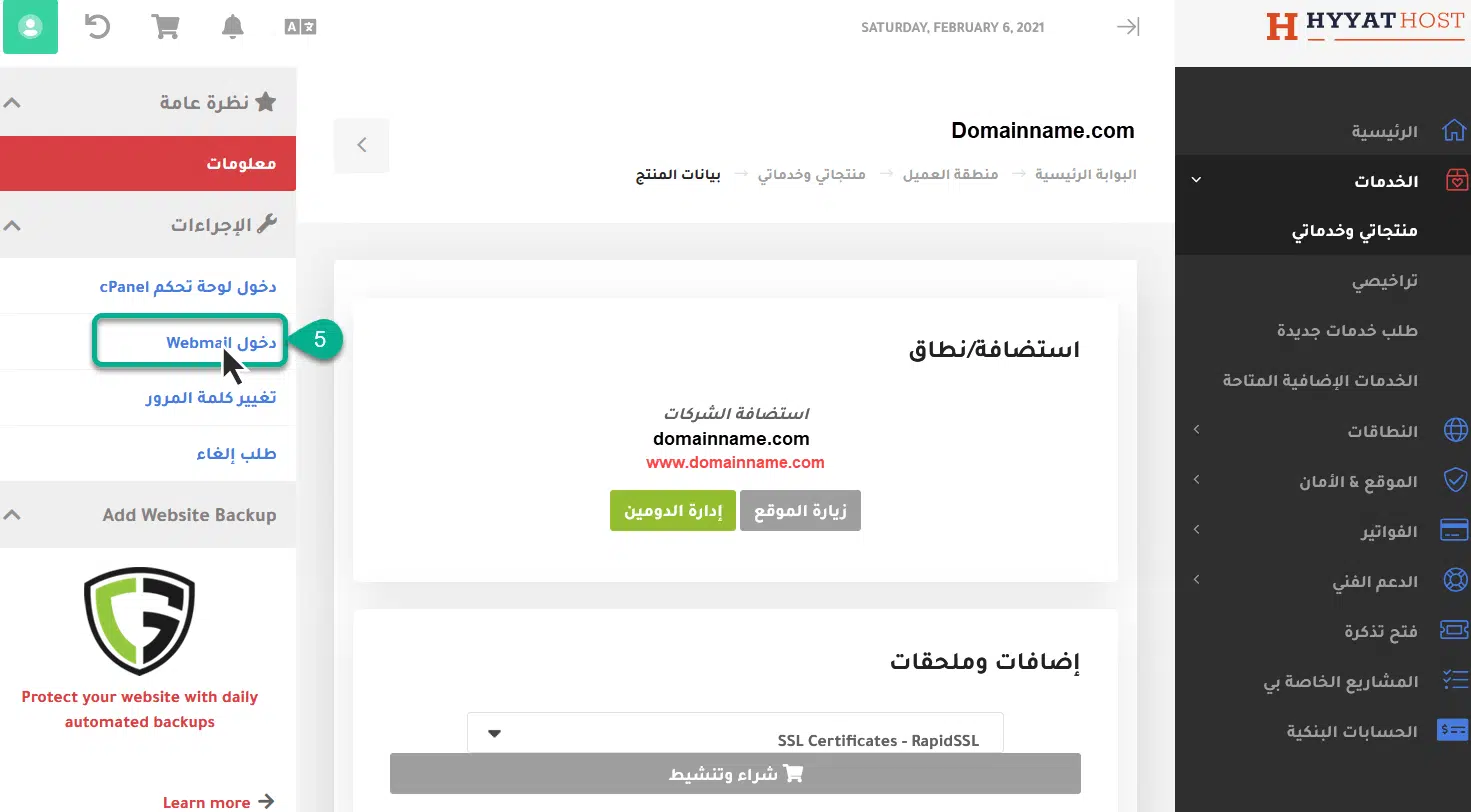
The Actions box on the left gives you these options:
1. Log in to cPanel #
Click it to open cPanel directly, without entering a password.
2. Log in to Webmail #
Opens the login page for the email accounts on your domain.
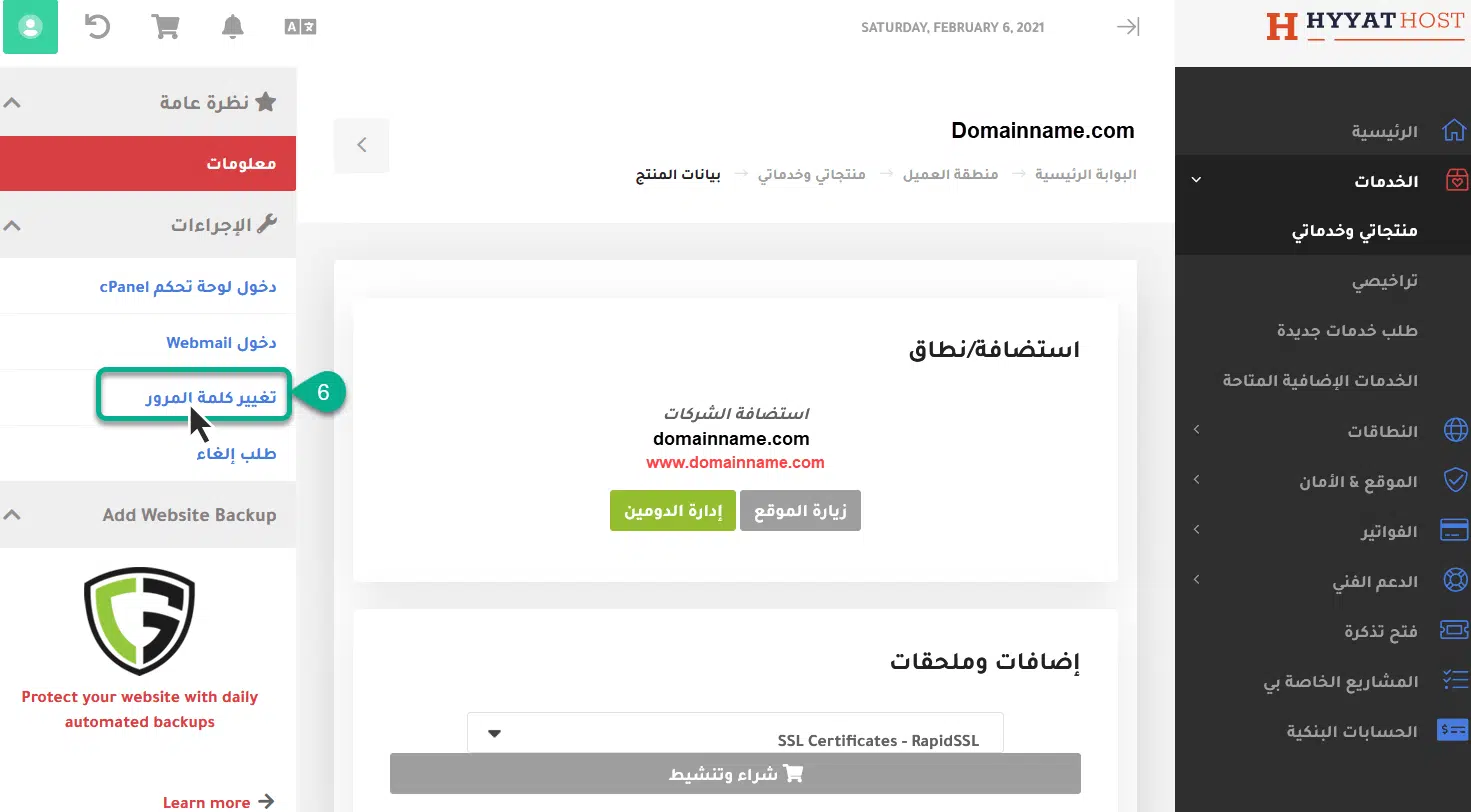
3. Change the cPanel password #
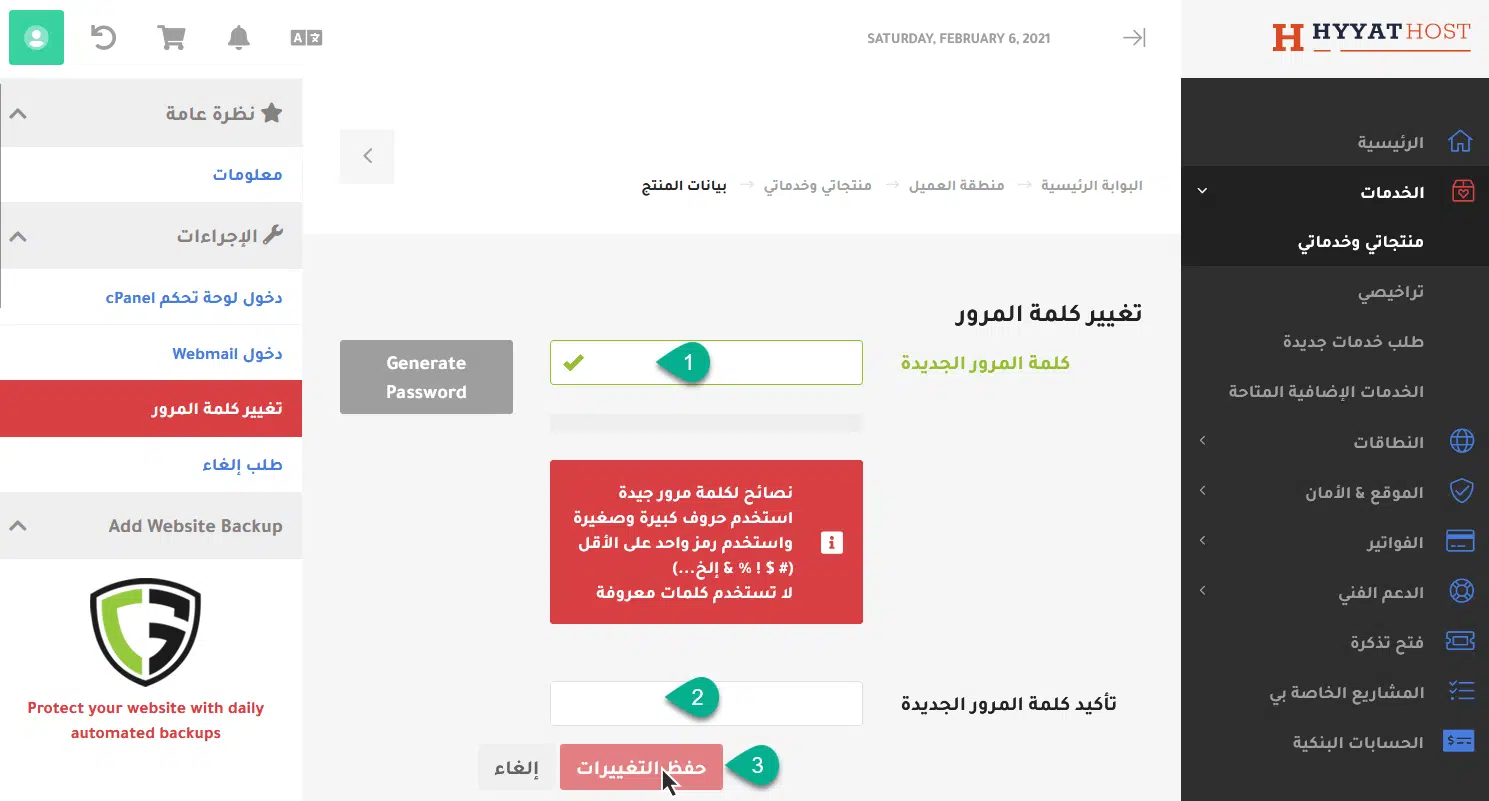
Click Change Password, enter the new password, then click Save Changes.
Important notes #
- Don’t use easy passwords such as your mobile number; mix letters, numbers and symbols.
- cPanel controls your whole website, and the account owner is responsible for everything in it, so never share access with anyone.
See also how to log in to cPanel directly.
Related service: cPanel hosting from Hyyat Host, with 24/7 support.


