

In short: Log in to the client area, go to Domains → My Domains, click the wrench icon next to your domain and choose Manage Domain, then Change nameservers for this domain. Enter the new nameservers and save. Changes can take 24 to 48 hours to take effect.
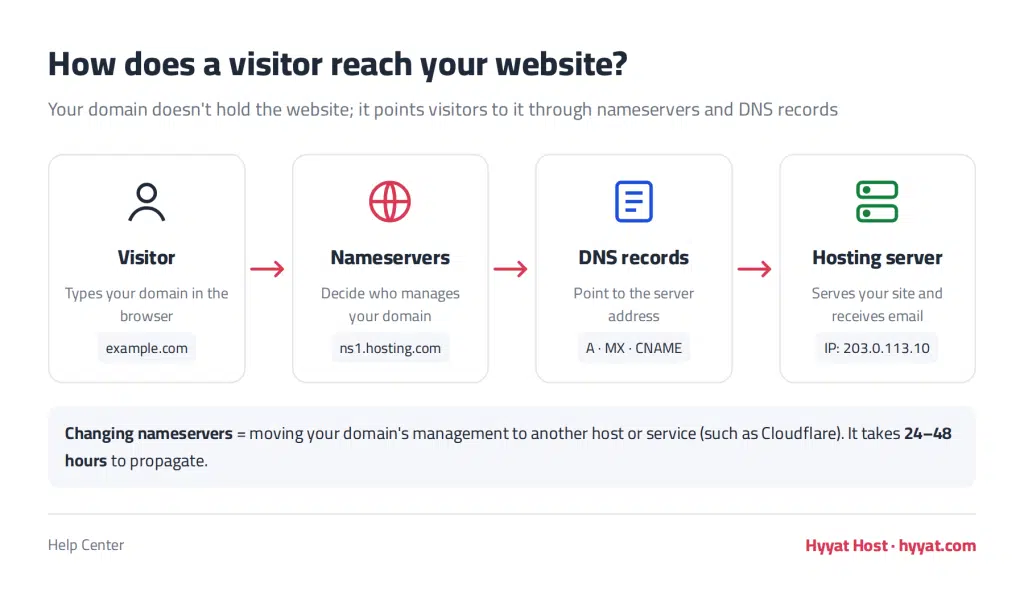
Change your nameservers when you want to connect your domain to another hosting provider, or to a service such as Cloudflare.
Steps to change nameservers #
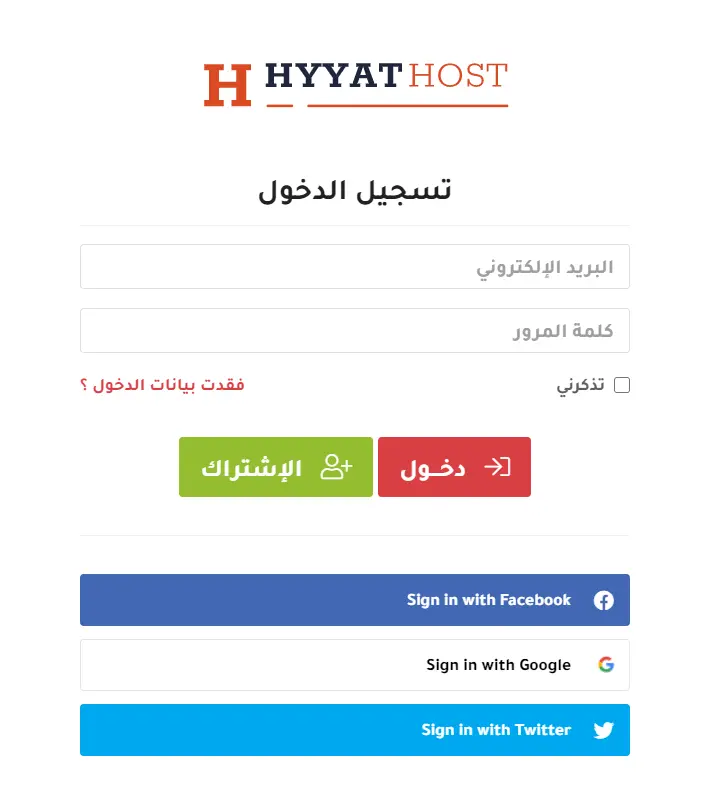
- Log in to the client area with your email and password (see how to log in).
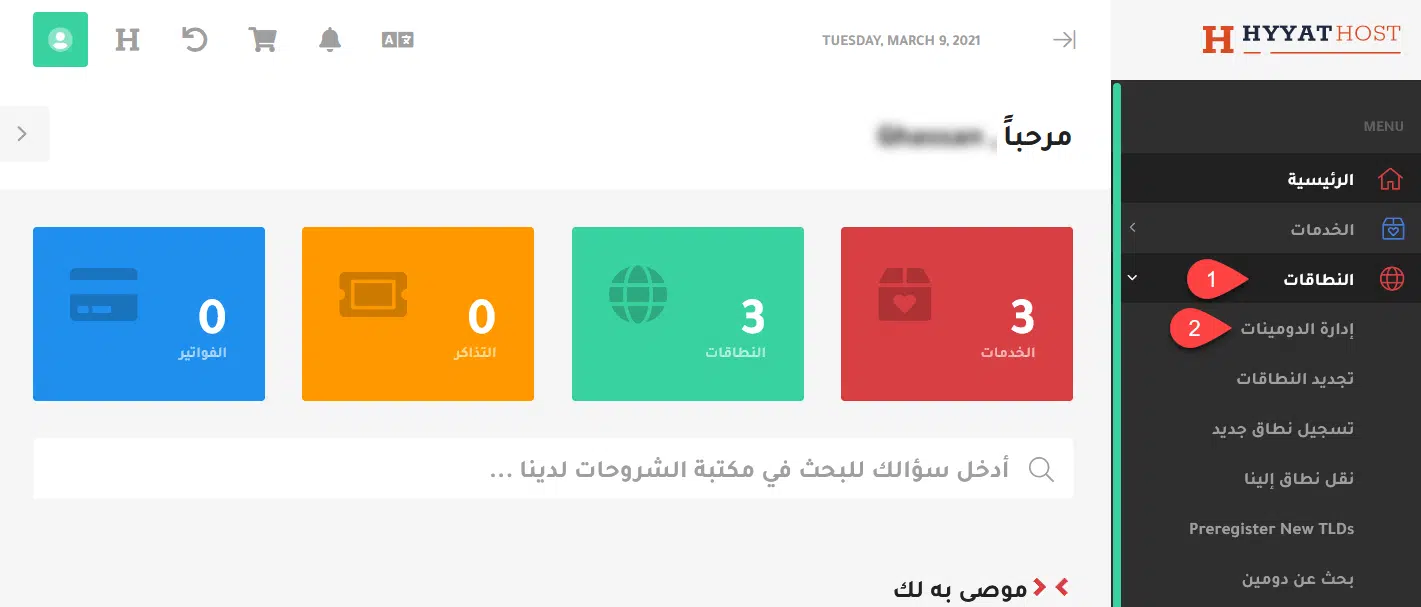
- From the menu choose Domains, then My Domains, or go straight to your domains list.

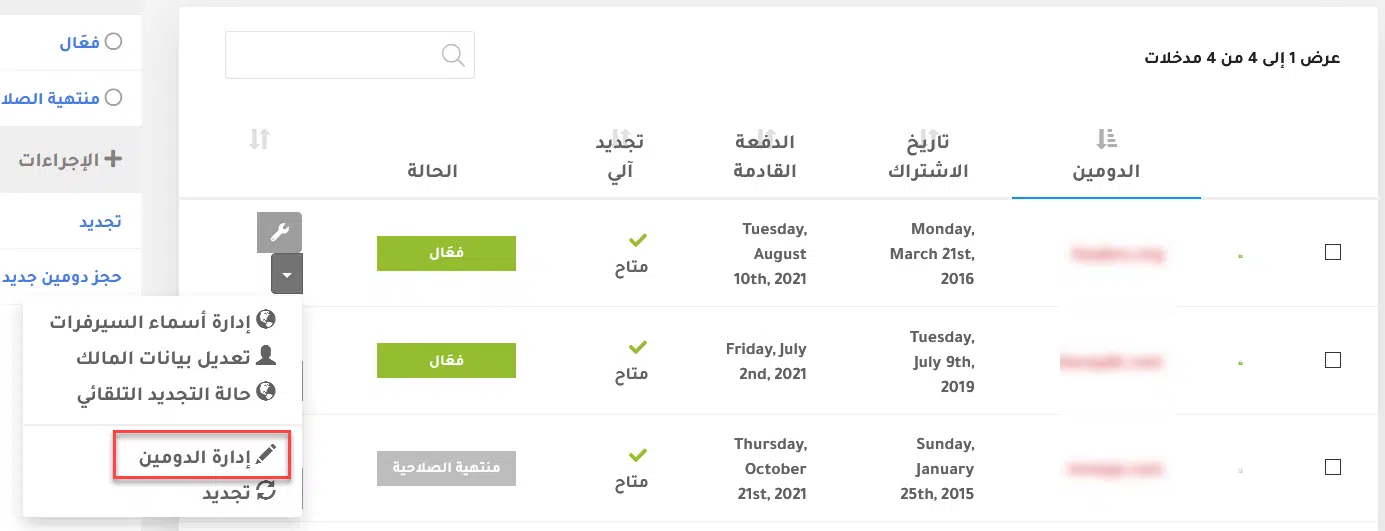
- Click the wrench icon next to Active for the domain and choose Manage Domain.

- The domain overview opens. Under What would you like to do today? choose Change the nameservers your domain uses.

- Choose Use custom nameservers, enter the new nameservers, and click Change Nameservers.


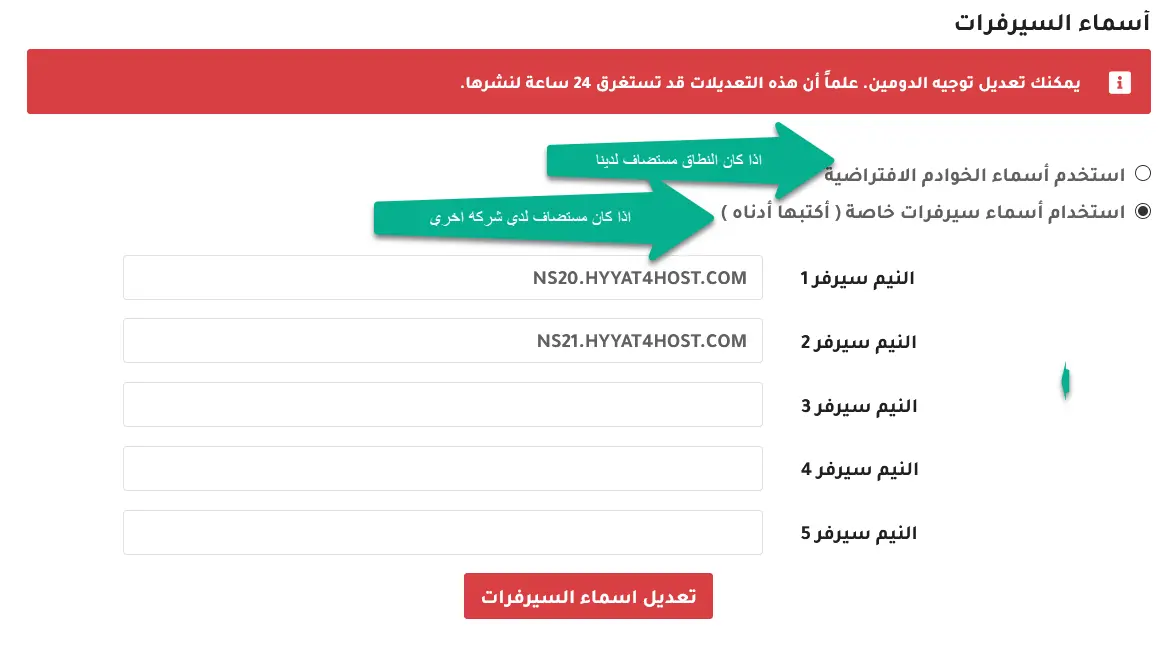
Note: after changing nameservers it can take 24 to 48 hours for the domain to point to the new servers everywhere.
Related service: domain registration from Hyyat Host, with 24/7 support.


