

In short: To delete several cPanel accounts at once: go to WHM, then Multi Account Functions, then Terminate Multiple Accounts. Select the accounts and click Destroy Selected Accounts. Deletion is permanent and removes files, email and databases, so take a backup first.
Sometimes you need to delete several accounts at once, for example after migrating clients. WHM can do it in one step. Warning: termination permanently deletes each account’s files, email and databases.
1. Log in to WHM at https://your-server-ip:2087 with your username and password.

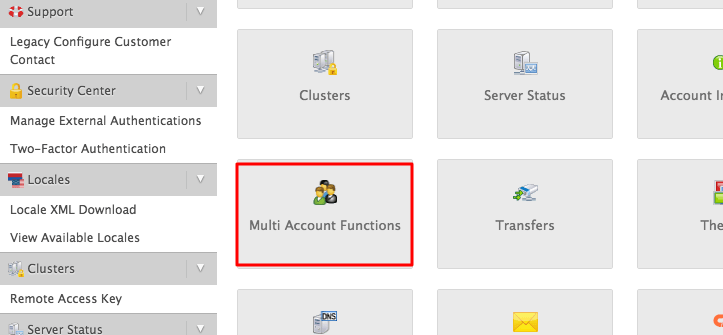
2. Go to Multi Account Functions.
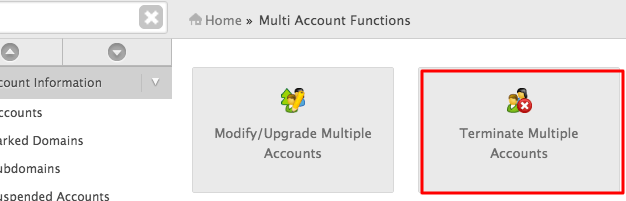
3. Click Terminate Multiple Accounts.
4. Tick the accounts you want to delete.
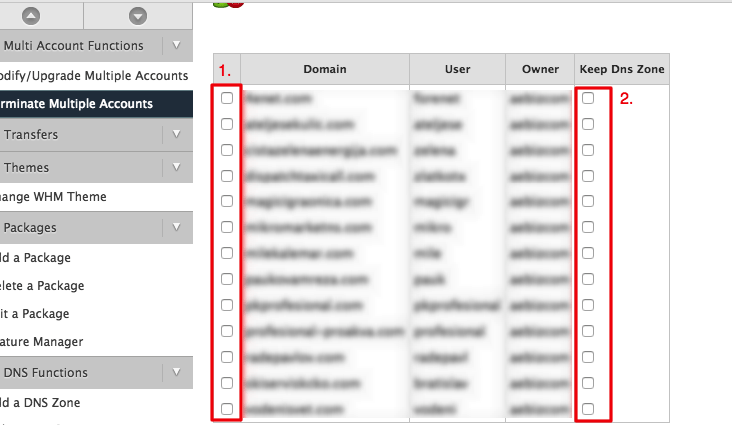
5. Click Destroy Selected Accounts at the bottom and confirm.

To delete a single account, see how to terminate a cPanel account in WHM. To keep a copy first, see how to create a full backup in cPanel.
Related service: Hyyat Host server management manages accounts and backups on your server, with 24/7 support.


