

To use your email in a program like Microsoft Outlook, or on an Android phone or iPhone, you need your mail server settings.
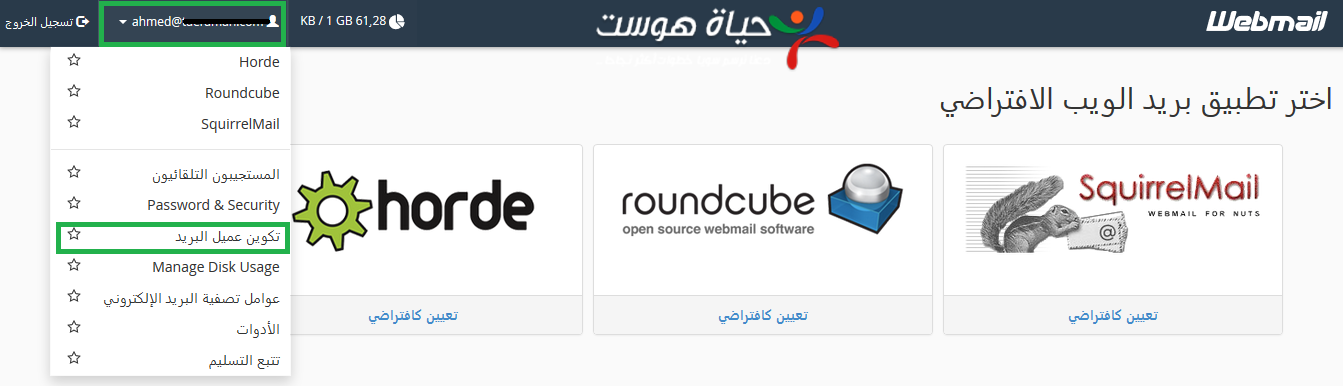
1. Log in to webmail (see how to log in to webmail).
2. Click your email address at the top, then choose Configure Mail Client.
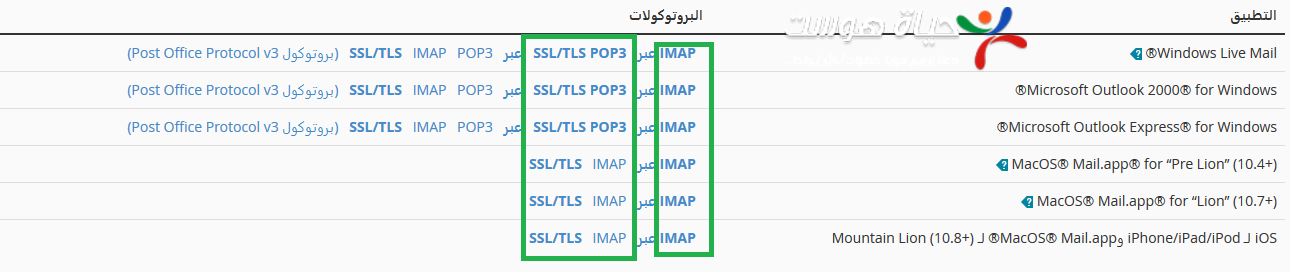
3. You will find setup files for popular programs, such as Outlook, for IMAP or POP3. Download the one you need and open it.
4. If your program is not listed (for example on an Android phone), enter the settings manually. Use the Secure SSL/TLS Settings (recommended):
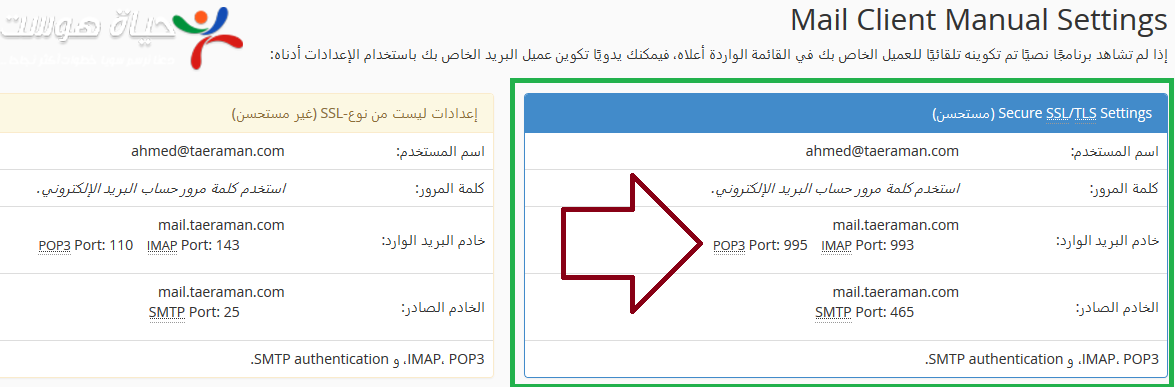
- Username: your full email address.
- Incoming server: mail.yourdomain.com. IMAP port 993, or POP3 port 995.
- Outgoing server (SMTP): mail.yourdomain.com, port 465, with authentication turned on.
Avoid the non-SSL settings, because your password is sent without encryption.
IMAP or POP3? #
IMAP (Internet Message Access Protocol) keeps your messages on the server, so you can read them from any device, program or webmail. POP3 (Post Office Protocol) downloads messages to one program and usually deletes them from the server. Use POP3 only if you read your email from one place; otherwise use IMAP.
See also how to connect your email to iPhone, Android and Outlook.
Related service: Hyyat Host email hosting gives you professional email on your own domain, with 24/7 support.


