

In short: To suspend or unsuspend an email account in cPanel: go to Email, then Email Accounts, and click Manage next to the account. In the Restrictions section, choose Suspend or Allow for receiving incoming mail, sending outgoing email and logging in, then click Update Email Settings.
Sometimes you need to stop an email account from sending messages (for example if it was hacked and is sending spam), or turn it back on later.
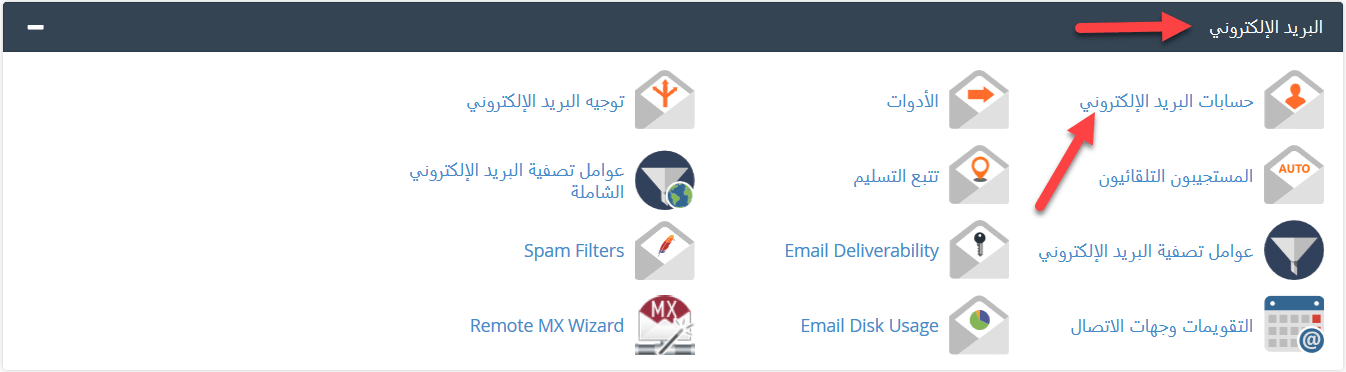
1. Log in to cPanel (see how to log in to cPanel).
2. In the Email section, click Email Accounts.
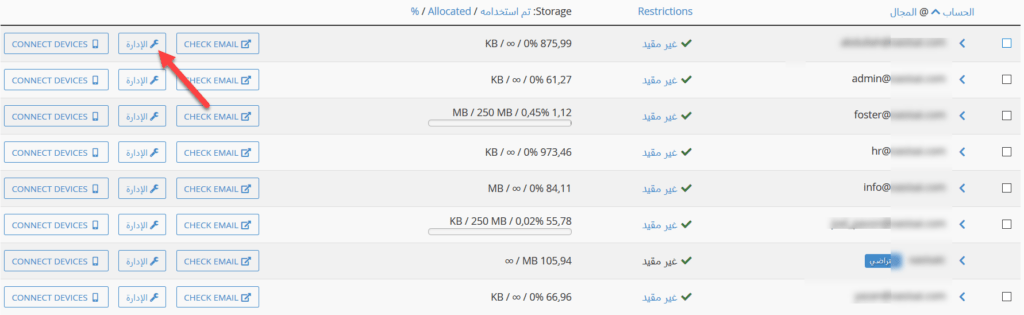
3. Find the account and click Manage.
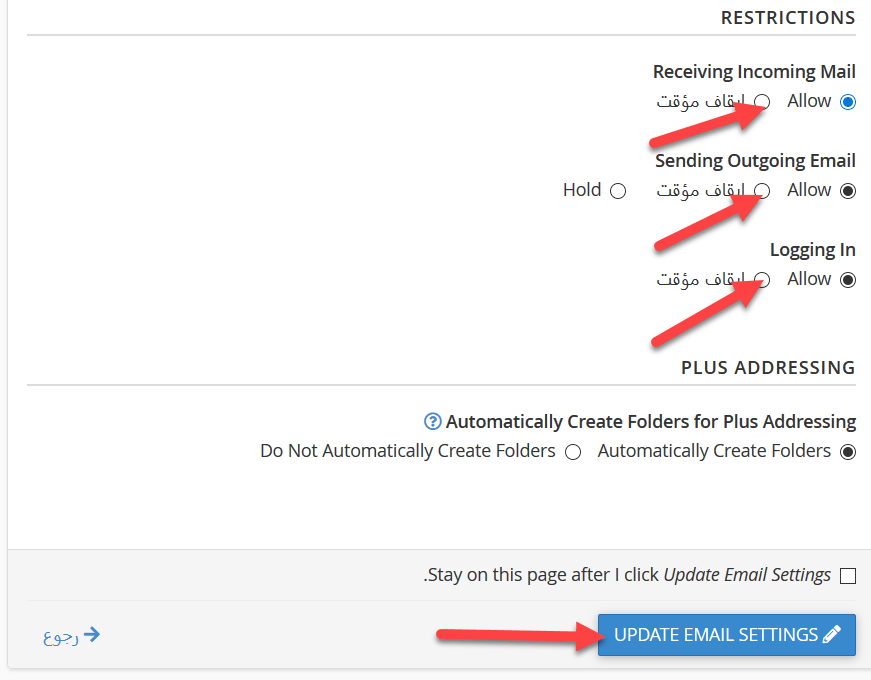
4. Scroll down to Restrictions, choose Suspend or Allow for each option, and click Update Email Settings:
- Receiving Incoming Mail: stop or allow new messages to the account.
- Sending Outgoing Email: stop or allow sending from the account.
- Logging In: stop or allow logging in to the account.
Tip: if an account was sending spam, change its password before you allow sending again.
Related service: Hyyat Host business hosting gives you unlimited email accounts on your own domain, with 24/7 support.


