

Each email provider decides for itself whether a message is spam. A message may reach the inbox at one provider and the spam folder at another. Spam filters usually check:
- Which server sent the message?
- Is that server on a blacklist?
- Does the message have a DKIM signature?
- Does the domain have SPF and DMARC records?
What are DKIM, SPF and DMARC? #
They are technologies that confirm an email is legitimate:
- DKIM (DomainKeys Identified Mail) adds a digital signature to your messages so receiving servers can confirm they came from your domain and were not changed. See what a DKIM record is.
- SPF (Sender Policy Framework) lists the servers allowed to send email for your domain, so receiving servers can check the sender.
- DMARC (Domain-based Message Authentication, Reporting and Conformance) tells receiving servers what to do with messages that fail SPF or DKIM, and sends you reports.
Both the sending and receiving servers filter email. Receivers do it to protect themselves from spam; senders do it so a hacked website cannot send thousands of spam messages and get the whole network blacklisted.
Why use SPF and DKIM? #
They protect your domain from being used to send forged emails from servers you do not know about, and they let receiving servers verify your messages. SPF alone is sometimes enough, but using DKIM together with SPF gives your email much more credibility.
Enable SPF and DKIM #
1. Log in to cPanel (see how to log in to cPanel).
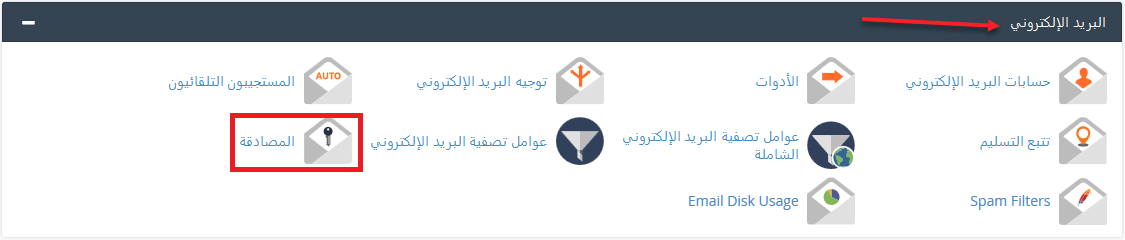
2. In the Email section, open Email Deliverability (called Authentication in older cPanel versions).
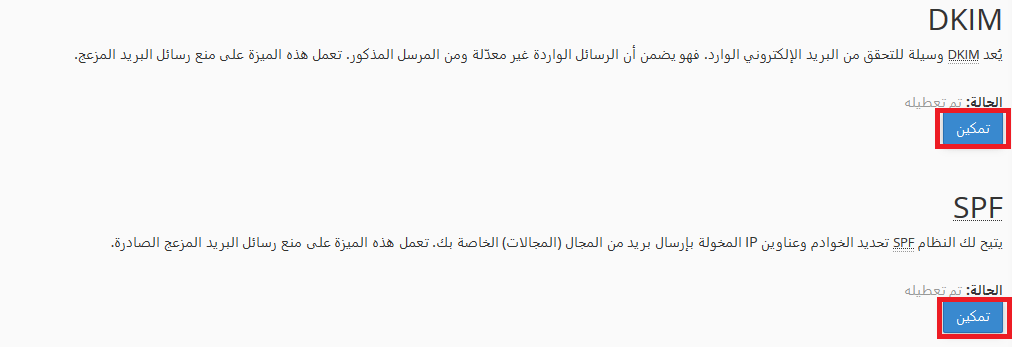
3. Enable DKIM and SPF for your domain. In current versions, click Manage next to the domain, then Install the suggested record for each one.
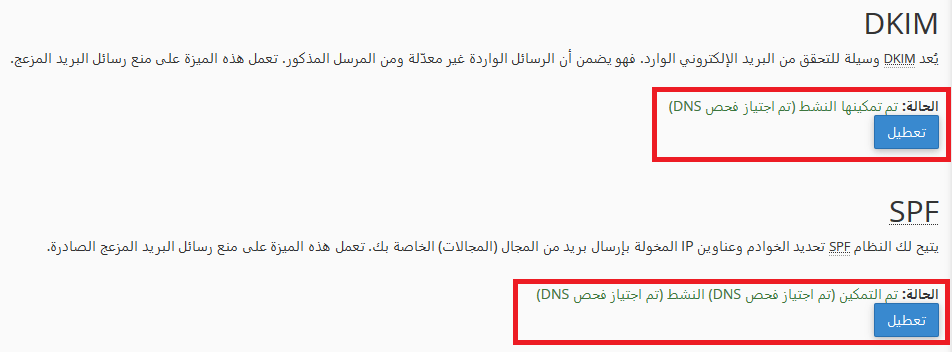
4. When both records show as valid, your domain’s email is authenticated.
If your domain uses external DNS (for example Cloudflare), copy the suggested records and add them there. See also why website emails go to spam.
Related service: Hyyat Host business hosting gives you professional email on your own domain with SPF and DKIM set up, plus 24/7 support.


