

Cron jobs let you run commands or scripts on your website automatically at set times, for example every day or every week. Cron is one of the most useful tools on Linux and Unix-like systems.
Steps #
1. Log in to cPanel. See how to log in to cPanel.
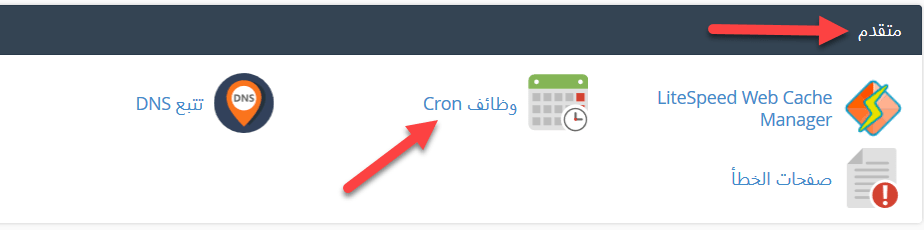
2. In the Advanced section, click Cron Jobs.
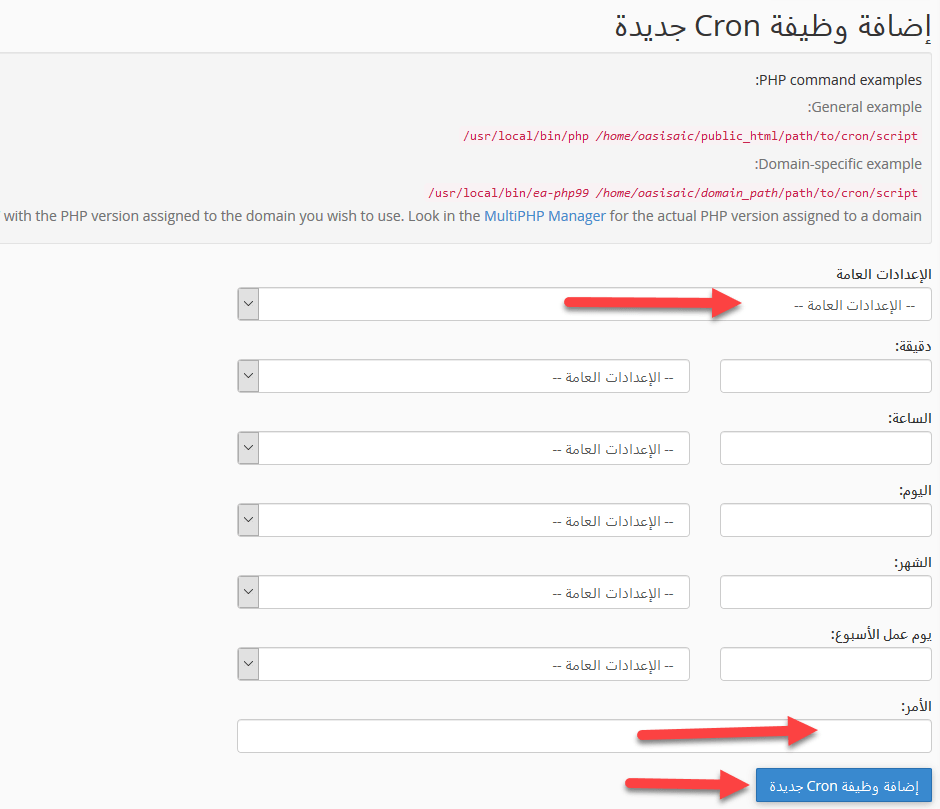
3. Choose how often the command runs, either from Common Settings or by setting each field. Enter the command in the Command box, for example /usr/local/bin/php /home/username/public_html/script.php, and click Add New Cron Job.
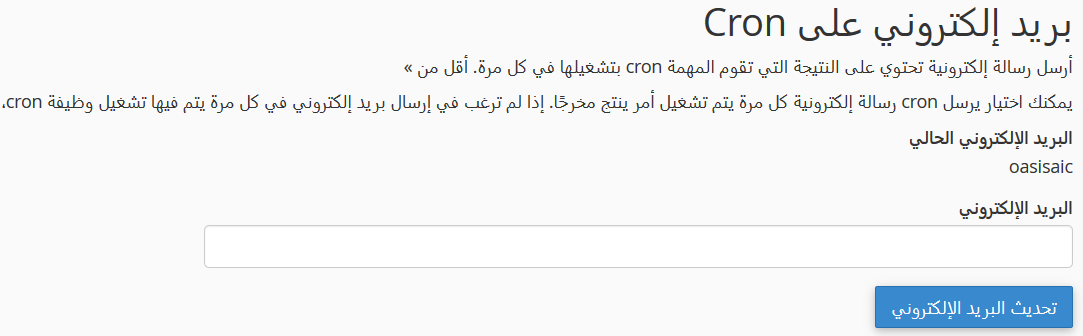
4. Optionally, enter your email in Cron Email to receive a message each time the job runs.
5. Your job appears under Current Cron Jobs, where you can edit or delete it.

Warning: you need a good understanding of Linux commands to use cron jobs safely. A wrong command, or one that runs too often, can overload your account. If you are not sure, ask our support to check your script first.
Related service: Hyyat Host shared hosting with cPanel, cron jobs and 24/7 support.


