

In short: The key folders in your hosting account are public_html for your website files (only what is inside it is visible to visitors), mail for your email data, and public_ftp for public FTP files. Do not delete or change the other folders, because your website or email depends on them.
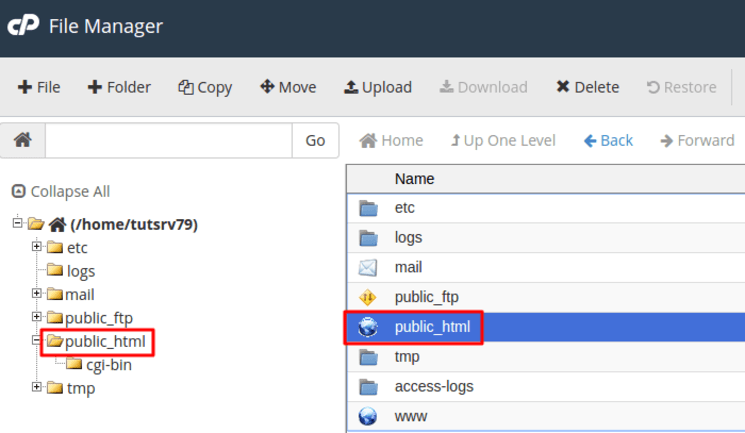
When you open File Manager in cPanel, your home directory contains several folders. Here is what the important ones do:
- public_html: where you upload all your website files and pages. Only files inside this folder are shown on your website.
- www: another name (a shortcut) for public_html. Both point to the same folder.
- mail: where everything related to your email accounts is stored.
- public_ftp: a folder for publishing files through FTP. When anonymous FTP is enabled, anyone can download files from it without a username or password.
The other folders perform functions your website and email depend on. Do not delete or rename them: changing them can cause problems and may stop your website from working.
To upload files to public_html, see how to upload files with cPanel File Manager.
Related service: Fast, secure web hosting from Hyyat Host with cPanel and 24/7 support.


