Getting Your Store Ready for Peak Season: A Four-Week Plan Before White Friday, Ramadan and Big Sale Days
Updated: 25 Nov 20265 min readChoosing hosting
In short: A store that runs fine on normal days can go down when visitors multiply on White Friday or in Ramadan. Start four weeks ahead: review your hosting resources, turn on caching, lighten pages, test payments, take a backup and plan what to do if something breaks on the day itself.
The worst time to find out your store cannot take the traffic is the day you have spent on ads, set up your offers and your customers have been waiting for. It happens every season: “the site won’t open” messages arrive at peak sales while the team scrambles and orders slip away.
This is the plan we use with the stores we host, split over four weeks. You do not need to be technical to follow it, but you do need to start early.
Does your store need more resources in season? Compare our hosting plans and VPS servers, or ask us on WhatsApp which plan fits your store.
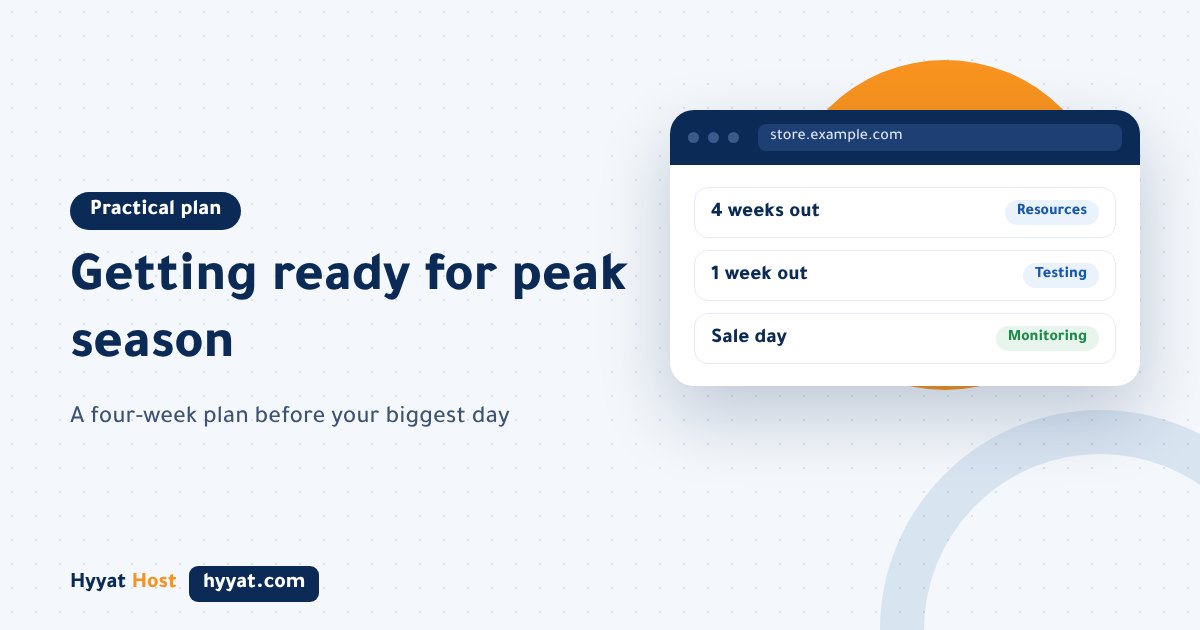
Four weeks out: resources and foundations
Know your plan’s limits: CPU, memory and concurrent processes. A plan that handles 200 visitors an hour may not handle 2,000.
Estimate what you need: the WordPress resource calculator gives an estimate by traffic, store type and product count.
Update WordPress and plugins now, not in sale week. Updating weeks ahead gives you time to catch problems.
Remove plugins you do not need: each one is code that runs on every visit.
If you need an upgrade, ask for it now. Upgrading the night before a sale is a needless risk.
Two weeks out: speed and caching
Turn on page caching and make sure it actually works. Open any page in the header checker and look for cache headers.
Exclude cart, checkout and account pages from the cache, or one customer may see another’s cart.
Lighten images: new offer images are often heavy. Convert them to WebP with the image compressor before uploading.
Watch pop-ups and countdowns: a heavy countdown script on every page can slow the whole store.
Order a product from a phone on mobile data, not office Wi-Fi.
Try every payment method you offer, and the discount codes you will announce.
Check that order confirmation emails reach the customer’s inbox, not spam.
Review stock limits and discounted prices on a sample of products.
Take a full backup and keep it off the server.
Sale day: monitoring and a fallback plan
Update nothing on sale day: no plugins, no theme, no WordPress.
Watch the site from outside:Is my website down? checks it from our server and from your device together.
Prepare a ready message for your social channels in case the site slows, instead of improvising.
Know who to contact: your host’s support channel or ticket system, and who on your team can log in to the panel.
Pages that need special attention
Page
Why it strains the server
What to do
On-site search
Every search is a fresh, uncached query
Use a light search and cap results
Categories with filters
Each filter combination is a different page
Cut unused filters
Cart and checkout
Not cached and run per customer
Trim plugins that run at checkout
Product page
Many images, reviews and recommendations
Compress images and cut heavy sections
These are the pages that fail first under load, so test them specifically before the season.
Numbers to pull from last season
Before deciding whether you need an upgrade, open your analytics and look at last season:
The highest visitor count in a single hour, not the whole day. Load arrives in bursts, usually after an email or an ad goes out.
The most visited pages that day, which need to be the fastest.
The share of mobile visits, so you know which device to test first.
When slowness began, if it did, and at roughly how many visitors.
Share these numbers with your host; they beat any general estimate and help them suggest the right plan.
After the season: keep the lesson
Write down what happened: when did traffic peak? Which page was slowest? Were confirmation emails late? These notes are your plan for next season. And if you upgraded temporarily, decide whether to keep the bigger plan or go back.
Want a store that handles the season without worry? With Hyyat Host hosting you pick a plan that fits your store and can upgrade before peak seasons, and high-traffic stores get dedicated resources on VPS servers. We move your store from any other cPanel host for free.
At least four weeks ahead, so there is time to upgrade hosting if needed and test everything before sale day.
Should I update plugins right before the sale?
No. Update weeks ahead, then freeze all updates in the final week and on the day itself.
Is caching enough to handle the load?
It takes a lot of load off public pages, but cart and checkout are not cached, so you also need enough hosting resources.
What if the store goes down on sale day?
First confirm the cause by checking the site from outside, then contact your host right away, and send customers a ready message instead of leaving them without a reply.
H
The Hyyat Host team
These articles are written by the Hyyat Host hosting, domains and email team, managing customer servers and services since 2002. We review and update them when prices or services change.
We use necessary cookies to run the site, and Google Analytics to measure visits only if you agree. You can change your choice at any time from “Cookie settings”. Privacy policy