Connect to cPanel on mobile devices
The cPanel app allows you to connect to your cPanel and WHM accounts on the go using your mobile device.
Its main features are:
- Access to the three core cPanel services (WHM, cPanel and WebMail)
- Sign in with your fingerprint, passcode or pattern to verify your identity
- Mobile-optimized interface that lets you perform hosting tasks
- Multiple communication management
The cPanel app is available from the Google Play Store.
To connect with the application, you will need:
- The cPanel/WHM username and password included in the hosting welcome email. If you do not have these details or you do not remember your cPanel / WHM password.
- Server hostname - The name of the server on which your hosting account is located. This can be obtained either in the host's welcome email.
To install the application:
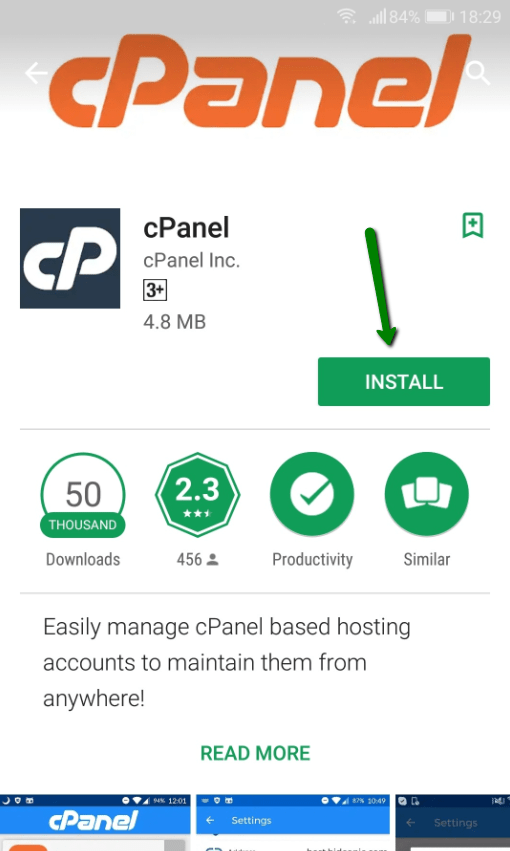
1. Go to Google Play Store on your Android device, search for cPanel, and click install:
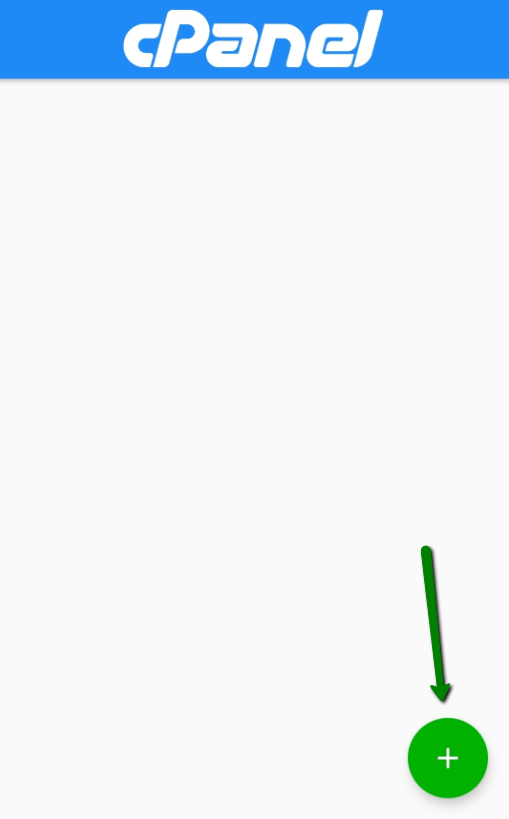
2. Once installed, open the app. Click the Plus button to add a new account:
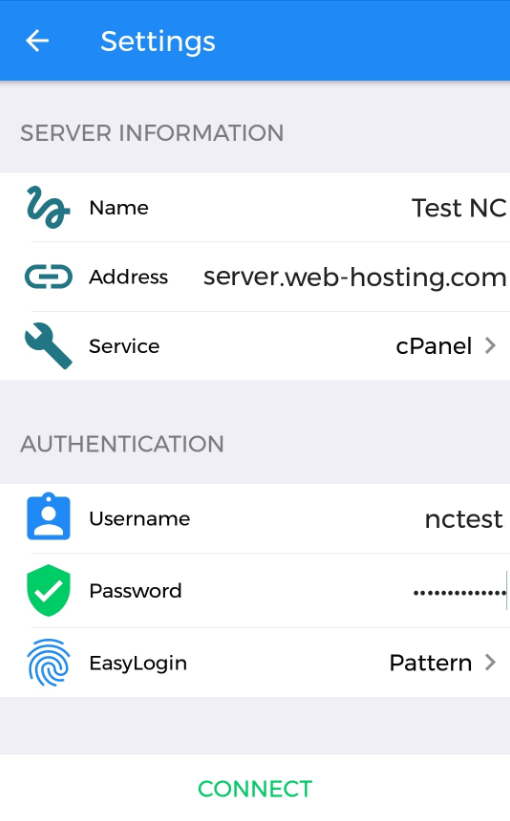
3. Enter the contact details as follows:
Server information:
Name: any name you choose
Address: the server's hostname (or domain name, if referring to the hosting account)
Service: select cPanel or WHM
Authentication:
Username: Your cPanel/WHM username
Password: Your cPanel/WHM password
EasyLogin: This allows you to use your password, PIN, pattern or fingerprint instead of your username and password for faster login.
4. Once you have filled in all the details, click Connect.
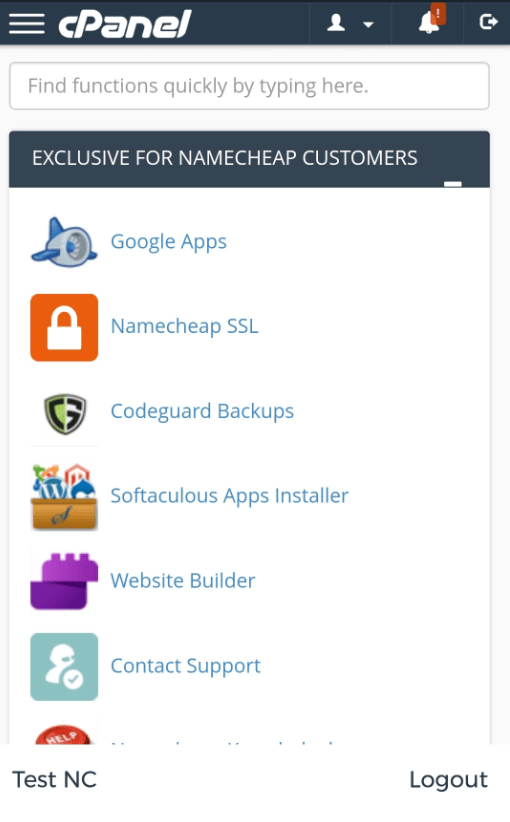
5. After the connection is established, you will be taken to the main cPanel / WHM dashboard:
To log into the cPanel/WHM account you added earlier, open the cPanel app and select the account name. Log in using the login method (PIN, pattern, etc.) specified for the account.
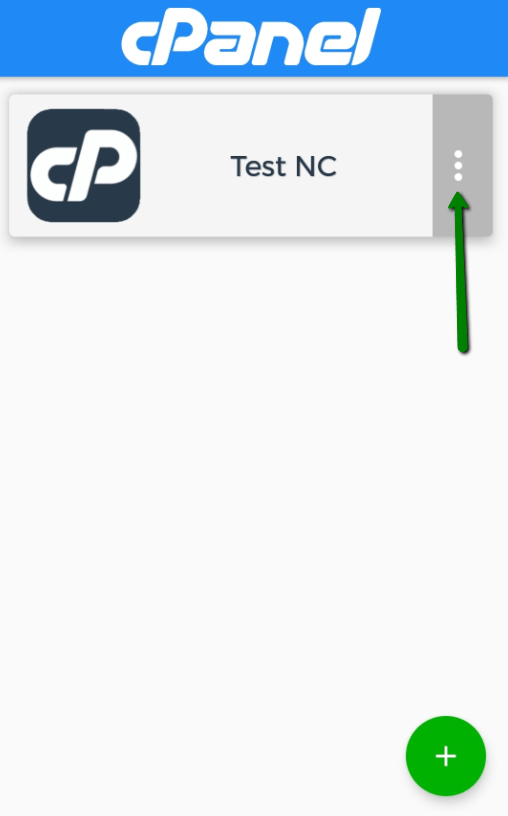
From the main window of the application, you can also modify the account settings by pressing the three horizontal dots:
The explanation for connecting to cPanel on mobile devices has been completed
Greetings from the Hyyat Host team
Related service: fast and secure web hosting from Hyyat Host, with technical support that replies within 24 hours.